EasyManua.ls Logo

Teac Multitrack Series - Playback and Recording; Normal Playback Procedure; Normal Record Procedure; Erasing

Teac Multitrack Series
14 pages
Print Icon
To Next Page IconTo Next Page
To Previous Page IconTo Previous Page
Loading...
Playback
and
Recording
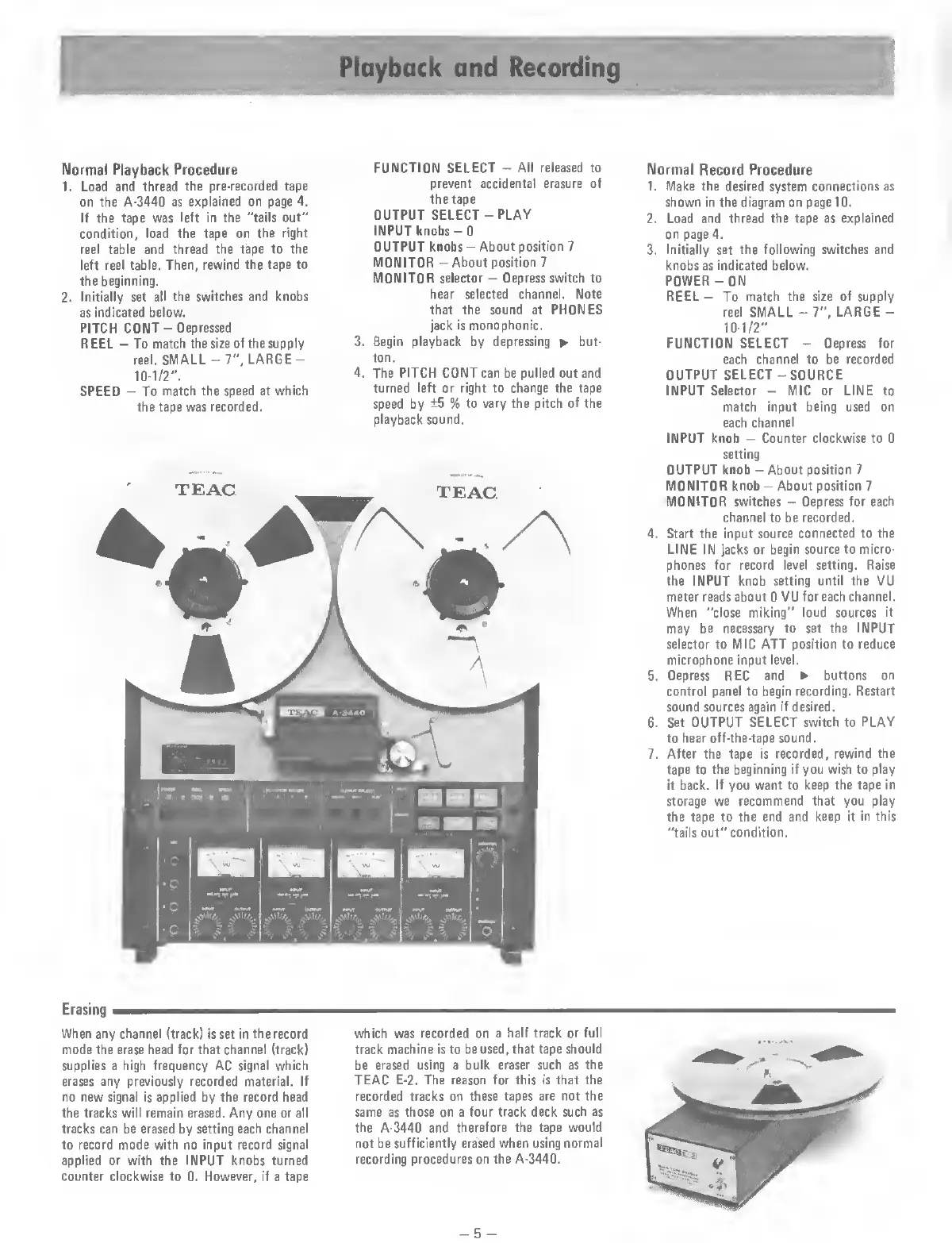
Normal
Playback
Procedure
1.
Load
and
thread
the
pre-recorded
tape
on
the
A-3440
as
explained
on
page
4.
If
the
tape
was
left
in
the
"tails
out”
condition,
load
the
tape
on
the
right
reel
table
and
thread
the
tape
to
the
left
reel
table.
Then,
rewind
the
tape
to
the
beginning.
2.
Initially
set
all
the
switches
and
knobs
as
indicated
below.
PITCH
COIMT-
Depressed
REEL
-
To
match
the
size
of
the
supply
reel.
SMALL
-
7",
LARGE
-
10
-
1
/
2
".
SPEED
-
To
match
the
speed
at
which
the
tape
was
recorded.
FUNCTION
SELECT
-
All
released
to
prevent
accidental
erasure
of
the
tape
OUTPUT
SELECT
-
PLAY
INPUT
knobs-0
OUTPUT
knobs
-
About
position
7
MONITOR
-
About
position
7
MONITOR
selector
-
Depress
switch
to
hear
selected
channel.
Note
that
the
sound
at
PHONES
jack
is
monophonic.
3.
Begin
playback
by
depressing
*
but¬
ton.
4.
The
PITCH
CONT
can
be
pulled
out
and
turned
left
or
right
to
change
the
tape
speed
by
±5
%
to
vary
the
pitch
of
the
playback
sound.
Normal
Record
Procedure
1.
Make
the
desired
system
connections
as
shown
in
the
diagram
on
page
10.
2.
Load
and
thread
the
tape
as
explained
on
page
4.
3.
Initially
set
the
following
switches
and
knobs
as
indicated
below.
POWER-ON
REEL
-
To
match
the
size
of
supply
reel
SMALL
-
7”,
LARGE
-
10
-
1
/
2
"
FUNCTION
SELECT
-
Depress
for
each
channel
to
be
recorded
OUTPUT
SELECT
-
S
OURCE
INPUT
Selector
-
MIC
or
LINE
to
match
input
being
used
on
each
channel
INPUT
knob
-
Counter
clockwise
to
0
setting
OUTPUT
knob
-
About
position
7
MONITOR
knob
-
About
position
7
MONITOR
switches
-
Depress
for
each
channel
to
be
recorded.
4.
Start
the
input
source
connected
to
the
LINE
IN
jacks
or
begin
source
to
micro¬
phones
for
record
level
setting.
Raise
the
INPUT
knob
setting
until
the
VU
meter
reads
about
0
VU
for
each
channel.
When
"close
miking”
loud
sources
it
may
be
necessary
to
set
the
INPUT
selector
to
MIC
ATT
position
to
reduce
microphone
input
level.
5.
Depress
REC
and
buttons
on
control
panel
to
begin
recording.
Restart
sound
sources
again
if
desired.
6.
Set
OUTPUT
SELECT
switch
to
PLAY
to
hear
off-the-tape
sound.
7.
After
the
tape
is
recorded,
rewind
the
tape
to
the
beginning
if
you
wish
to
play
it
back.
If
you
want
to
keep
the
tape
in
storage
we
recommend
that
you
play
the
tape
to
the
end
and
keep
it
in
this
"tails
out”
condition.
Erasing
When
any
channel
(track)
is
set
in
the
record
mode
the
erase
head
for
that
channel
(track)
supplies
a
high
frequency
AC
signal
which
erases
any
previously
recorded
material.
If
no
new
signal
is
applied
by
the
record
head
the
tracks
will
remain
erased.
Any
one
or
all
tracks
can
be
erased
by
setting
each
channel
to
record
mode
with
no
input
record
signal
applied
or
with
the
INPUT
knobs
turned
counter
clockwise
to
0.
However,
if
a
tape
which
was
recorded
on
a
half
track
or
full
track
machine
is
to
be
used,
that
tape
should
be
erased
using
a
bulk
eraser
such
as
the
TEAC
E-2.
The
reason
for
this
is
that
the
recorded
tracks
on
these
tapes
are
not
the
same
as
those
on
a
four
track
deck
such
as
the
A-3440
and
therefore
the
tape
would
not
be
sufficiently
erased
when
using
normal
recording
procedures
on
the
A-3440.
-
5
-

Related product manuals