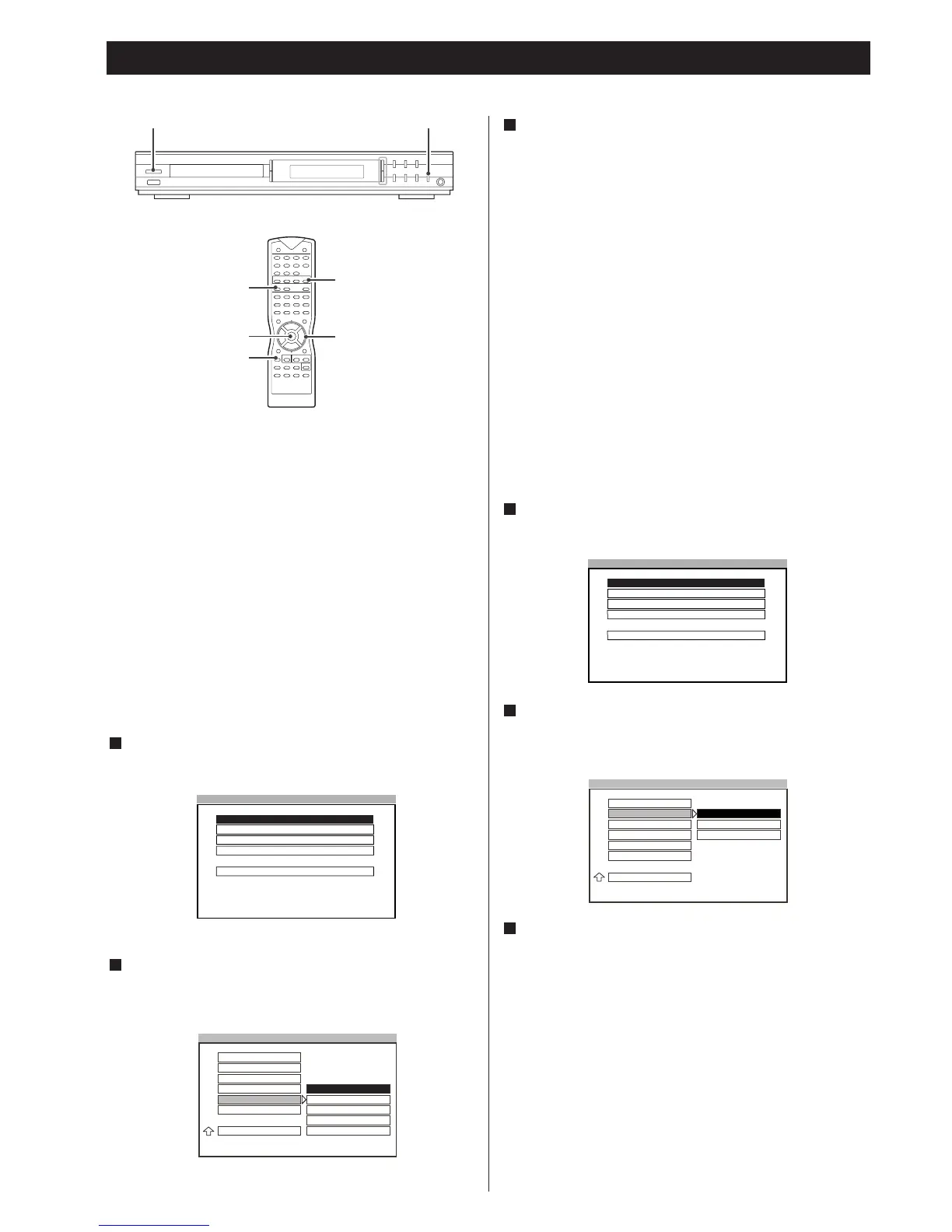
You must do some basic setting when first using this system. This
chapter describes how to set the OSD (On-Screen Display)
language, color system, audio output mode and video output
mode, etc.
<
If there is too much noise on the SETUP screen and options
are illegible, leave the screen by pressing the SETUP button,
press the PAL/NTSC button on the remote control, and try
again the setup process from the beginning.
To operate this section, press the POWER switch on the front
panel to turn the unit on and press the DVD button to select the
DVD function.
Selecting the Language for OSD
You can select the language for OSD (On-Screen Display). This
setting allows you select a preferred language for the OSD menu,
operating messages. The default language is ENGLISH.
Press the SETUP button to enter SETUP MENU. Use the 5/b
buttons to select GENERAL SETUP, and then press ENTER
button.
Highlight OSD LANG using the 5
/b buttons, then press the
t
button to go to the right option list. Select the language
using the 5
/b buttons, then press the ENTER button to
confirm your selection.
2
1
Press the SETUP button again to exit menu.
Note
<
Some DVDs may not support the selected language. In this
case, the player displays disc menu consistent with the initial
language of disc.
3
Basic Setup 1
12
Selecting the Color System
You can setup the color system of this unit to match up your
connected TV set. If the color system of this unit is different from
that of the TV set, the images can not be displayed normally on
the screen. The default setting is MULTI.
MULTI
Select MULTI when a MULTI TV is connected.
NTSC
Select NTSC when a NTSC TV (American standard) is
connected.
PAL
Select PAL when a PAL TV (European standard) is connected.
Press the SETUP button to enter SETUP MENU. Use the 5/b
buttons to select GENERAL SETUP, and then press the ENTER
button.
Highlight TV TYPE using the 5
/b buttons, then press the t
button to go to the right option list. Select MULTI, NTSC or
PAL using the 5
/b buttons, then press ENTER to confirm
your selection.
Press the SETUP button again to exit menu.
Note
<
You can change the color system of the unit temporarily by
using the PAL/NTSC button on the remote control.
3
2
1



 To Next Page