Basic Operation 1
14
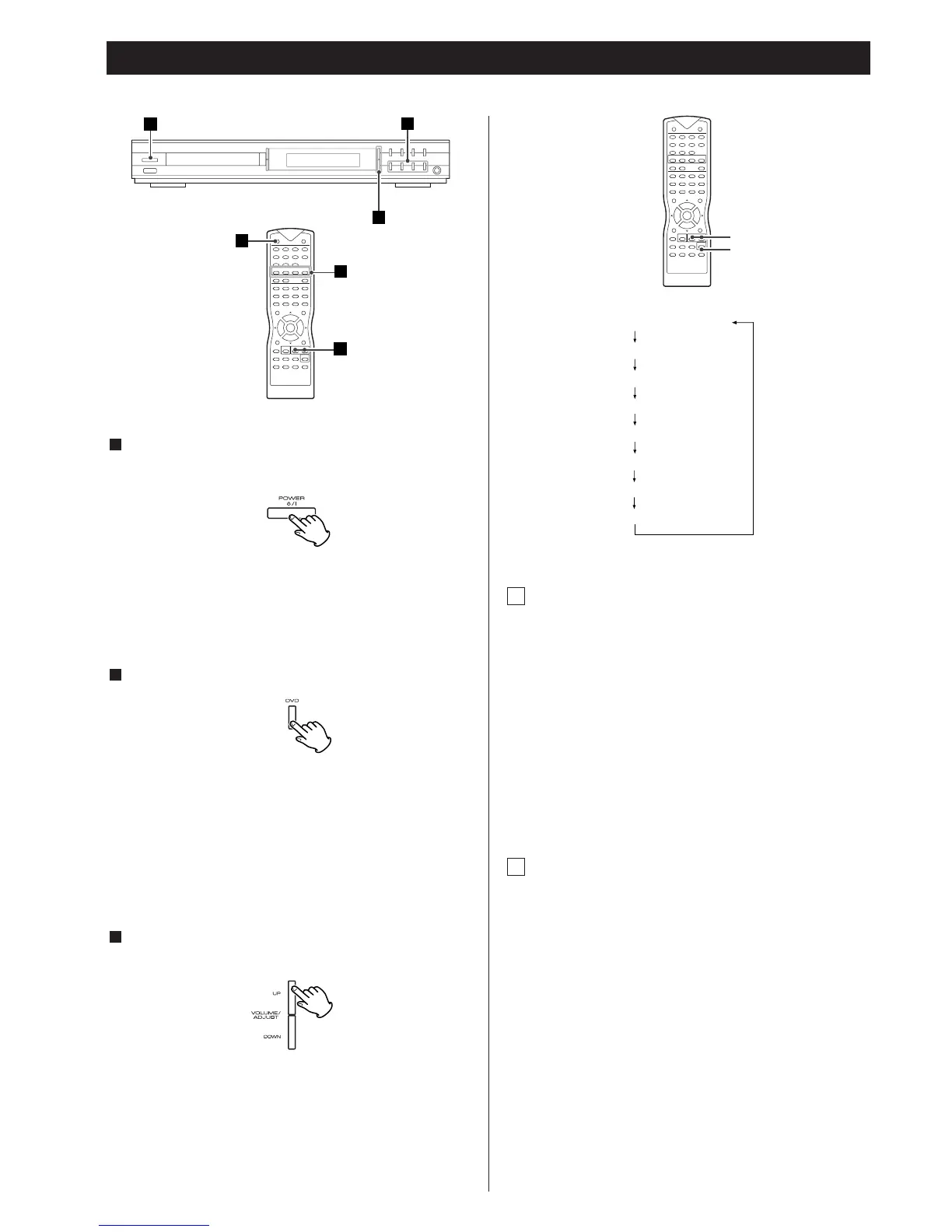
Press the POWER switch to turn the unit on.
The unit can also be controlled with the remote control.
<
By pressing the POWER button on the remote control, you can
switch between ON and STANDBY modes. The indicator lights
up in power standby mode and goes out when this unit is
turned on.
<
Turn the subwoofer on when necessary.
Select a source by pressing the FUNCTION buttons.
The selected source is shown on the front panel’s display.
DVD (current status is displayed)
TUNER (frequency is displayed)
TV
AUX
DIGITAL IN
Play the source, and gradually turn up the volume to the
required level by pressing the VOLUME/ADJ buttons.
3
2
1
Tone Control
1. Press the SELECT button to select “TRE” or “BAS”.
Each time the SELECT button is pressed, the mode is
changed as fig. 1.
To adjust the level of high frequency sound range, select
“TRE (treble)”.
To adjust the level of low frequency sound range, select
“BAS (bass)”.
2. Press the VOLUME/ADJ buttons to change the setting.
The level can be adjusted in 2 dB steps from –10 to +10.
Adjusting Speaker Levels
1. Press the SELECT button to select the speaker level setting.
Each time the SELECT button is pressed, the mode is
changed as fig. 1.
2. Press the VOLUME/ADJ buttons (‡/°) to adjust the
speaker level.
The level can be adjusted in 1 dB step from –15 to +10.
* If you don‘t press the VOLUME/ADJ buttons or the SELECT
button for a few seconds when a level is displayed, the level
display goes out.
B
A



 To Next Page