17
Playback 2
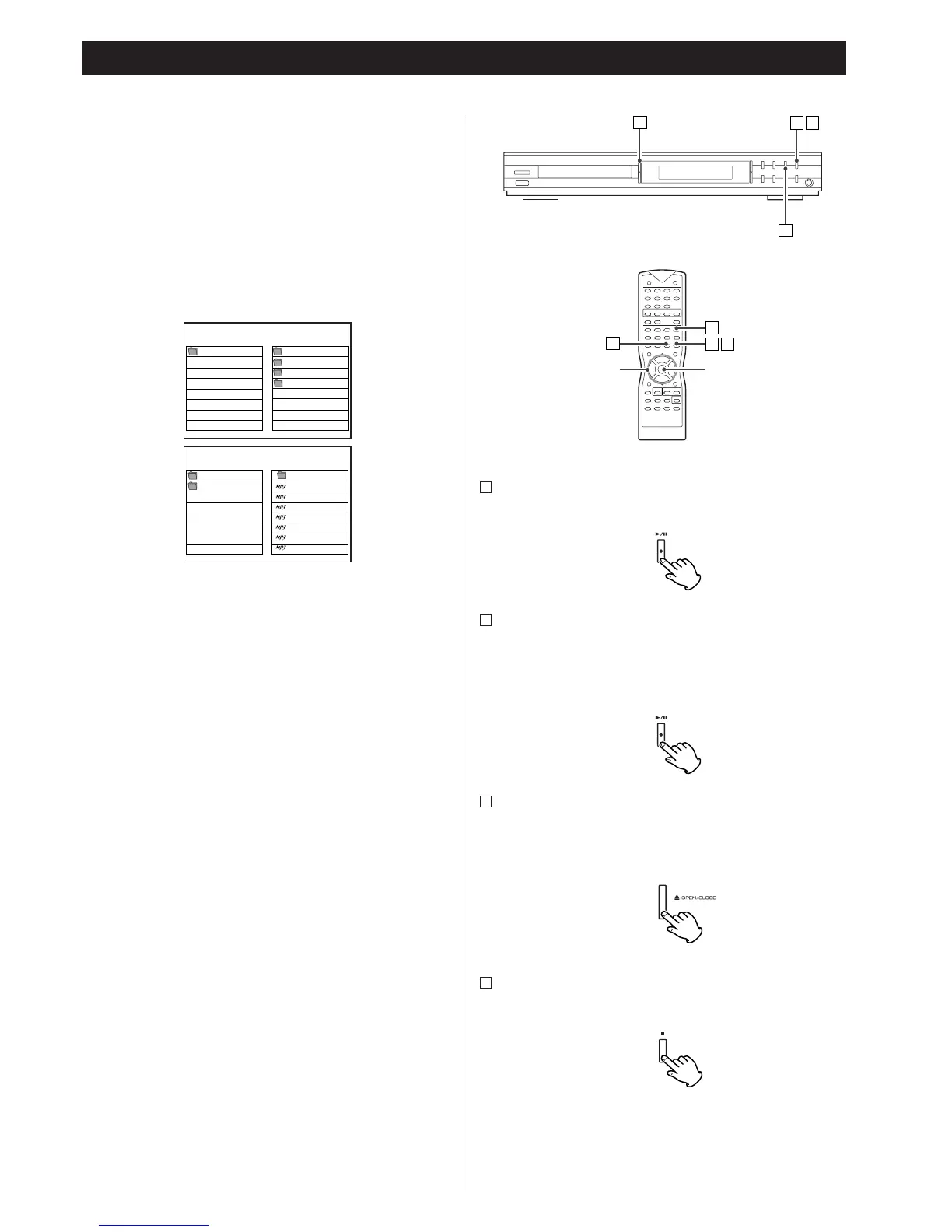
To start playback
In the stop mode, press the PLAY/PAUSE button (y/J).
To suspend playback temporarily (pause mode)
Press the PLAY/PAUSE button (y/J) during playback.
Still frame on DVD and VCD discs, and music interruption on
MP3 and CD.
To resume playback, press the PLAY/PAUSE button (y
/J).
To open the disc tray
Press the OPEN/CLOSE button (L) to open and close the disc
tray.
<
When other function is selected, this button dosen’t work.
To stop playback of CD, VCD, MP3
Press the STOP button (H).
D
C
B
A
MP3
<
Press the MENU/PBC to turn the MP3 menu “SMART NAVI”
on or off. If you press the MENU/PBC button during playback,
playback starts from the first track.
When the MP3 menu is on:
Select a directory by pressing the 5/b buttons and press the
ENTER button.
A list of track numbers and titles (file names) will be shown on
the right side of the screen. Select a track and press the
ENTER button or the PLAY/PAUSE button. Playback will start
from the selected track.
<5
/b/g/t buttons don‘t work during playback.
<
If you want to select another directory, select ROOT by
pressing the 5
/g button and press the ENTER button to go
back to the ROOT directory.
<
Depending on the disc, invisible directories such as
“TRASH”might be shown on the screen.
Please disregard directories which does not contain MP3 files.
DVD/VCD/CD/MP3



 To Next Page