37 | PowerMax-HP10
4. Connecting VCD player devices
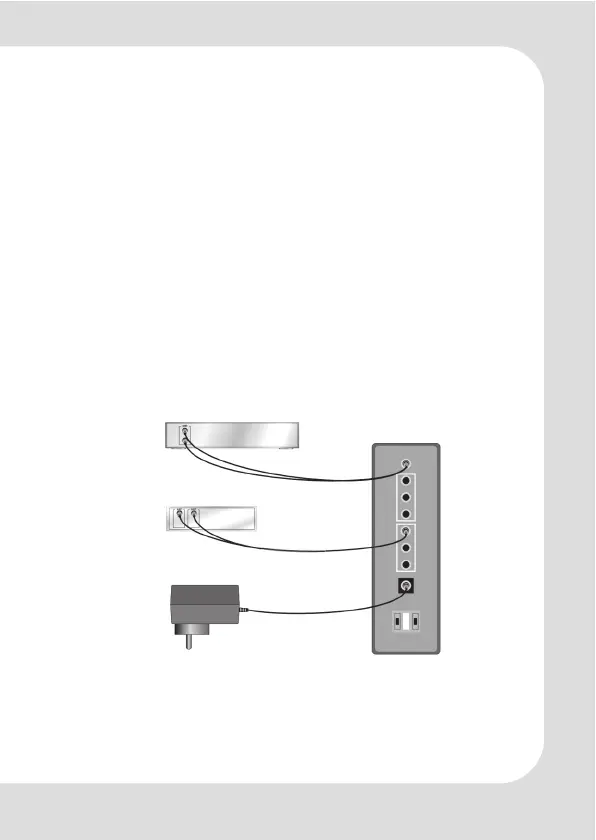
An external DC power supply is required. Connect the 7.5V DC
power supply to the 7.5V DC input jack on the back of the 5.1
amplifier box.
VCD players can be connected to the input AUX with the TV
cable.
Optionally a stereo amplifier/speaker system can be connected
to the pass-through 5.1 front output connectors of the
headphone amplifier. It provides the AUX signal for further play-
back devices.
For power and signal connection method, please refer to the
picture below.
7.5V DC
Power adapter
TV
connencting
cable (D)
VCD output
Back plate
PowerMax-HP10
Stereo amplifier
connencting cable



 To Next Page