38 | PowerMax-HP10
5. Connecting Computers (Stereo Sound Cards)
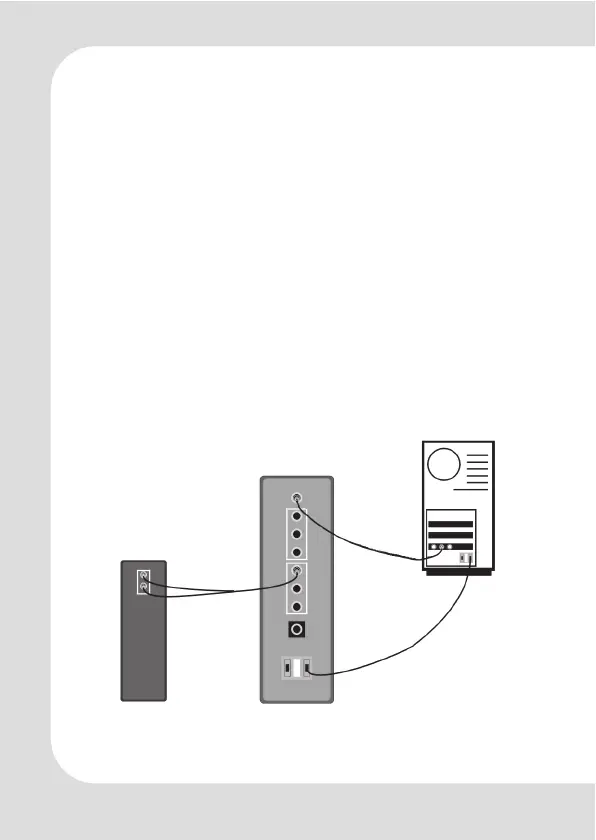
Utilize an USB cable for power source. Connect the USB 5V power
source to the jack USB1 on the back of the 5.1 amplifier box. The
second USB connector USB2 can extend the occupied USB con-
nector of your computer for other USB devices. In case of audi-
ble interference noise (e.g. with Notebooks) disconnect the USB
cable and install the external power supply.
PC stereo sound cards can be connected to the input AUX of
the amplifier box by a PC audio cable with 3.5mm mini phono
plugs at both ends.
Optionally a stereo amplifier/speaker system can be connected
to the pass-through 5.1 front output connectors of the head-
phone amplifier.
For power and signal connection method, please refer to the
picture below.
Back plate
PowerMax-HP10
stereo speaker
stereo sound
card
USB cable (E)
PC



 To Next Page