8
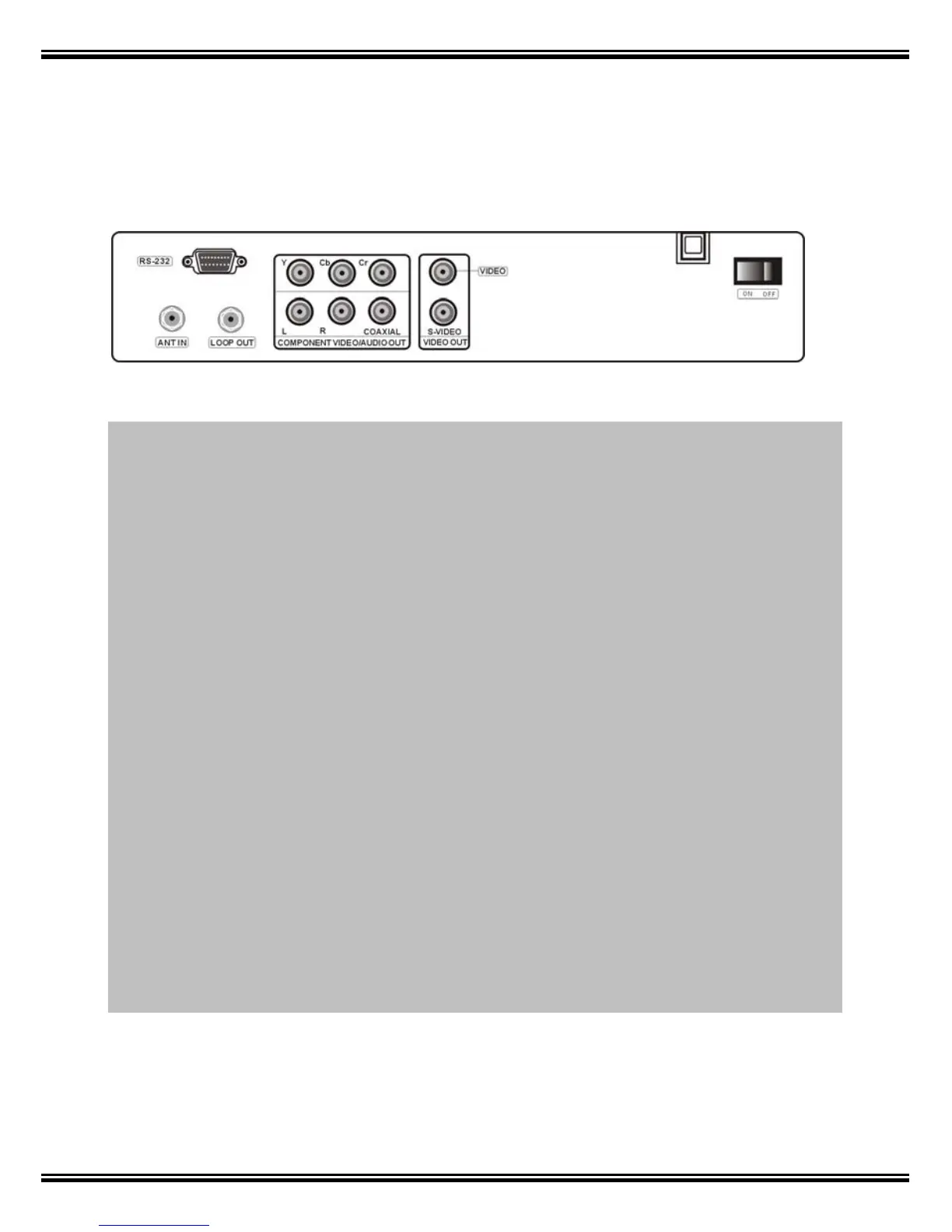
6. Rear Panel
RS232: Connect to a PC or a pre-updated STB for software upgrade
ANT IN: Connect to a terrestrial antenna
LOOP OUT: Connect to another receiver (RF loop through output from digital tuner)
YCbCr: Component video output. Supports high definition output
L/R AUDIO: This socket outputs analog audio L/R signal.
COAXIAL: This socket connects to a coaxial socket on your surround sound
system.
VIDEO: This socket outputs composite video signal.
S-VIDEO: This socket outputs separate S-Video signal.
ON/OFF: Main power switch



 To Next Page