22
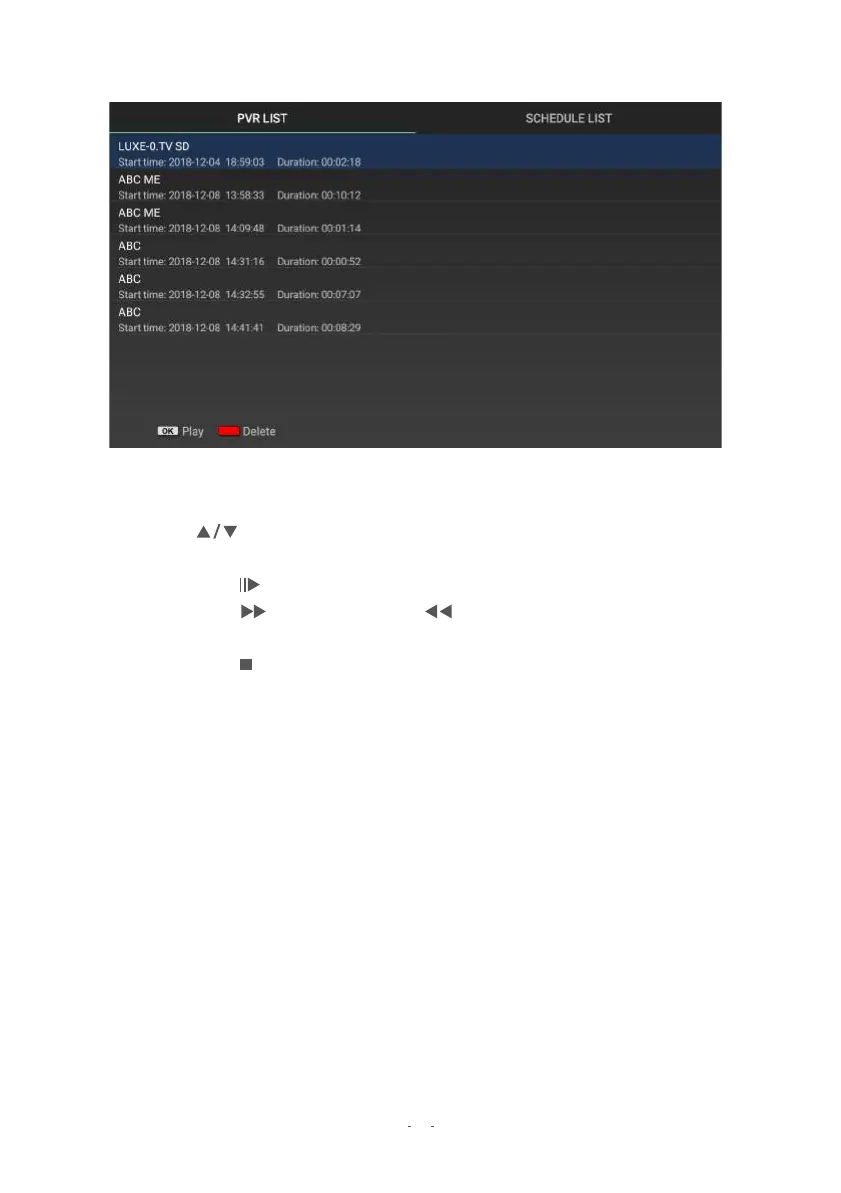
4.3 Recorded programs list
Quickly access your recorded TV programs with this list. Press the PVR LIST
button
for the File List.
●
●
Use the
buttons to highlight a desired file.A thumbnail preview will start playing.
o Press
to Pause or resume playback.
o Press to Fast Forward and to rewind. Continuous pressing of either
button will let you switch speeds from 2x up to 32x.
o Press or EXIT to return to the file listing.
To delete a highlighted file, press the YELLOW button.
●
To rename a highlighted file, press the GREEN button, then use the on-screen
keyboard to key in the new name.
To playback that file in full screen, press the OK button.


 To Next Page