Chapter 1 Feature Summary
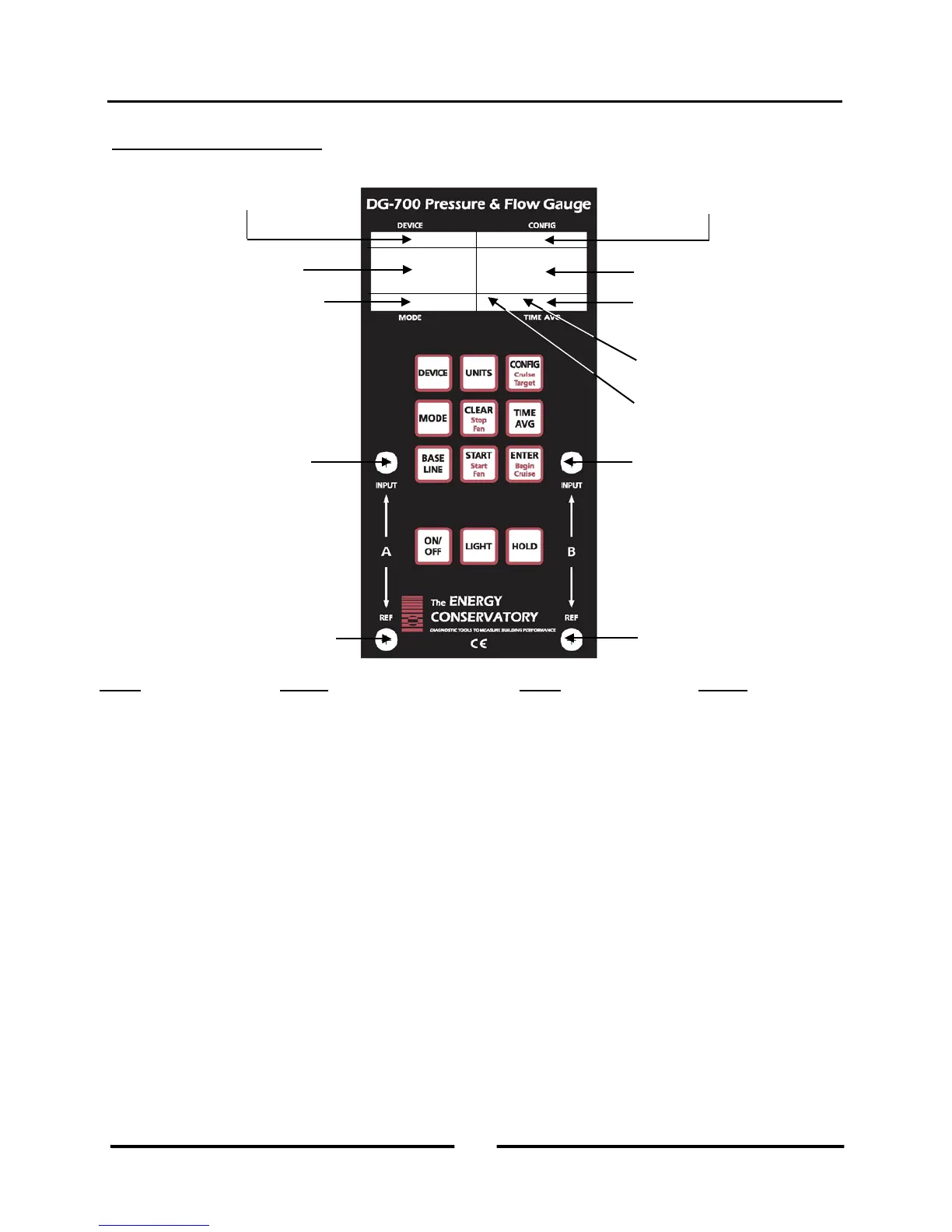
1.3 Gauge Face and Buttons
Used to select the Energy Conservatory test device
connected to Channel B (not active in PR/PR
Initiates Baseline pressure measurement procedure
on Channel A (not active in PR/AH mode).
Selects the pressure and air flow units for Channels
A and B.
Used to start measurement procedure for Baseline
and NSOP measurements. Also used to reset time
averaging buffers and manually initiate auto-zero.
Used to select the configuration for the currently
chosen test device (not active in PR/PR mode).
Used to accept and enter Baseline and NSOP
pressure readings. After entering Baseline reading,
Channel A will display baseline adjusted pressure.
Selects the current operating mode.
Used to exit out of a Baseline pressure
measurement procedure. When in PR/AH mode,
resets gauge back to beginning of AH flow
measurement procedure (i.e. NSOP measurement).
Also used to turn off the Cruise Control feature.
Turns display backlight On and Off.
Used to select the time averaging mode (not active
during Baseline and NSOP measurements).
Turns display Hold feature On and Off.
Initiates Cruise Control feature (not active in
PR/AH and PR/V modes).
Turns off the fan for Cruise Control.
Starts the fan for Cruise Control.
Used to select the Cruise Target Pressure.
configuration (for air flow
measurements on Channel B)
Selected test device (for air
flow measurements on
(for both Channels)
3
Operating Instructions
for the DG700



 To Next Page