12 44 1705 001GB-H FMT 3 meter
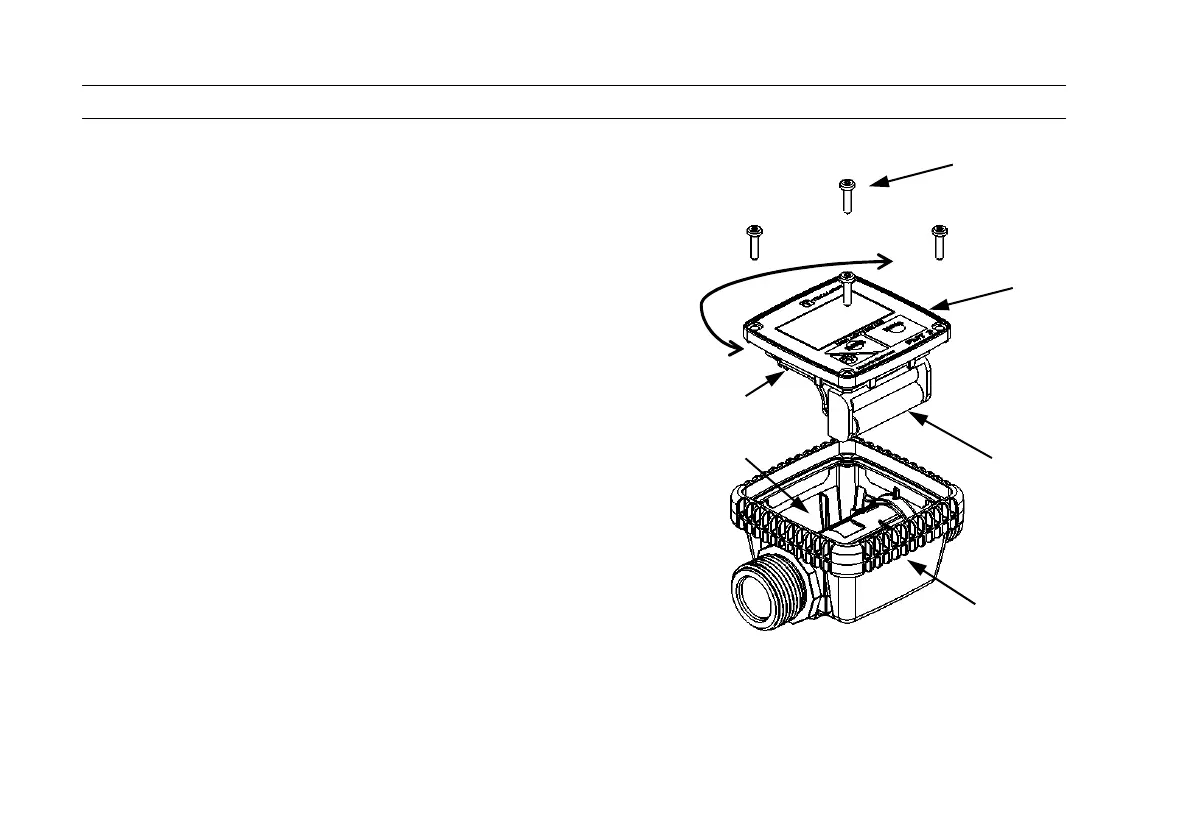
3.2 Rotating the display (only versions without pulse out)
The display of the FMT 3 [1] can be mounted both
vertically as well as horizontally in order to allow
the meter to be read off comfortably. To turn the
display, the four screws [2] on the top side are
loosened and the display is pulled upwards. The
display can now be replaced in any desired
orientation. The rubber shock protector [3] is not to
be rotated along with the display. The battery
housing [4] may need to be placed on the other side
[5] of the meter housing to prevent the battery
housing and battery connector [6] from colliding. The
battery cable needs to be laid such that it is not
pinched between the reed switch and the housing.
2


 To Next Page