24 44 1705 001GB-H FMT 3 meter
5 Programming the meter
The device allows the unit of measurement (liters, US gallons, US quarts, US pints, imperial gallons,
imperial quarts, imperial pints) to be selected, the basic selection of the medium characteristic curve
(watery media, thin mineral oils) to be performed, as well as a calibration to be performed to
optimize measurement accuracy.
5.1 Switching to programming mode
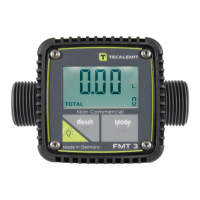
Hold down the "Mode" key until the program version is shown (e.g. "P1.33" to switch to
Programming mode
.
Once the key is released, a display test is carried out. Subsequently, multiple settings can be
configured in succession, beginning with the
selection of the unit of measurement for volume
. In
programming mode, the display will blink. If no key is pressed for more than 60 seconds, the device
will cancel programming mode and return to
dispensation mode
.
5.2 Setting the unit of measurement
The configured unit of measurement is shown and can be changed if necessary. If the unit is
changed, the partial volume shown as well as all totalizers will automatically be converted.


 To Next Page