9
HOWTOUSETHECONTROLLER
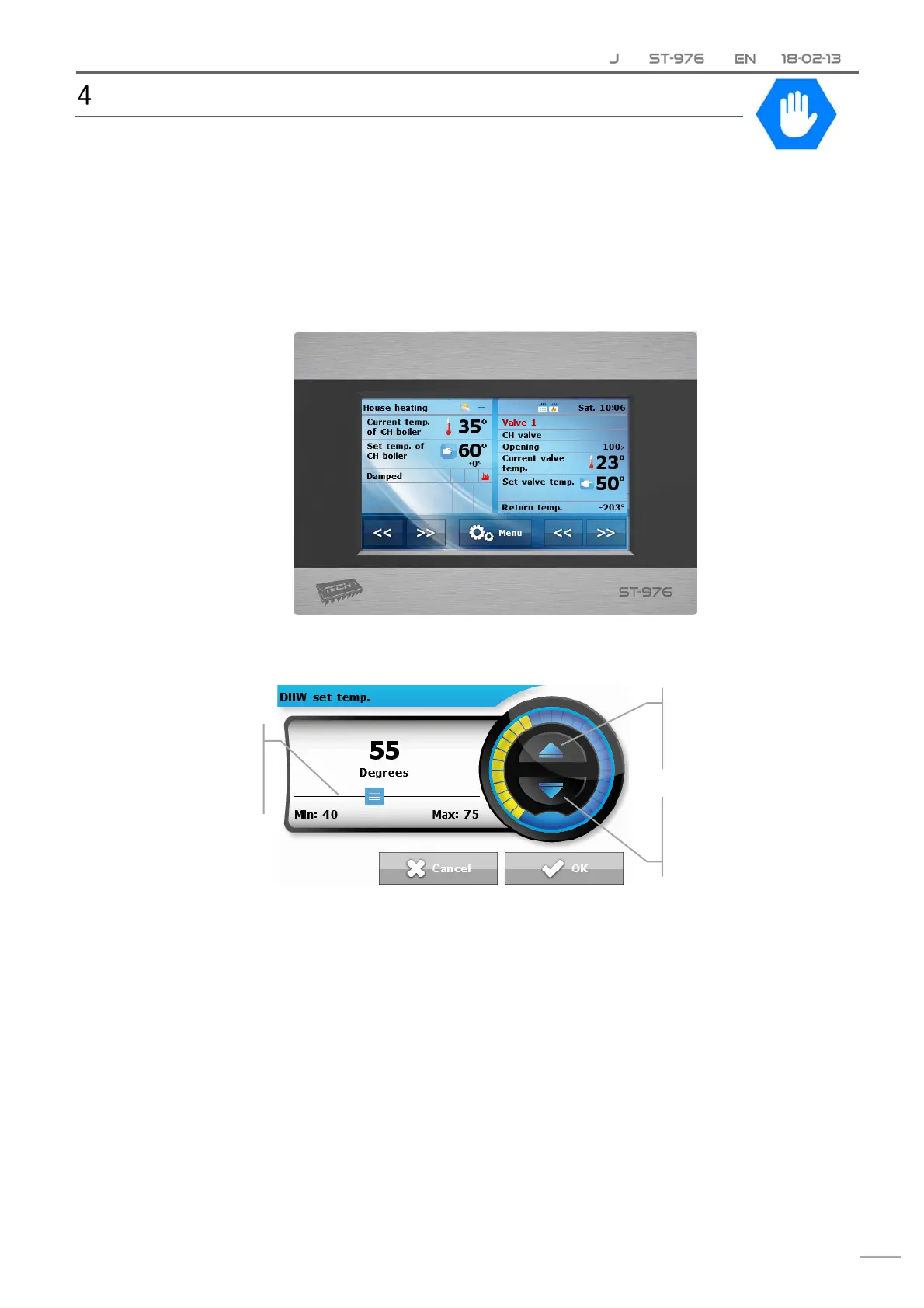
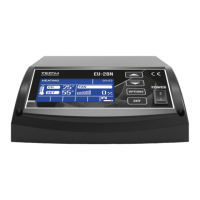
Thedeviceisoperatedbymeansofatouchscreen,inthebottom part of which there are
navigationicons.Themainscreenisdividedintotwoareaswhichmaybeadjustedtoindividual
user’sneedsusingthearrows.Theusermaychooseoneofthefollowingscreenviews:CHboilertemperature,
CH boiler temperature chart, Water tank temperature, Water tank temperature chart, Fire‐up/Damping
function,Fuellevel,Parametersofbuilt‐invalve.
Theupperleft‐handsideofthescreendisplayscurrentcontrolleroperationmode‐touchthescreenhereto
changetheoperationmode.Theright‐handsideofthescreendisplayscurrentdayoftheweekandtime‐
touchheretoedittimesettings.
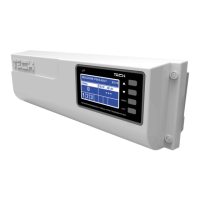
Inordertochangeparameters,usethesliderorthearrowsasillustratedbelow.
Increasevalue
taponceorhold
Decreasevalue
taponceorhold
Slider
right–increase
left‐decrease



 To Next Page