EasyManua.ls Logo

Technics SA-1000 - Page 2

Technics SA-1000
12 pages
Print Icon
To Next Page IconTo Next Page
To Previous Page IconTo Previous Page
Loading...
ZZ
a
a
Your
new
‘‘Technics’’
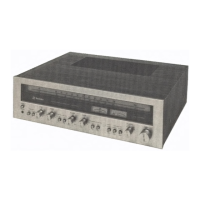
FM/AM
stereo
receiver
was
manufactured
and
assembled
under
exacting
quality
control
standards.
The
incorporation
of
the
latest
advances
in
design
and
the
use
of
the
most
modern
components
assure
out-
standing
performance
with
superb
sensitivity
and
tonal
quality.
A
few
minutes
of
your
time,
wisely
spent
reading
care-
fully
through
this
instruction
booklet
will
assure
you
of
getting
the
maximum
benefit
of
this
fine
compo-
nent’s
potential.
©
ACCESSORIES
2.0.2
ele
aes
1
*
PRODUCT
SERVICE
62.22
bo.
1
«
BEFORE
OPERATION
.....0-2)eee
le.
1
e
MAINTENANCE
OF
EXTERNAL
SURFACES
.......
1
e
FOR
LONG
AND
SAFE
USE
OF
THIS
UNIT
........
2
e
DESCRIPTION
OF
THE
AUTOMATIC
SPEAKER-
iMiPEDANCE-COMPARATOR
CIRCUITRY
..........
3
e
IF
THE
“SAFETY”
INDICATOR
1S
NOT
ILLUMINATED
........-..0:cccccccccsereteeenes
3
e
FRONT
PANEL
CONTROLS
AND
THEIR
FUNCTIONS
ee.
4
-e@
ANTENNAS
|e
7
-
@
THE
PRE
OUT/MAIN
IN
TERMINALS.
.............-.
8
e
TAPE
RECORDING
AND
TAPE-TO-TAPE
URECORDING
9
“e
ACOUSTIC
CONTROLS
...o.cc
ec
10
©
TECHNICAL
SPECIFICATIONS
........cccceeceseeeees
11
ee
12
-e
MEMO
-
FM
indoor
antenna
(feeder
antenna)
........
eee
1
-
7593002
impedance
conversion
plug
......-.eeeeee
eee.
1
-
F-type
plug
for
750
coaxial
cable
(SC-2V)
...............
1
-
F-type
plug
for
752
coaxial
cable
(8C-2V)
«wee
1
-
Ring
for
750
coaxial
cable
(5C-2V)
|...
1
-
Ring
for
750
coaxial
cable
(3C-2V)
....
1
-
Screw
-driver
(for
tightening
the
speaker
terminal
and
voltage
selector
COVEr
SCIEWS)
«oe.
eee
cree
eben
eee
eee
1
~
WARNING
CONCERNING
REMOVAL
OF
COVERS
__
This
unit
should
be
serviced
by
qualified
technicians
only.
No
service
information
is
provided
for
customers.
Should
your
‘‘Technics’’
product
ever
require
servicing,
refer
tothe
Directory
of
Authorized
Service
Centers
or
your
franchised
‘‘Technics’’
dealer
for
detailed
instructions.
You
will
find
the
serial
number
located
at
the
back
of
the
unit.
“LOCATION
OF
SERIALNUMBER
This
unit
includes
a
built-in
voltage
selector.
The
voltage
selector
must
be
correctly
set
to
local
voltage.
if
not,
this
unit
will
be
seriously
damaged.
1)
Disconnect
power
cord
from
AC
outlet.
2)
>
included:
s
ein
crew-driver,
remove
the
2
screws
holding
the
cover,
and
remove
the
cover.
Voltage
selector
cover
3)
Align
the
arrow
of
the
voltage-selector
plug
with
local
voltage
indication,
and
connect
to
voltage
selector.
4)
Attach
the
cover.
-
To
-clean,
use
a-soft,:
-dry=cloth.
lf:
the
surfaces.
are
extremely
dirty,
use
a
soft
cloth
soaked
in
a
detergent
(such
as
used
for
washing
dishes;
diluted
to
1/5
or
1/6
strength),
and
then
wring
the
cloth
well.
Wipe
once
again
with
a
soft,
dry
cloth.
-
Never
use
chemicals
such
as
alcohol,
paint
thinner
and
benzine,
nor
a
chemically-treated
cloth
to
clean
this
unit
because
the
finish
may
be
damaged
or
lose
its
luster.

Related product manuals