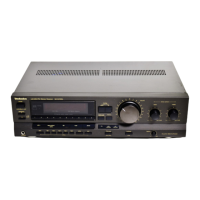
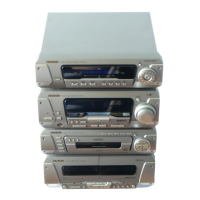
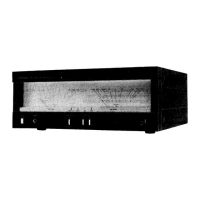
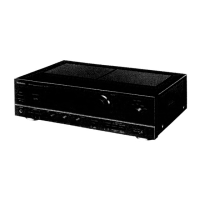
Tuner amplifier
1
A
A
B
l
r
1
]
m
o
q
z
y
|
:
9
{
}
t
;
s
n
u
v
x
H
AV EFFECT
SLEEP
CH SELECT
PROGRAM
123
456
7890
j/-/--
CANCEL
DISC
VCR/AUX/
6CH INPUT
TAPE/
DECK 1/2
U
PRO LOGIC
S.WOOFER
TUNER/
BAND
⁄/g¤ ¤»
MUTING
MN
∂ VOLUME µ
CD
3D AI EQ/M.EQ BAND
EQ
Remote controls
Buttons 1, 9–;, and function in the same way as the
controls on the main unit.
l Sleep timer button (SLEEP)
m Numbered buttons (1–9, 0, M)
n Cursor buttons (2, 1, 3, 4)
q
VCR button (VCR)
r TAPE select, deck 1/deck 2 select button
(TAPE/DECK 1/2)
s CD pause/Tape reverse playback button
(
2
/
;
)
t Muting button (MUTING)
u Program button (PROGRAM)
v Cancel button (CANCEL)
x EQ button (EQ)
y AV effect button (AV EFFECT)
z CD button (CD)
{ CD play/tape forward playback button
(1)
| CD/tape stop button (∫)
} CD skip/search, tape fast forward/rewind buttons
(4, 5)
B
h
i
SIMULATED
STEREO
g–i
Standby/on switch (Í/I)
Press to switch the unit from on to standby mode or vice versa. In
standby mode, the unit is still consuming a small amount of
power.
2 Standby indicator (Í)
When the unit is connected to the AC mains supply, this indicator
lights up in standby mode and goes out when the unit is turned on.
3 Play timer/record timer button and indicator
(FPLAY/FREC)
4 ECO mode button (MODE)
5 Clock/timer, demo button
(CLOCK/TIMER, –DEMO)
6 FM mode button (FM AUTO/MONO)
8 Source input button (INPUT SELECTOR)
9 Tuner/band button (TUNER/BAND)
:
Super woofer button and indicator (S.WOOFER)
; Volume control (VOLUME)
< Headphone jack (PHONES)
= Tuning mode button (TUNING MODE)
> Set button (SET)
? Tuning buttons (X, W TUNING)
@
RDS display mode buttons
(RDS, PS–DISP MODE–PTY)
Except for United Kingdom
H
H/I
MODE
?
TUNING
@
PHONES
TUNING MODE SET
INPUT SELECTOR TUNER/BAND
VOLUME
UP
DOWN
FM AUTO/
MONO
œ
PLAY
/œ
REC
CLOCK/TIMER
DEMO
5 6 8 9 ;:3 41 2
< = > ?
S.WOOFER
DISP MODE
RDS
PTYPS
@


 To Previous Page