EasyManua.ls Logo

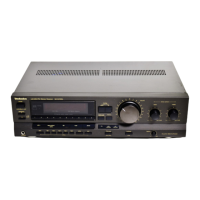
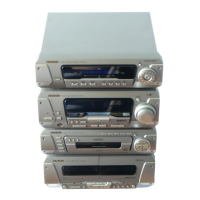
Technics SA-EH560 - Service Manual

Technics SA-EH560
81 pages
Print Icon
To Next Page IconTo Next Page
Loading...
Table Of Contents
COVER
1 Before Repairs
2 Protection Circuitry
3 Accessories
4 Caution for AC Main
Leads
5 Location of Controls
6 Operation Checks and
Component
ReplacementProcedures
6.1 Checking for the AC IN
P.C.B.
6.2 Checking for the
operation P.C.B.
6.3 Checking for the main P.
C.B.
6.4 Replacement for the
regulator transistor
6.5 Replacement for the
power IC
7 To Supply Power Source
8 Self-Diagnostic Mode
8.1 To display the
malfunction code
8.2 To return to the normal
display
8.3 Display contents
8.3.1 U70 CD, U70 DECK
(displayed automatically)
8.3.2 F61
9 Schematic Diagram Notes
10 Schematic Diagram
11 Printed Circuit Board
Diagram
12 Type Illustration of ICs,
Transistors and Diodes
13 Wiring Connection
Diagram
14 Terminal Function of ICs
14.1 IC901
(LC8A524A5N28):System
Control/FL Drive
15 Block Diagram
16 Replacement Parts List
17 Cabinet Parts Location
18 Packaging
Service Manual
TOP NEXT
AD0002043C2
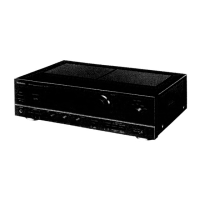
Tuner/Amplifier
SA-EH560
Colour
(S).....................Silver Type
Areas
(E).....................Europe.
(EB)..................Great Britain.
(EG)..................Germany, Italy, France, Netherlands and Denmark.
Question and Answer IconNeed help?

Do you have a question about the Technics SA-EH560 and is the answer not in the manual?

Technics SA-EH560 Specifications

General IconGeneral
BrandTechnics
ModelSA-EH560
CategoryAmplifier
LanguageEnglish

Summary

Before Repairs

Protection Circuitry

Accessories

Caution for AC Main Leads

Location of Controls

Operation Checks and Component Replacement Procedures

Checking AC IN PCB

Procedure for checking the AC input printed circuit board.

Checking Operation PCB

Procedure for checking the operation printed circuit board.

Checking Main PCB

Procedure for checking the main printed circuit board.

Regulator Transistor Replacement

Steps for replacing the regulator transistor component.

Power IC Replacement

Steps for replacing the power integrated circuit.

To Supply Power Source

Self-Diagnostic Mode

Display Malfunction Code

How to display the error code of the self-diagnostic function.

Return to Normal Display

Procedure to revert from diagnostic mode to normal operation display.

Display Contents

Explanation of the information shown in diagnostic mode displays.

Schematic Diagram Notes

Schematic Diagram

Printed Circuit Board Diagram

Type Illustration of ICs, Transistors and Diodes

Wiring Connection Diagram

Terminal Function of ICs

IC901 Terminal Functions

Pin terminal functions and descriptions for IC901.
Block Diagram

Replacement Parts List

Cabinet Parts Location

Packaging

Tuner Amplifier Controls

Remote Controls

Related product manuals