EasyManua.ls Logo

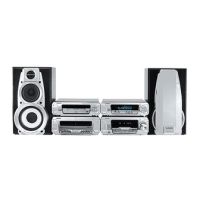
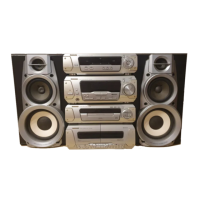
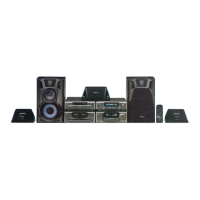
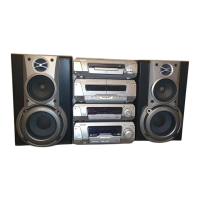
Technics SC-EH560 - User Manual

Technics SC-EH560
44 pages
Print Icon
To Next Page IconTo Next Page
Loading...
System Component
Operating Instructions
Model No. SC-EH760
SC-EH560
Note
The “EB” indication shown on the outside packing
case indicates United Kingdom.
Before connecting, operating or adjusting this prod-
uct, please read these instructions completely.
Please keep this manual for future reference.
RQT5355-B
EB EP GN
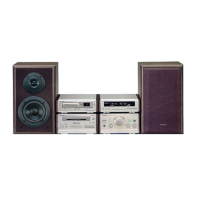
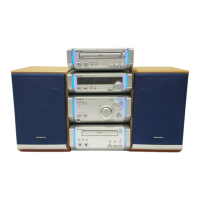
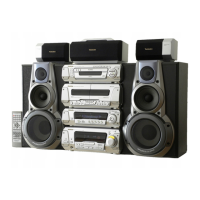
The illustrations show SC-EH760 for areas except Australia and N.Z.

Questions and Answers

  • M
    Matthew RuizAug 14, 2025
    What to do if Technics SC-EH560 Speaker System lights up in standby mode and shows "--:--" on the display?
    • C
      Christopher LindseyAug 15, 2025
      If your Technics Speaker System lights up in standby mode and “––:––” appears on the display, it means you've either just plugged it in or there was a recent power failure. You will need to set the time.
  • A
    Alexandra GriffithAug 18, 2025
    Why does my Technics SC-EH560 Speaker System sound unfixed, reversed, or only come from one speaker?
    • J
      Jennifer KellyAug 18, 2025
      If the sounds are unfixed, reversed, coming from only one speaker, or if you hear humming during play on your Technics Speaker System, the speaker cords may be shorted. Turn the unit off, check and correct the connections, and then turn the unit back on. It could also be that an AC mains lead or fluorescent light is near the cables, so keep other appliances and leads away from the unit’s cables.
  • P
    Paula BarryAug 21, 2025
    How to stop noise and distortion on Technics Speaker System?
    • A
      apittmanAug 21, 2025
      To address noise, stereo indicator issues, distortion, beat sounds, hum during AM broadcasts, or tuning problems with your Technics Speaker System: try using an outdoor antenna. Also, turn off the TV or separate it from the unit, and keep the antenna separate from other cables and leads. You can also try changing the frequency step.
  • D
    Dylan SuttonAug 25, 2025
    What does “U70” mean on Technics Speaker System?
    • L
      Lisa PetersAug 25, 2025
      If “U70” is displayed on your Technics Speaker System, it could indicate a problem with the tuner amplifier. Also, ensure that the flat cables are firmly connected and DEMO is turned off.
  • R
    Rachel SuarezAug 28, 2025
    Why does the picture on the TV disappear when using Technics Speaker System?
    • D
      daytravisAug 28, 2025
      If the picture on your TV disappears or stripes appear on the screen when using the Technics Speaker System, the location and orientation of the antenna may be incorrect. If you're using an indoor antenna, try switching to an outdoor antenna. Additionally, the TV antenna wire might be too close to the system, so separate the antenna wire of the TV set from the system.
  • M
    Molly MurrayAug 31, 2025
    What does “DECK NO TAPE” mean on Technics SC-EH560 Speaker System?
    • G
      gjohnsonAug 31, 2025
      If “DECK NO TAPE” or “DECK CHANGE TAPE” is displayed on your Technics Speaker System, load a cassette into deck 2. Also, if the erasure prevention tabs have been removed, cover the holes with adhesive tape.
  • K
    Kaitlyn CarpenterSep 3, 2025
    Why is recording not possible on Technics SC-EH560?
    • C
      Charles SmithSep 4, 2025
      If recording isn't possible on your Technics Speaker System, check the Dolby NR setting. Also, if the erasure prevention tabs have been removed, cover the holes with adhesive tape.
  • V
    Victor HillSep 7, 2025
    What does “TAKE OUT/DISC” mean on Technics Speaker System SC-EH760?
    • J
      Jeremiah JohnsonSep 7, 2025
      If “TAKE OUT/DISC” appears on the display of your Technics Speaker System SC-EH760, condensation may have formed in the changer or player due to a sudden change in temperature. Wait about an hour for it to clear and try again. Alternatively, there could be a problem with the CD mechanism. Remove the CD from the tray, and after ensuring there is no CD in the tray close it.
  • B
    Brandon GonzalesSep 10, 2025
    What does “ERROR” mean on Technics SC-EH560?
    • M
      Mr. Douglas RuizSep 12, 2025
      If “ERROR” is displayed on your Technics Speaker System, it means an incorrect operation was performed. Read the instructions and try again.

Summary

System Setup and Safety

Safety Precautions

Essential safety guidelines and warnings for operating the system.

Installation and Connections

Guidance on component setup, speaker placement, and wiring.

Basic Operations

CDs, Radio, and Cassette Tapes

Instructions for playing CDs, tuning the radio, and operating cassette tapes.

Program Play and Radio Presets

How to program CD tracks and preset radio stations.

Cassette Tape Operations

Detailed guide for cassette tape playback, recording, and special functions.

Sound Modes and Recording

Sound Field and Quality Adjustments

Using equalizers, surround effects, and woofer settings for desired sound.

Surround Sound Modes

Overview of surround systems like Dolby Pro Logic and Virtual Surround.

Recording Operations

Guidance on recording from CDs, radio, and tape.

Advanced Functions and Reference

Timer Operations

Setting play and record timers for automated system functions.

Convenient Functions

Using headphones, muting, external connections, and karaoke.

Troubleshooting and Maintenance

Solutions for common problems and system upkeep.

Technics SC-EH560 Specifications

General IconGeneral
BrandTechnics
ModelSC-EH560
CategorySpeaker System
LanguageEnglish

Related product manuals