20
RQT5744
Recording operations
Recording the radio
Preparation: Do the preparatory steps (
a
page 19).
1 Tune to the required station.
(
a
page 12 or 13)
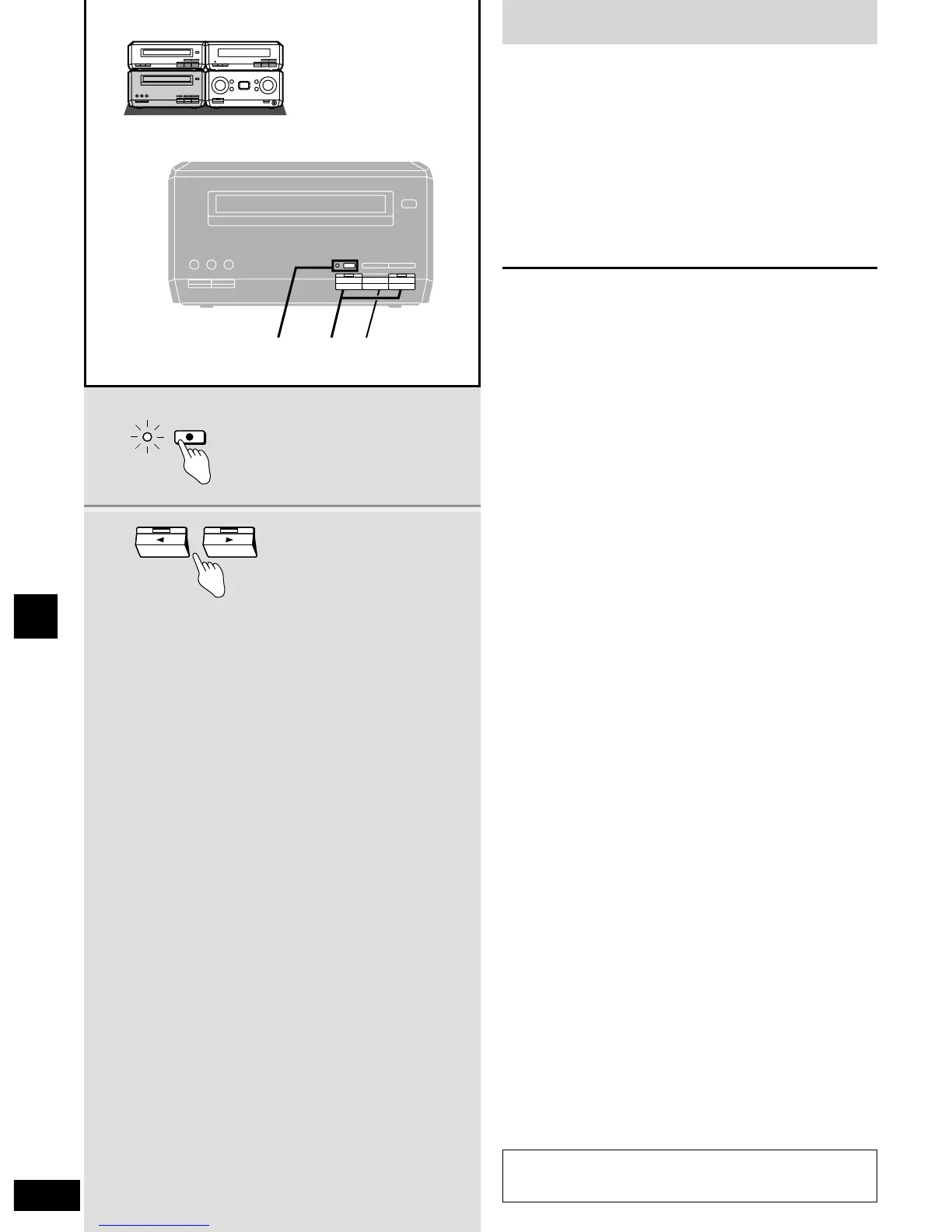
2 Press [* REC PAUSE].
The deck goes into the recording standby mode, [* REC
PAUSE] indicator lights and a play indicator starts flashing.
3 Press [w ] or [ q] to start recording.
q : to record on the forward side
w : to record on the reverse side
To stop recording
Press [ g ].
To temporarily stop recording
Press [* REC PAUSE].
The deck goes into recording standby mode.
Press the [w ] or [ q] button with the flashing indicator to resume
recording.
Your attention is drawn to the fact that recording pre-recorded
tapes or discs or other published or broadcast material may
infringe copyright laws.








 To Next Page