11
RQT5744
Before use
Setting the time
This is a 24-hour clock.
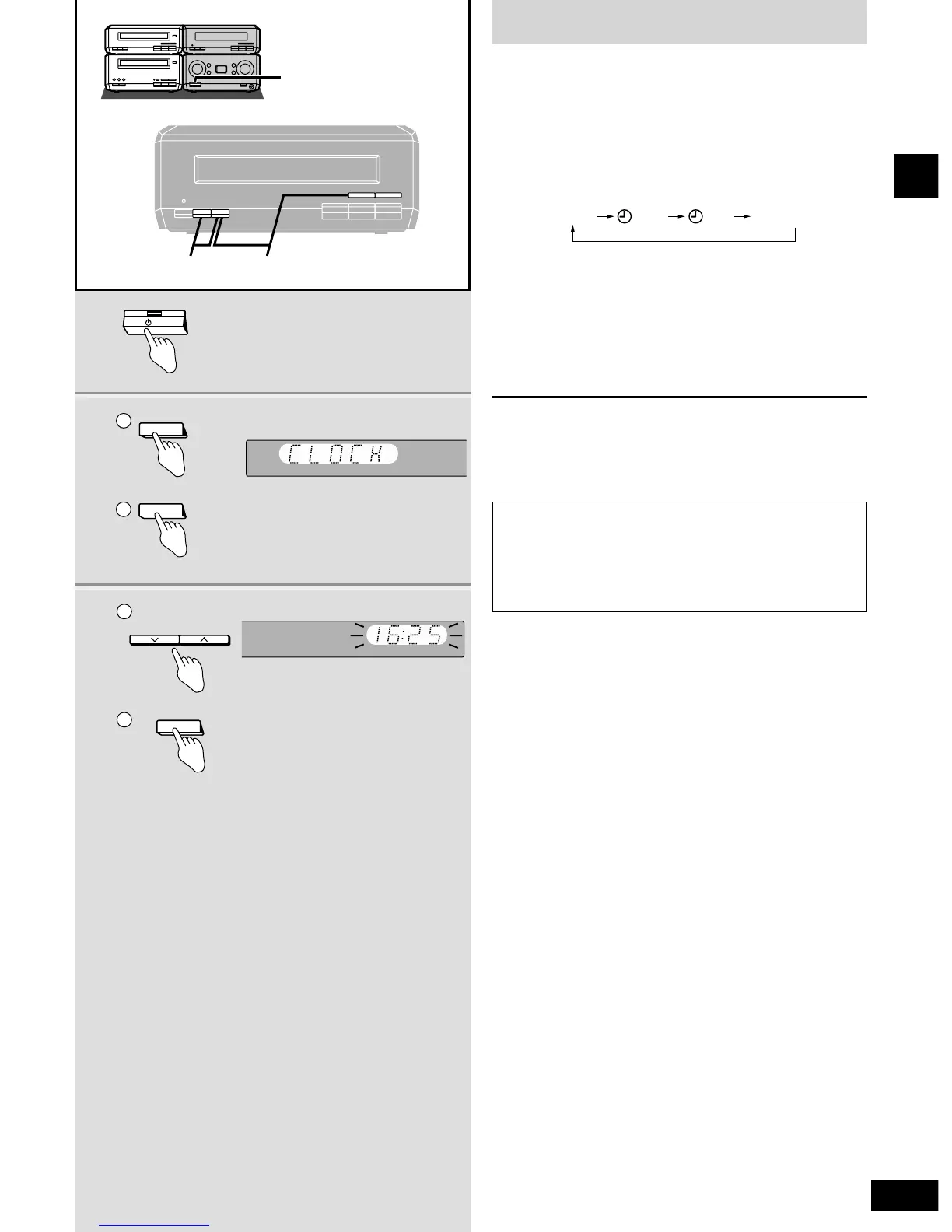
The example shows how to set the clock for 16:25 (4:25 pm).
1 Press [8] to turn the unit on.
2
qq
Press [CLOCK/TIMER] to display
“CLOCK”.
Each time you press the button:
ww
Within 7 seconds
Press [SET].
3
qq
Press [TUNE/TIME ADJUST
(2 or 1)] to set the time.
ww
Press [SET].
The time is set and the original display is restored.
Displaying the clock
Press [CLOCK/TIMER].
The clock is shown for about 5 seconds.
Reset the clock regularly.
Conserving power
The unit consumes 0.9 W even when it is turned off with [8].
To save power when the unit is not to be used for a long time,
unplug it from the household mains socket.
Remember to reset the radio stations and any other memory
items before using the unit again.








 To Next Page