EasyManua.ls Logo

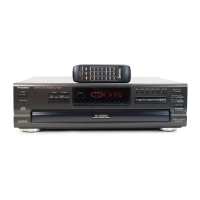
Technics SL-P202A - Operation Indicators

Technics SL-P202A
46 pages
Print Icon
To Next Page IconTo Next Page
To Previous Page IconTo Previous Page
Loading...
Chink
No.
index
Indicators
section
@
Auto
cue
indicator
({A.
cue])
@
Programmed-play
indicator
({program|
)
Track
number
display
(track)
®
Index/program
number
display
(index/No.)
@)
Disc
link
indicator
(link)
@
Time
display
(min/sec)
@
Operation
indicators
The
following
indicators
light
during
their
respective
opera-
tions.
[random]:
Random
play
I)
:
Repeat
play
[M.
scan]:
Music
scan
®
Play
indicator
(>)
@)
Pause
indicator
((11
~—
“Over”
mark
(=>)
This
indicator
lights
if
the
total
number
of
tracks
on
the
disc
is
21
or
more.
@)
Track
number
indicator
(1-20)
€D
Tape
side
indicator
(A/B)
€)
Compact
disc
edit
indicator
(edit)
This
unit
can
be
operated
by
using
remote
control
transmitters
included
with
Technics
receivers,
etc.
Face
the
remote
contro!
transmitter
toward
the
control
section
of
the
unit.
Note:
Even
though
the
play
button
of
the
remote
control
transmit-
ter
to
be
used
is
equipped
with
the
pause
function,
only
the
play
function
is
available
for
the
unit.

Related product manuals