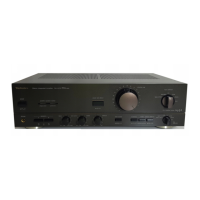
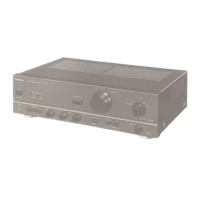
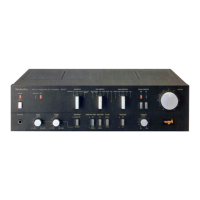
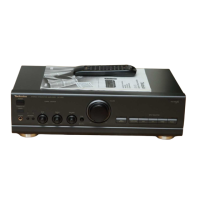
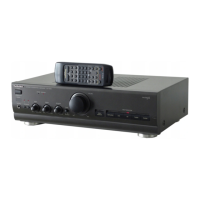
The Technics SU-V4X is a Stereo Integrated Amplifier designed to deliver high-quality audio performance. It features a range of inputs and outputs to connect various audio components, along with controls for sound adjustment and protection circuitry to ensure reliable operation.
Function Description:
The SU-V4X serves as the central hub for a stereo system, amplifying audio signals from various sources and directing them to speakers or headphones. It includes a phono equalizer for turntables, allowing users to connect both Moving Magnet (MM) and Moving Coil (MC) cartridges. The amplifier also provides inputs for a tuner, CD player, video/auxiliary devices, and multiple tape decks, offering flexibility for a comprehensive audio setup. A unique "Computer-drive automatic indicator" illuminates when the circuitry is in a stabilized condition, indicating optimal performance. The "Operation indicator (safety operation)" flashes during power-on and then illuminates steadily, flashing rapidly if an abnormal condition (like DC voltage in the output or a short-circuit) is detected, triggering the protection circuit.
Important Technical Specifications:
- Power Output:
- 1 kHz continuous power output: 2×70 W (4Ω), 2×70 W (8Ω)
- 20 Hz-20 kHz continuous power output: 2×65 W (4Ω), 2×65 W (8Ω)
- Total Harmonic Distortion (THD):
- Rated power at 20 Hz-20 kHz: 0.03% (4Ω), 0.004% (8Ω)
- Rated power at 1 kHz: 0.007% (4Ω), 0.003% (8Ω)
- Frequency Response:
- PHONO: RIAA standard curve ±0.8 dB (30 Hz~15 kHz)
- TUNER, CD, VIDEO/AUX, TAPE 1/DA TAPE, TAPE 2: 5 Hz-120 kHz (-3 dB), +0, -0.2 dB (20 Hz-20 kHz)
- Input Sensitivity and Impedance:
- PHONO MM: 2.5 mV/47 kΩ
- PHONO MC: 170 μV/220Ω
- TUNER, CD, VIDEO/AUX, TAPE 1/DA TAPE, TAPE 2: 150 mV/22 kΩ
- Signal-to-Noise Ratio (S/N):
- PHONO MM: 76 dB (IHF, A: 86 dB, input 2.5 mV)
- PHONO MC: 64 dB (IHF, A: 68 dB, input 250 μV)
- TUNER, CD, VIDEO/AUX, TAPE 1/DA TAPE, TAPE 2: 91 dB (IHF, A: 102 dB)
- Tone Controls:
- BASS: 50 Hz, +10 dB~-10 dB
- TREBLE: 20 kHz, +10 dB~-10 dB
- Muting: -20 dB
- Subsonic Filter: 30 Hz, -6 dB/oct.
- Loudness Control (volume at -30 dB): 50 Hz, +9 dB
- Load Impedance:
- MAIN or REMOTE: 4Ω~16Ω
- MAIN and REMOTE: 8Ω~16Ω
- Power Consumption: 390 W
- Dimensions (W×H×D): 430×97×290 mm (16-15/16"×3-27/32"×11-7/16")
- Weight: 6.7 kg (14.8 lb.)
Usage Features:
- Input Selection: The amplifier offers multiple input selectors (phono, tuner, CD, video/aux, tape 2, tape 1/DA tape) to choose the audio source for listening and/or recording.
- Phono Cartridge Selector: A dedicated selector allows users to switch between MM and MC phono cartridges, optimizing sound quality for different turntable setups.
- Speaker Selectors: Independent selectors for "MAIN" and "REMOTE" speakers allow users to turn speaker systems on or off, or use both simultaneously. A "SPEAKER IMPEDANCE" selector on the rear panel must be set correctly according to the connected speakers' impedance to prevent performance deterioration and ensure proper operation.
- Tone Controls: Separate bass and treble controls allow for adjustment of low and high-frequency sound ranges. A "Tone switch" can bypass these controls for a flat frequency response.
- Balance Control: Adjusts the left/right volume balance.
- Volume Control: A large rotary knob for overall volume adjustment. Users are advised to set it to a low position ("0-1") before powering on.
- Audio Muting Switch: A "-20 dB" muting switch allows for temporary volume reduction, useful when changing discs or for low-volume listening.
- Loudness Switch: Compensates for the auditory perception of sound in the low-frequency range at low volumes, enhancing the musical impact.
- Subsonic Filter Switch: Eliminates low-frequency noise caused by warped discs or motor rumble.
- Recording Mode Switch (rec): This button enables flexible recording options. When pressed, the recording mode indicator flashes, and users can select a recording source independently of the listening source. This allows for recording from one tape to another, or from any source to a tape, while listening to a different source.
- Headphones Jack: A front-panel jack for private listening.
- Voltage Selector: Located on the bottom panel (for some countries), this must be set to the correct voltage for the operating area using a minus (-) screwdriver. Incorrect setting can seriously damage the unit.
- Protection Circuitry: This system prevents damage to the amplifier in case of abnormal conditions such as DC voltage in the output, short-circuited speaker wires, or connecting speakers with impedance lower than the rated impedance. If activated, the power must be turned off and then on again after correcting the issue.
Maintenance Features:
- External Surfaces: To clean, use a soft dry cloth. For extremely dirty surfaces, a soft cloth dipped in a soap and water solution or weak detergent solution, wrung out well, can be used, followed by wiping with a soft dry cloth.
- Chemical Avoidance: Never use alcohol, paint thinner, benzine, or chemically treated cloths, as these can damage the unit's finish.
- Ventilation: Place the unit at least 10 cm (4") away from wall surfaces and direct sunlight to ensure proper ventilation and prevent overheating. Ensure curtains or similar materials do not obstruct the ventilation holes.
- Environmental Considerations: Keep the unit away from heaters and avoid spilling water on it. Do not use spray-type insecticides near the unit, as they can damage the cabinet or ignite suddenly.
- Safety Precautions:
- Always use a standard electrical AC wall outlet; avoid high-voltage sources like those for air conditioners.
- Do not use a DC power source.
- Avoid touching the power cord plug with wet hands.
- Always grasp the plug, not the cord, when connecting or removing the power cord.
- Never attempt to repair or reconstruct the unit; refer servicing to qualified personnel.
- Prevent children from inserting objects, especially metal, into the unit's ventilation holes.
- Turn off the unit after use to prolong its operational life.
- In case of trouble (e.g., interrupted sound, non-illuminating indicators, abnormal odor, smoke), immediately disconnect the power cord and contact a dealer or Authorized Service Center.

 Need help?

 To Next Page
 General