19
4. Verification
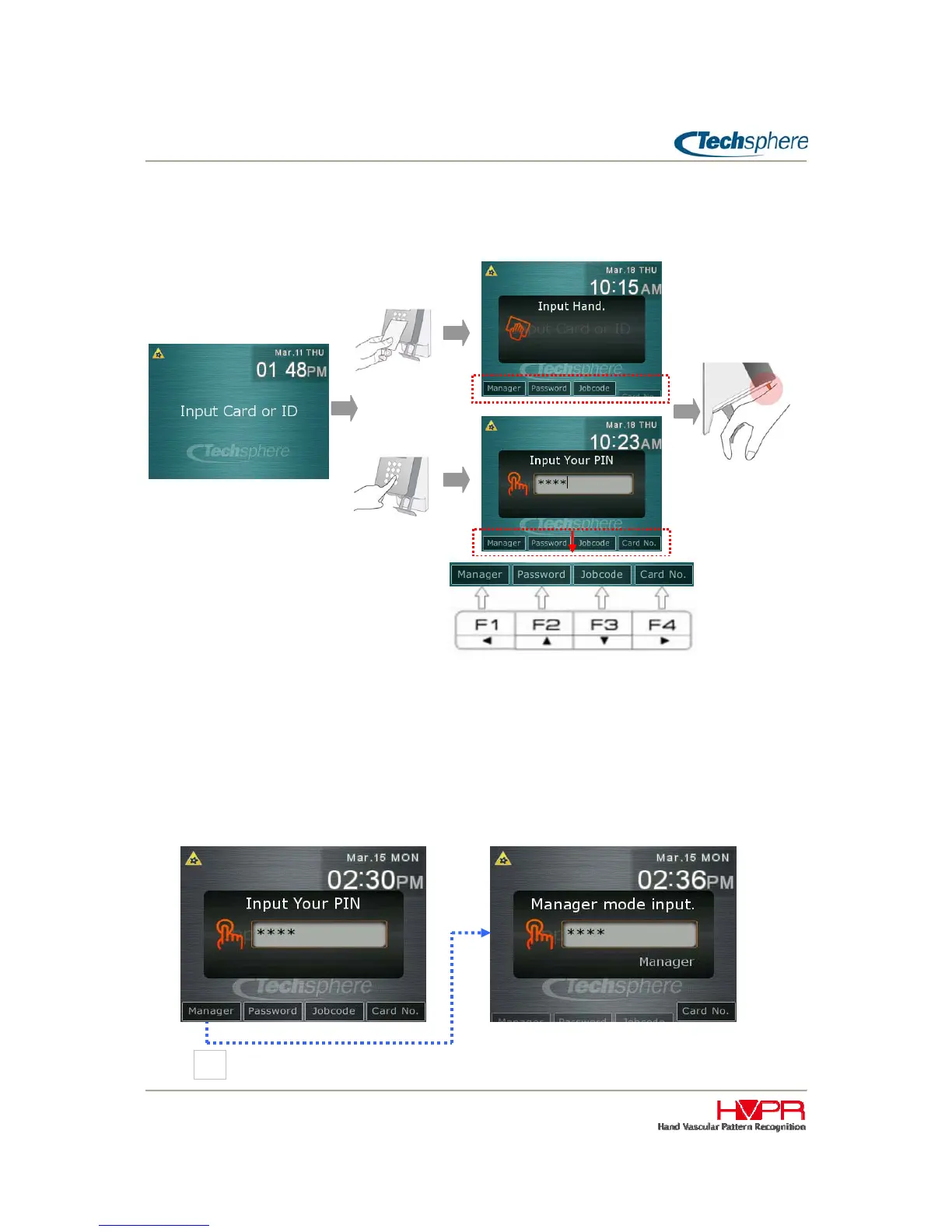
Verification is typically made by (1) entering a PIN or presenting a card, and (2) place a hand.
When a PIN is entered or a card is presented, a sub-menu appears at the bottom of the screen as shown
in the above figure. This provides the User or Manager the option to choose: F1 Manager; F2 Password
Verification; F3 Job Code for Time and Attendance; or F4 to allow User to enter their card number
instead of presenting their card. Select the appropriate “F” Key for the desired operation, please
refer to the following instructions:
4.1 Manager Verification
To verify a Manager, (1) enter a Manager PIN or present a Manager card, (2) press F1 key to proceed
with Manager verification, and (3) place a hand. Below figure shows an example of Manager verification
with a PIN input.


 To Next Page