11
4. Guideline to Place a Hand
In order to maximize the performance in verifying the hand vascular pattern, it is strongly recommended
that Users follow the instructions below in positioning as well as placing a hand in to the VP-II X Scanner.
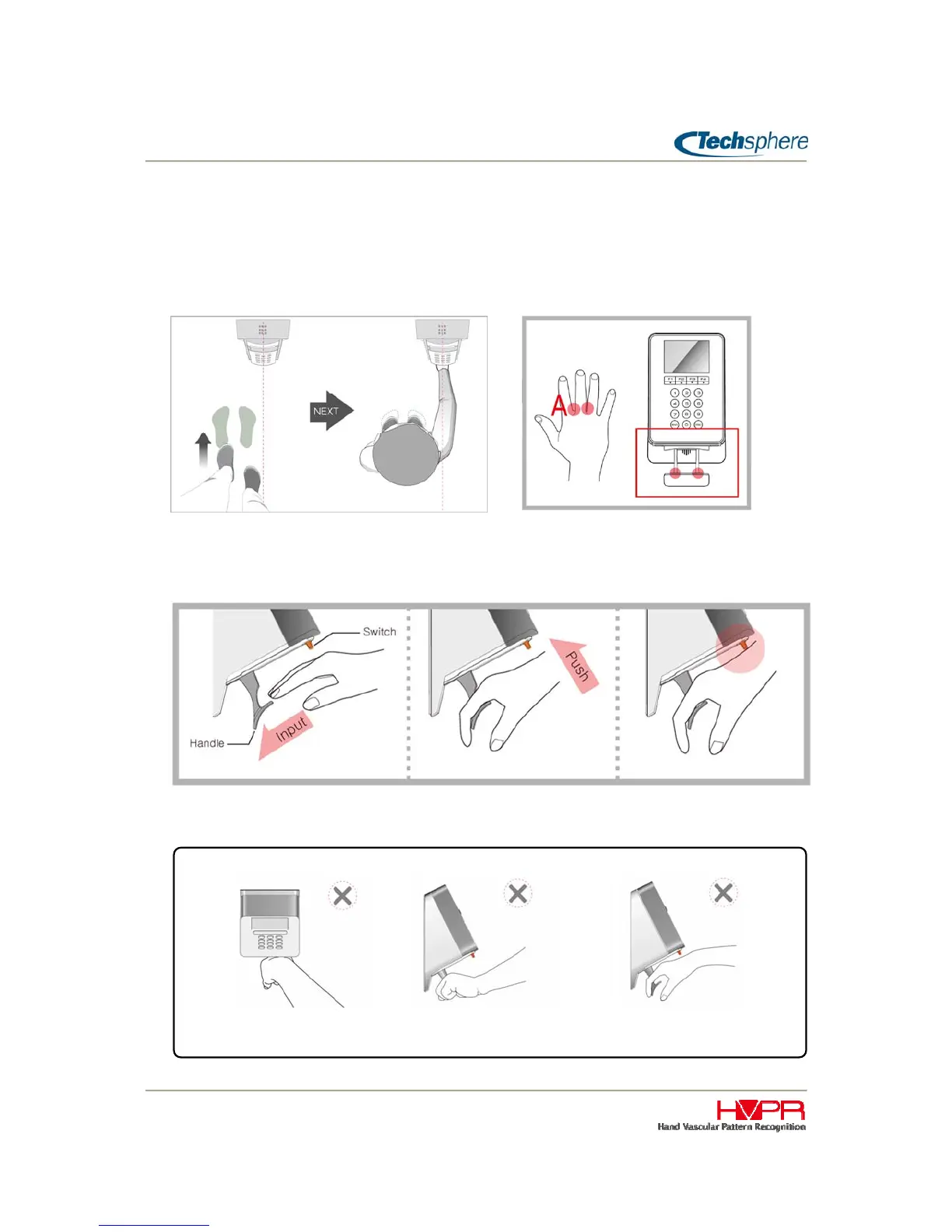
Stand properly in front of the Scanner, for example, if using right hand, position your feet to
the left of the Scanner so that your arm is naturally straight towards to the Scanner.
Insert your middle finger between the two guide bars all the way in until contact is made with
the webbing in between your fingers. Please do not make a fist with your hand. Just relax
your hand and rest it gently on the guide bar.
Press the trigger switch gently by raising your wrist smoothly up to the switch. Please do not
grab the bar.
INCORRECT USE
Wrong standing position Do NOT GRAB the bar Insert fingers all the way in



 To Next Page