47
3. Event Report Viewer
An application (“VP Report”) is provided by Techsphere for implementations where the VP-II X unit(s) are
not using a server. In this case, the Manager can export stored events to a USB memory device to see
and diagnose user management events.
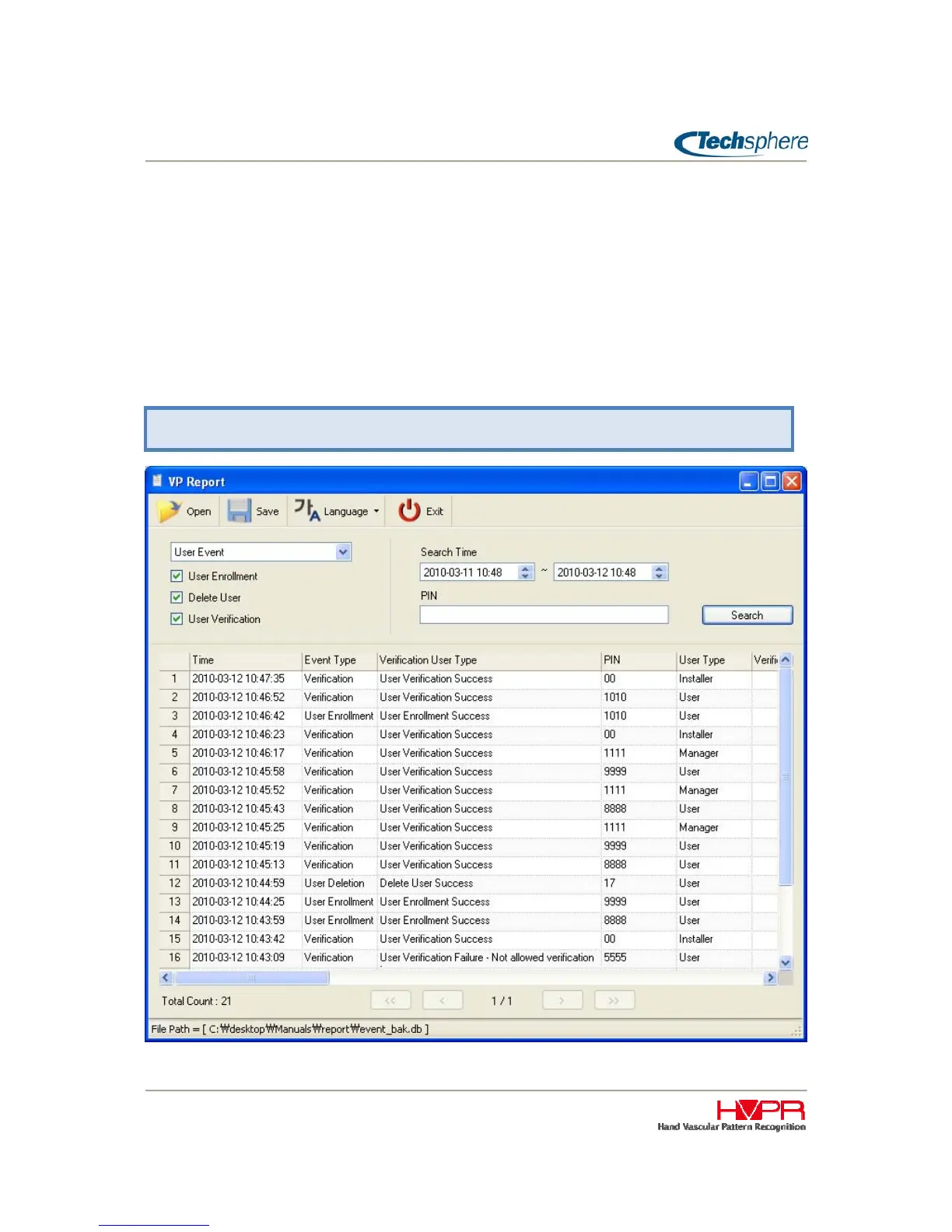
The exported file name is “event_bak.db” that can be opened by the “VP Report” application. The figure
below shows an example of a report. Using this application, Managers can view transaction details
including user management events such as “User Enrolment”, “User Deletion” and “User Verification” For
a complete audit trail of all system events and diagnosis tools, Techsphere strongly recommend s that
customer to install a server with NetControl-X software.
Manager Menu > 6. Tools > 1. Report


 To Next Page