Carlcare Technical Training
TECNO_L9_Service Manual_V1.0
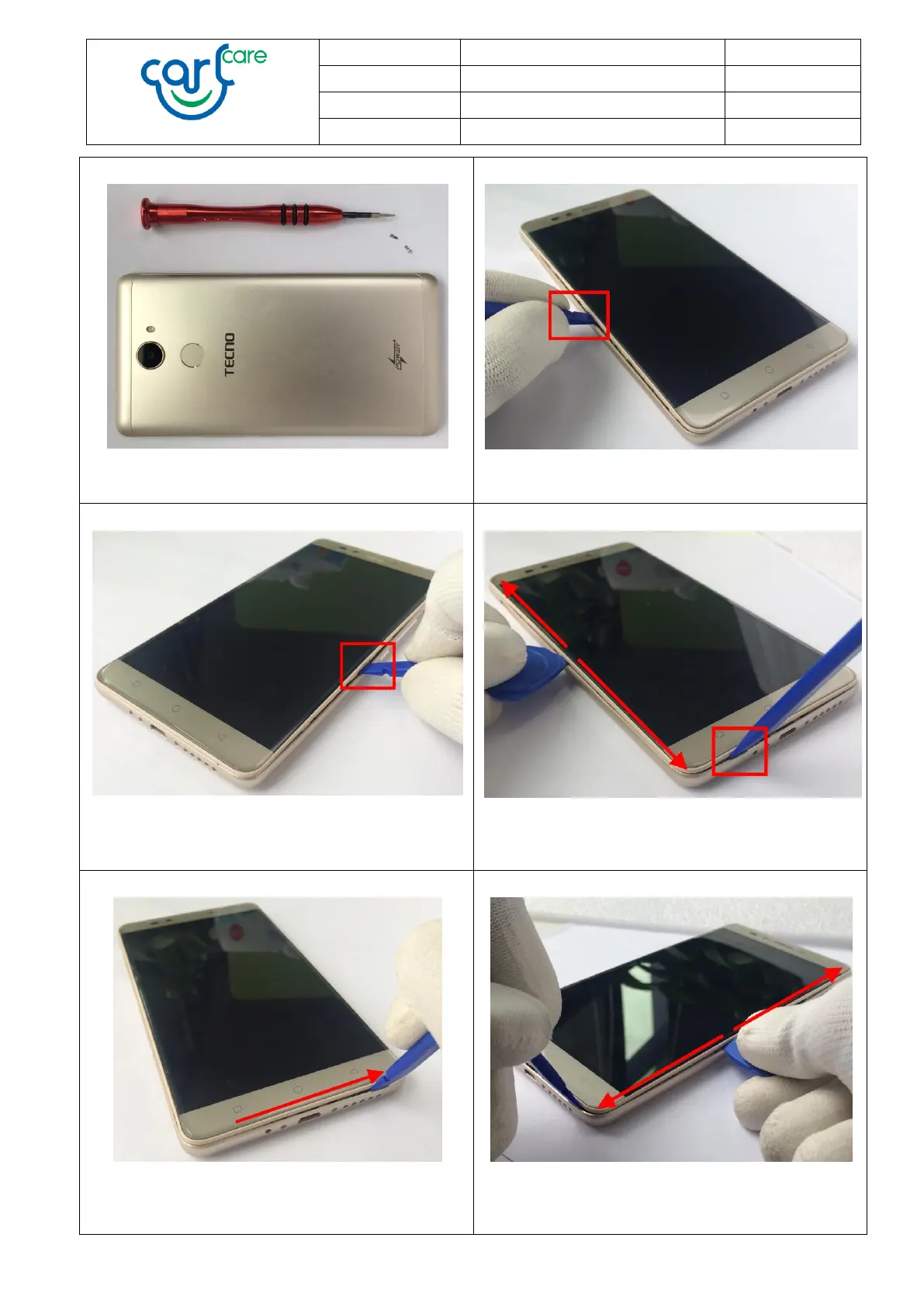
7. Unscrew them by Torx Screwdriver.
8. Lever open the left side of Battery cover by
Disassemble Stick as shown.
9. Lever open the right side of Battery cover by
Disassemble Stick as shown.
10. Lever open the bottom of Battery cover by
Disassemble Stick. Then slide the Disassemble Piece
between the Screen and Battery cover as shown.
11. Slide the Disassemble Stick to the corner as
possible as you can.
12. Hold the Disassemble Stick and then slide the
Disassemble Piece between the Screen and Battery
cover as shown.


 To Next Page