16 Challenger10 Installation and Quick Programming Manual
When four-state monitoring is used, the panel uses the circuit’s resistance to
determine the state of the zone input:
• 10 kΩ indicates sealed
• 5 kΩ or 20 kΩ indicates unsealed
• Open circuit indicates input tamper
• Short circuit indicates input tamper
Alternatively, the Challenger system can be configured to monitor zone inputs for
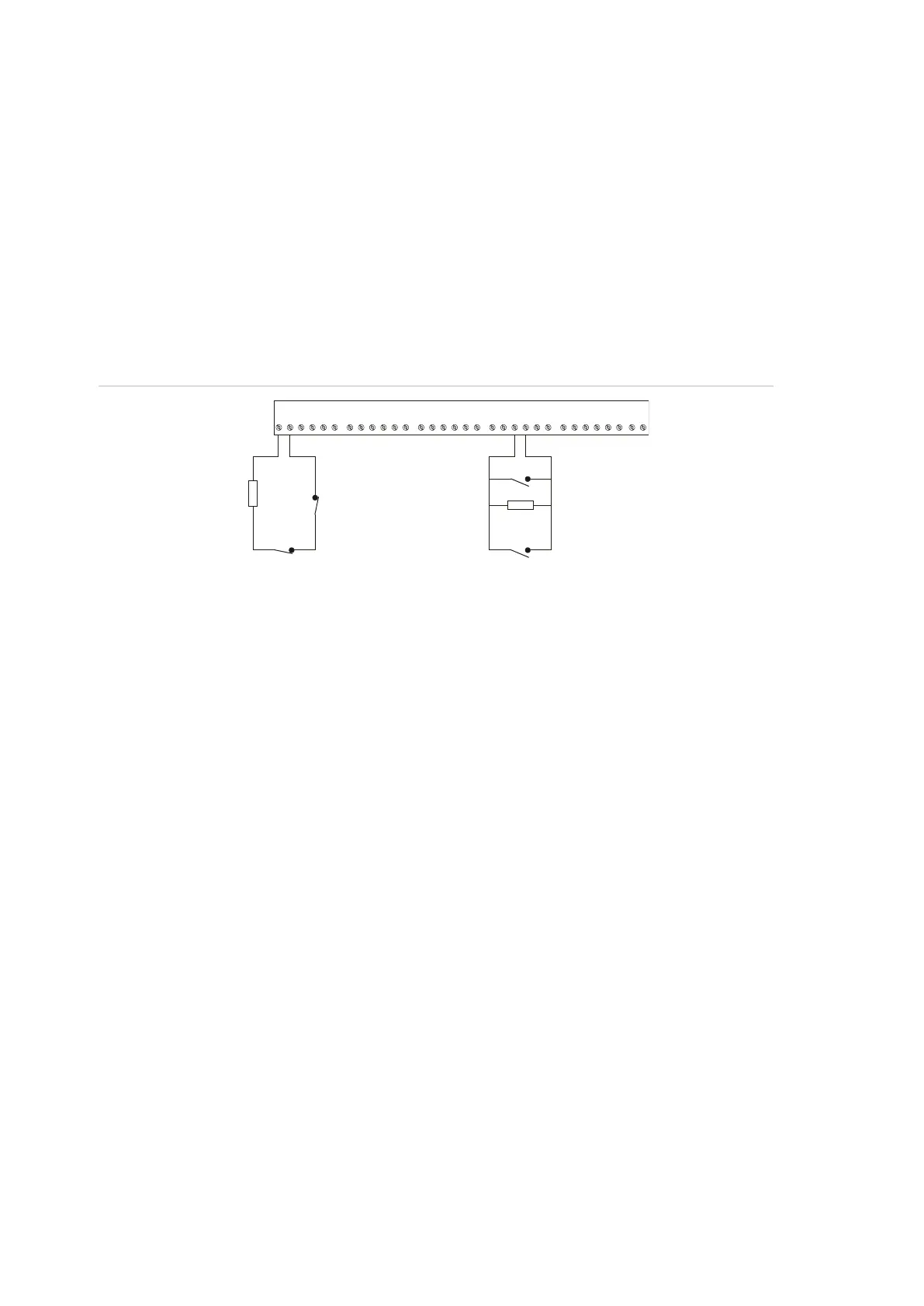
two states (sealed and unsealed). This is accomplished by using one 10 kΩ
resistor in each circuit, as shown in Figure 8 below.
Figure 8: Two state monitored zone input circuits
The panel uses the circuit’s resistance to determine the state of the zone input:
• 10 kΩ indicates sealed
• Open circuit or short circuit indicates unsealed
To use two-state monitoring for all zone inputs, Input Tamper Monitoring must be
set to No (Install menu option 7 System Options).
Note: When the system is used in 2-state configuration, inputs can only report
sealed and unsealed states. This prohibits the use of input types that need to
detect short or open states. See the Challenger10 Programming Manual for
details.
Special zone input types
Zone inputs programmed as area control type inputs can also be used to turn
areas on and off (as opposed to entering a PIN on a keypad). These inputs do
not have areas assigned to them: their functions are determined by assigning an
alarm group to them.
C1 C2 C3 C4 C5 C6 C7 C8 C9 C10 C11 C12 C13 C14 C15 C16
10K
Normally closed
tamper contact
Normally closed
10K
Normally open
tamper contact
Normally open



 To Next Page