TS1061 Dual Wiegand Interface Installation Manual 23
Appendix D: Cabling requirements
This section contains recommendations for installers and electricians for the
application and wiring of Challenger equipment with respect to:
• System earthing
• RS-485 cabling
System earthing
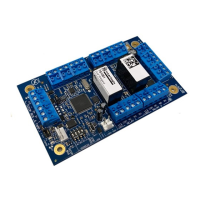
TS1061 Dual Wiegand Interfaces can be connected to a ChallengerPlus control
panel or Network Access Controller. Follow the system earthing
recommendations provided in the ChallengerPlus Installation and Quick
Programming Manual, or TS1066 Network Access Controller Installation Manual,
respectively.
RS-485 cabling
The cabling recommendations for the RS-485 LAN/bus are:
• Use 2-pair twisted shielded data cable such as Belden 8723.
• In each segment of LAN cabling, connect one end only of the data cable
shield to a device’s LAN earth terminal. Join data cable shields where
cable extends past a device that doesn’t have a LAN earth connection.
• The length of the LAN cable run must not exceed 1.5 km.
Power supply to RS-485 devices
Devices on the ChallengerPlus panel or Network Access Controller’s buses may
be supplied from the 12V DC LAN output. Use an external 12 V power supply
(such as TS0073 2 A Power Supply) when:
• The device is more than 100 m (data cable length) from the panel
• Electrical isolation is required
• More power is needed than can be provided by the LAN
When powering a LAN device from an external 12 V power supply:
• Connect the external power supply ‘+’ terminal to the device ‘+’ terminal.
Do not connect the power supply ‘+’ to the LAN ‘+’.
• Connect the external power supply ‘−’ terminal to the device ‘−’ terminal.
• Connect the LAN cable black wire ‘−’ to the device ‘−’ terminal.


 To Previous Page