Instruction Manual
12
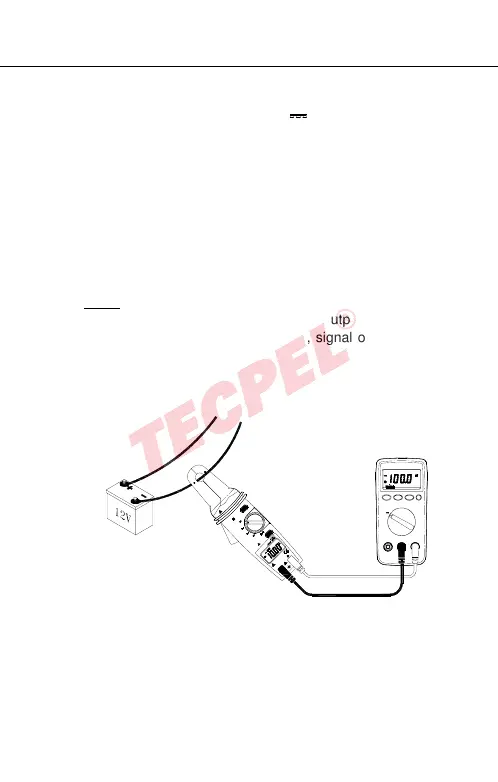
4.7 Analog Signal Output:
Switch the function selector to A or A~
range.
Connect red test lead to “+” terminal and black one to the
“ COM ” terminal.
Connect tip of the test leads to the meter or oscilloscope
input terminal.
Open the clamp by pressing the jaw-opening handle and
insert the cable to be measured into the jaw.
Close the clamp and get the analog voltage signal from
the meter.
Note:
If measuring DC via clamp, signal output will be DC
voltage. If measuring AC via clamp, signal output will be
AC voltage.
ZERO
V
HOLD
A
V
A
OFF
600V CAT II
100A
V
100
600V CAT II
300V CAT III
COM
600V


 To Next Page