Instruction Manual
7
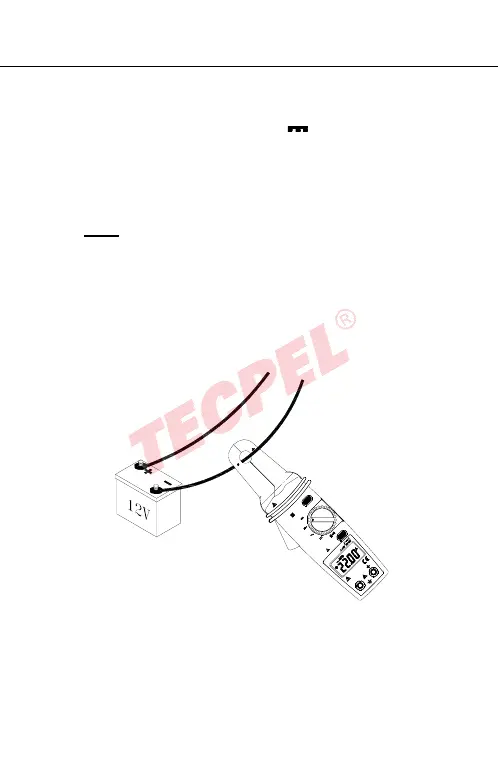
4.2 DCA measurement:
Switch the function selector to A range.
Press ZERO button to enter the zero reading.
Open the clamp by pressing the jaw-opening handle and
insert the cable to be measured into the jaw.
Close the clamp and get the reading from the LCD panel.
Note:
Before this measurement, disconnect any test lead from
the meter for safety.
In some cases where reading is difficult, press the HOLD
button and read the result later.
ZERO
V
HOLD
A
V
A
OFF
600V CAT II
100A
COM
300V CAT II I
600V CAT II
600V


 To Next Page