Ph: +61 2 9939 4377
www.tecsunradios.com.au
Ph: +61 2 9939 4377
www.tecsunradios.com.au
TECSUN RADIOS AUSTRALIA
24/9 Powells Road, Brookvale, NSW 2100 Australia
Ph: +61 2 9939 4377
Email: info@tecsunradios.com.au
www.tecsunradios.com.au
12
SETTING THE CLOCK
1. Long press the [TIME] button until you see the hour
flashing. Rotate the [TUNING] knob to set the correct
hour, then short press the [TIME] button and notice the
minutes are flashing.
2. While it's flashing turn the [TUNING] knob to set the
correct minutes, then press [TIME].
SETTING THE ALARM TIME
1. Press & hold the [ALARM] button until both "HOUR" and
"AL" are flashing on the display; rotate the [TUNING]
knob to adjust the hours, then press the [ALARM] button
to adjust the minutes.
2. Rotate the [TUNING] knob to adjust the minutes and
press the [ALARM] button; the " " symbol flashes on
the display.
3. Rotate the [TUNING] knob to select the time
(1-90 minutes) after which the alarm should automatically
turn off.
4. Press the [ALARM] button to confirm; the alarm symbol
" " appears on the display.
5. To turn off the alarm, press the [ALARM] button until the
alarm symbol " " disappears.
SLEEP
Setting the alarm by radio
1. Turn on the radio and tune to your preferred radio station.
Please set the volume to a suitable alarm level.
2. Short press [MEM.] button and notice the PRESET
number flashing in the upper right corner of the display.
3. While flashing, press the [ALARM] button. The alarm
symbol " " briefly appears on the display. The alarm
station is now set.
SLEEP
flashing
9
WORKING WITH MEMORIES
The PL-365 has 550 station memories: FM (100), MW (100),
SSB (100) and SW (250).
Method 1: ATS - Auto Tuning Storage
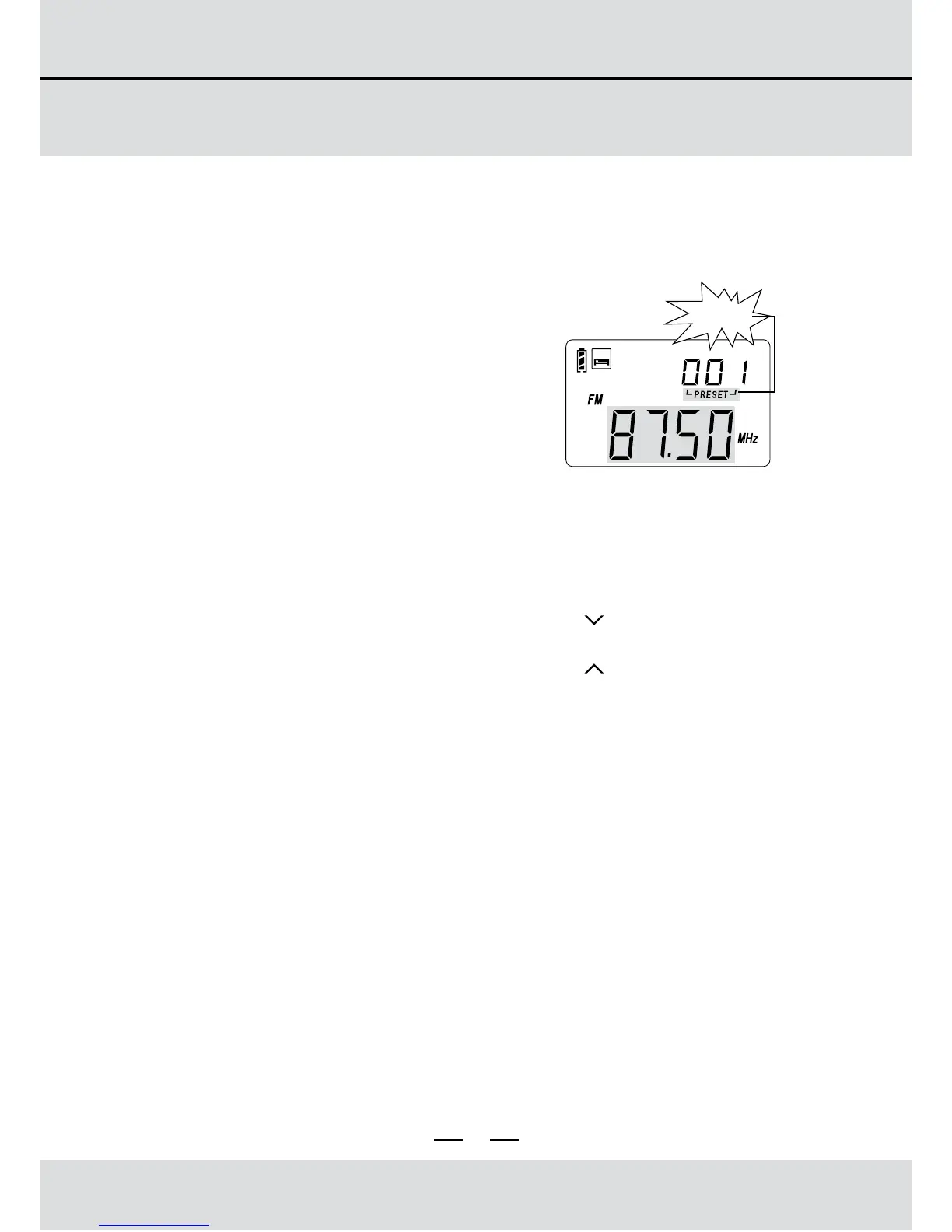
To automatically store all available
stations, first select the frequency
band in which to perform ATS.
Then press & hold the band button
(e.g. [FM] or [MW]); "PRESET" will
flash in the top right corner of the
display while the frequency starts
running. The frequency stops
running once the ATS operation
has completed. Rotate the [TUNING]
knob to browse all stored stations.
There are two modes for SW ATS function:
Mode A: In SW band, long press the [A / ] button to ATS
the stations within all meter bands.
Mode B: In SW band, long press the [B / ] button to ATS
the stations within present meter band only.
Note:
When performing ATS in FM, MW or SW (mode A), all
previously stored stations will be replaced.
When performing ATS in SW (mode B), previously stored
stations are not replaced; newly found stations are stored in
blank SW memory positions.
Auto Tuning Storage



 To Next Page