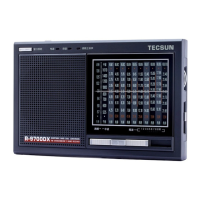
The Tecsun PL-390 is a versatile DSP receiver designed for a wide range of radio listening, including FM stereo, Shortwave (SW), Mediumwave (MW), and Longwave (LW) bands. It incorporates advanced DSP si4734 microchips from Silicon Labs, USA, which digitize analog AM/FM broadcasting signals using modern software technology and radio principles. This technology significantly enhances the radio's sensitivity, selectivity, signal-to-noise (S/N) ratio, and anti-interference capabilities, providing a superior listening experience.
Function Description
The PL-390 offers a comprehensive set of functions for tuning, storing, and managing radio stations, as well as several utility features like alarm, sleep timer, and intelligent lighting.
Tuning Methods:
The radio provides multiple ways to tune into stations:
- Easy Tuning Mode (ETM): This unique Tecsun feature combines reception circuitry and control procedures to pre-select suspected radio stations and temporarily store them in ETM memory (separate from the regular 550 memories). This enhances efficiency when tuning, allowing users to easily find preferred frequencies. To use ETM, press the [ETM] button to enter the mode, then press and hold it to auto-scan and store stations within the current band. Once scanning stops, rotate the [TUNING] knob to select stored stations. If interference causes missed stations during ETM scan, frequencies can be manually keyed in and stored into ETM memory by pressing [ETM].
- Manual Tuning: Users can search for frequencies by pressing the [VF] button to switch to frequency mode and then rotating the [TUNING] knob. The tuning speed can be set to "Slow Tuning" (e.g., 0.01 MHz for FM, 1 kHz for MW/LW/SW) or "Fast Tuning" (e.g., 0.1 MHz for FM, 9/10 kHz for MW, 9 kHz for LW, 5 kHz for SW).
- Auto Browse Station: In frequency mode (activated by [VF]), pressing and holding [VF] initiates an auto-scan, stopping at each station for about 5 seconds. This allows users to preview stations. The function can be stopped by pressing [VF] again. During auto-browse, stations can be stored into memory by pressing the [M] button.
- Direct Keypad Entry: Frequencies can be entered directly using the numeric keys [0]-[9] in frequency mode. For FM, the decimal point is ignored (e.g., 89.3 MHz is entered as 893). If an invalid frequency is entered, "Err" will be displayed.
Station Memory Management:
The PL-390 has a total of 550 preset memories: 100 for FM, 100 for MW, 100 for LW, and 250 for SW.
- Auto Tuning Storage (ATS): This function automatically scans and stores stations within a selected band. For FM, extend the antenna, select FM band, then press and hold [FM] until "PRESET" flashes and scanning begins. For MW/LW, select the band with [MW/LW] and follow the same procedure. For SW, there are two modes: Mode A (press and hold [✓]) stores stations across all meter bands, while Mode B (press and hold [^]) stores stations only within the present meter band.
- Manual Storing Station: Tune to the desired station, press [M] (which will show "preset" flashing), then press [M] again to store. Alternatively, waiting 3 seconds will auto-store the station.
- Semi-auto Storing Station: While in "Auto Browse Station" mode, press [M] when a desired station is playing to store it into the next available memory. The radio will continue browsing until [VF] is pressed again.
Listening to Stored Stations:
- Manual Memory Tuning: Press [VM] to enter memory mode, then rotate the [TUNING] knob to cycle through stored stations.
- Auto Browse Memory: Press and hold [VM] until "PRESET" flashes to auto-scan through stored memories, stopping at each for about 5 seconds. Press [VM] again to stop.
- Direct Key In Memory Address: Press [VM], then use numeric keys [0]-[9] to enter a memory address directly, followed by [←] to confirm. If the address does not exist, "----" will be displayed.
Deleting Stored Memories:
- Manual Delete Single Memory: In memory mode, rotate [TUNING] to select the memory, then press and hold [DELETE] until "DEL" flashes. Press [DELETE] again to confirm. If no confirmation within 3 seconds, the function exits.
- Semi-Auto Delete Memory: While auto-browsing memories, press [DELETE] when an unwanted station is playing to delete it. The radio will continue browsing.
- Manual Delete All Memory Within the Band: In memory mode, press and hold [DELETE] for 3 seconds until "ALL" flashes. Press [DELETE] again to confirm deletion of all memories in the current band. If no confirmation within 3 seconds, the function exits.
Sleep Function:
Press and hold [POWER] until "SLEEP" and "30" appear. Rotate the [TUNING] knob to set the sleep timer from 1 to 120 minutes, or select "On" for permanent operation. The radio will auto-turn off after the set time. The default is 30 minutes.
Clock Setting:
Press and hold [TIME] until the hour flashes. Rotate [TUNING] to adjust the hour. Press [TIME] again, and the minutes will flash. Rotate [TUNING] to adjust minutes. Press [TIME] again to confirm. If no confirmation within 3 seconds, it auto-confirms. Direct keypad entry is also possible (e.g., 0635 for 6:35).
Alarm Function:
The PL-390 supports two alarm types: buzzer and radio.
- Setting Alarm by Buzzer: Press and hold [4] until the hour flashes. Rotate [TUNING] to adjust the hour. Press [4] again, minutes flash. Rotate [TUNING] to adjust minutes. Press [4] again to confirm. If no confirmation within 3 seconds, it auto-confirms.
- Setting Alarm by Radio: First, preset the alarm station: tune to the desired station and adjust volume. Press [M] ("PRESET" flashes), then press [4] to confirm. Then, set the alarm time following the same steps as setting the buzzer alarm, but using the [4] button.
- Auto Alarm Off Timer: After setting the alarm time, press [4] again when "30" shows. Rotate [TUNING] to set the auto alarm off timer from 1 to 90 minutes. Press [4] again to confirm.
- Activating/Deactivating Alarm: Repeatedly press [4] or [4] to toggle between buzzer alarm on (A), radio alarm on (4)), or both off (no symbol).
- Turning Off Alarm: For buzzer alarm, press [POWER]. For radio alarm, press [POWER] once to continue listening, twice to turn off. If a preset alarm activates while listening to the radio, it will switch to the preset alarm station.
Display Mode:
- Radio OFF: Repeatedly press [DISPLAY] to view temperature or alarm time.
- Radio ON: Repeatedly press [DISPLAY] to view local time, alarm time, temperature, or signal strength/SNR.
Key-Lock Function:
Press and hold [1] to activate key lock (▀ symbol appears). Press and hold [1] again to deactivate (▀ symbol disappears).
Intelligent Light:
The backlight illuminates for 3 seconds when any key or knob is operated.
- Temporary Illumination: Press [LIGHT/SNOOZE] (with a "B" sound) for 3 seconds of backlight.
- Permanent Illumination: Press and hold [LIGHT/SNOOZE] (with a prolonged "BB" sound) for permanent backlight. Press again (with "BB" sound) to turn off.
- Activating/Deactivating Intelligent Lighting: Press and hold [4] until "OFF" appears to deactivate. Press and hold [4] again until "ON" appears to activate. Even when deactivated, [LIGHT/SNOOZE] still works for temporary backlight.
FM ST. (FM Stereo):
When listening to FM stereo, press [FM ST.] to activate stereo reception (4)) symbol appears). If the signal is weak, press [FM ST.] again to turn off stereo (4)) disappears) for better reception. Stereo function only works with stereo broadcasts.
AM BW (Bandwidth):
Repeatedly press [AM BW] to select bandwidths of 6, 4, 3, 2, or 1 kHz.
- Wide band: Provides better audio fidelity for strong local signals.
- Narrow band: Reduces interference from adjacent strong signals and background noise, suitable for weak or distant stations.
System Setting:
These settings are adjusted when the radio is off.
- FM Frequency Range: Press and hold [FM SET] to cycle through 87.5-108MHz, 64-108MHz, 76-108MHz, or 87-108MHz.
- 12/24 Clock Format: Press and hold [12/24] to switch between "12H" and "24H".
- MW(AM) Tuning Step: Press and hold [9/10kHz] to switch between "9kHz" and "10kHz". This also affects temperature display: 10kHz shows Fahrenheit (°F), 9kHz shows Centigrade (°C).
- LW On/Off: Press and hold [MW/LW] to toggle "LW ON" or "LW OFF".
- Charging Function & Battery Consumption Display: Press and hold [4] to activate ("CHA On" and "Ni-MH Battery" appear) or deactivate ("CHA OFF" and "Ni-MH Battery" disappear) the built-in charging system and display for rechargeable batteries. The radio defaults to regular batteries; switch this setting for accurate display with rechargeable batteries.
"Bi" Sound Function List:
The radio provides distinct "Bi" sounds for various operations:
- Radio On/Off: "B" for on, "BB" for off ("OFF" display).
- Adjust Auto-Off Time: "B" for setting time, "BB" for permanent ("On" display).
- FM Stereo: "B" for stereo on, "BB" for stereo off.
- FM/MW/LW Band Selection: "B" for FM/SW, "BB" for MW, "B-- (long)" for LW.
- SW Meter Band: "B" for SW band, "B" for meter band.
- ATS: "B" for ATS on, "B-- (long)" for ATS off.
- ETM: "B" for ETM on.
- Frequency Scanning (VF): "BB" for flashing numbers.
- Memory Scanning (VM): "B" for memory address.
- Auto Browsing (VF/VM): "B" for radio freq. running/memory address running.
- AM Bandwidth: "B" for display.
- Store Memory: "B" for flashing address, "B-- (long)" for confirmed/auto confirm.
- Delete Memory: "B" for single delete, "BB" for all delete, "B-- (long)" for confirmed.
- Backlight: "BB" for short time, "B-- (long)" for permanent.
- Snooze: "B" for temporary off.
- Lock: "B-- (long)" for lock, "B" for unlock.
- Time Setting: "B" for hour, "BB" for minute, "B-- (long)" for confirm.
- Auto Radio On/Off Alarm: "BB" for adjust length, "B-- (long)" for confirmed.
- Select Alarm: "B" for radio, "BB" for buzzer, "B-- (long)" for off.
- In/Out SW Meter Band: "B" for inside, "B" for out.
- FM Freq. Range: "B" for selection.
- 12/24 Format: "B" for 12H, "BB" for 24H.
- MW(AM) Step: "B" for 9kHz, "BB" for 10kHz.
- Charge On/Off: "B" for on, "BB" for off.
- "Bi" Sound On/Off: "B" for on, "BB" for off.
- Intelligent Lighting On/Off: "B" for on, "BB" for off.
- LW On/Off: "BB" for off, "B" for on.
Usage Features
- Battery Installation: Requires 3 x AA alkaline batteries. Observe polarity.
- Antenna: Fully extend the telescopic antenna for FM/SW. For MW/LW, rotate the radio or change its location for optimum reception.
- Volume Control: Adjust with the [VOLUME] knob (0-30 levels).
- External Antenna: For improved FM/SW reception, plug an external wire antenna into the [FM & SW] antenna jack and hang its end outside a window. Avoid installing external antennas in areas prone to thunder and lightning.
- Line-in Function: The PL-390 can act as an active speaker for laptops, MP3 players, or other audio devices. Connect an audio cable to the [LINE IN] jack (">>>" symbol confirms connection). Press [POWER] (">>>" flashing) to play, adjust volume with [VOLUME]. Press [POWER] again to turn off the speaker.
Maintenance Features
- Battery Care:
- If the radio is unused for a long time without batteries, the clock will stop, but stored frequencies will be retained. The clock will reset once new batteries are installed.
- When battery power is low, the "[]" symbol will flash, and the radio will automatically turn off when power is depleted.
- Avoid mixing old and new batteries, as this can damage the radio and lead to incorrect capacity display.
- Remove batteries if the radio will not be used for an extended period to prevent leakage and damage.
- Rechargeable Batteries: If using rechargeable batteries, ensure the radio's system setting is switched to "rechargeable batteries mode" for accurate power capacity display.
- Charging Rechargeable Batteries:
- Install 3 x UM3 (AA) rechargeable batteries.
- Activate the built-in charging function by pressing and holding [4] until "CHA On" and "Ni-MH Battery" appear.
- Connect a 5V external adaptor with a USB plug to the radio's DC-IN 5V jack.
- The battery symbol will animate during charging and stop when fully charged.
- Important Charging Notes:
- Fully discharge rechargeable batteries before recharging to extend their lifespan.
- Use 3 batteries as a set; do not separate them or mix with batteries of different capacities.
- Never charge non-rechargeable batteries in the radio, as this poses a hazard and can damage the device.
- Troubleshooting: The manual provides a comprehensive troubleshooting guide for common issues such as:
- Radio not turning on: Check battery installation, capacity, and key lock status.
- Radio turning off: Check battery power and sleep timer activation.
- ATS issues: Weak stations, interference, or mirror/blank stations. Solutions include manual tuning, lowering the antenna, or relocating the radio.
- Limited FM reception in Japan: Adjust FM frequency range setting.
- Poor AM reception in USA: Adjust MW tuning step to 10kHz.
- Alarm issues: Incorrect alarm station setting, no broadcast, or being in a different city. Solutions include proper alarm setup or using the buzzer alarm.
- No sound with external MP3: Ensure [POWER] button is pressed to activate line-in.
- Radio malfunction: Remove and reload batteries. If the issue persists, contact customer service.



 To Next Page
 General