PL-390 17
SNOOZE FUNCTION
When the preset alarm is activated, you can press the
[LIGHT / SNOOZE] to temporarily turn off the alarm, the
unit will start alarming again 5 minutes later.
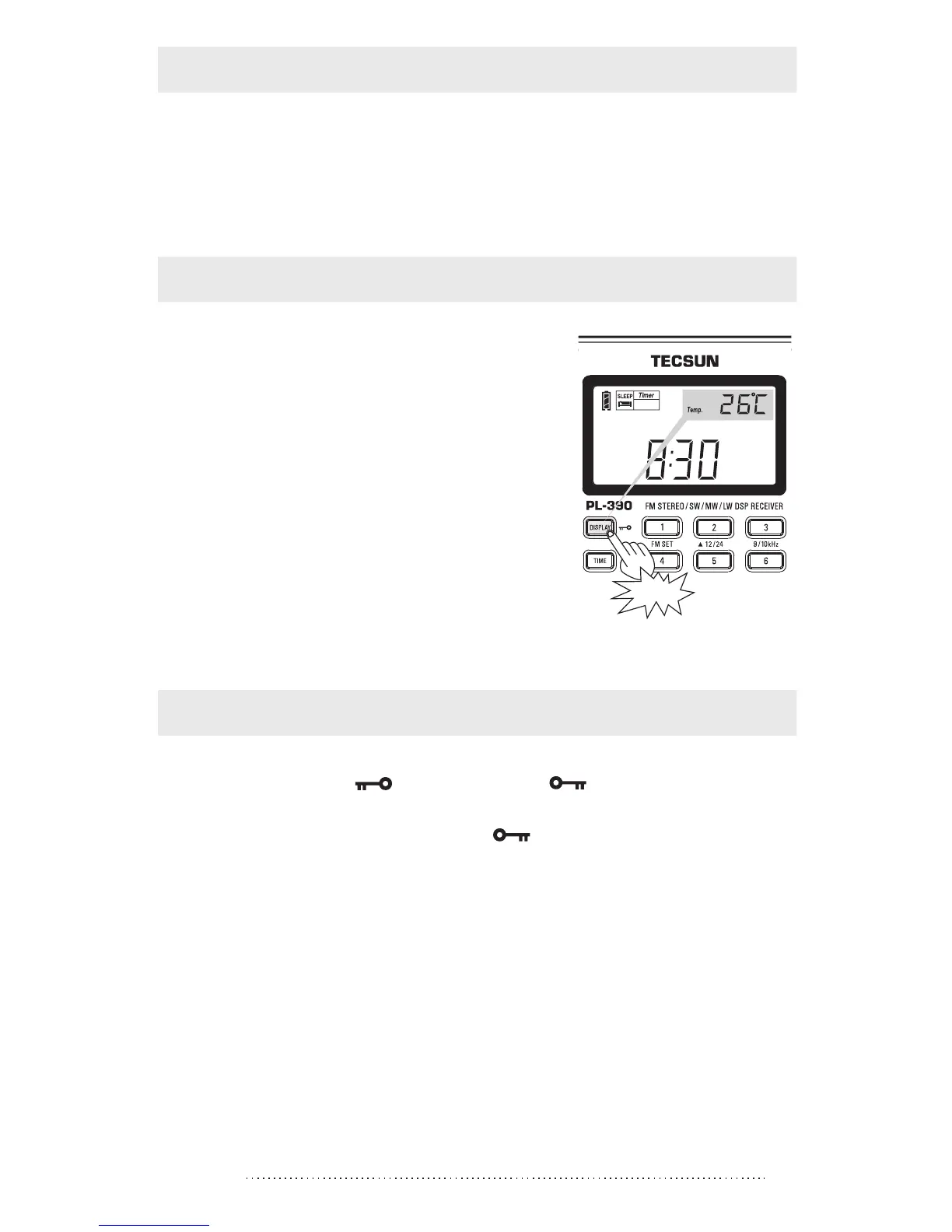
With radio OFF: Repeat pressing
the [DISPLAY] button to view
Temperature or Alarm time display.
With radio ON: Press the
[DISPLAY] button to view Local time,
Alarm time, Temperature or Signal
strength/ SNR showing on the upper
right corner of the display.
HOW TO CHANGE THE DISPLAY MODE
Press
Press & hold the [ ] button with “ ” symbol appears
on the display to activate the key lock function.
Press & hold it again with the “ ” symbol disappears to
deactivate the locking function.
KEY-LOCK FUNCTION



 To Next Page