SLEEP FUNCTION
PL-39014
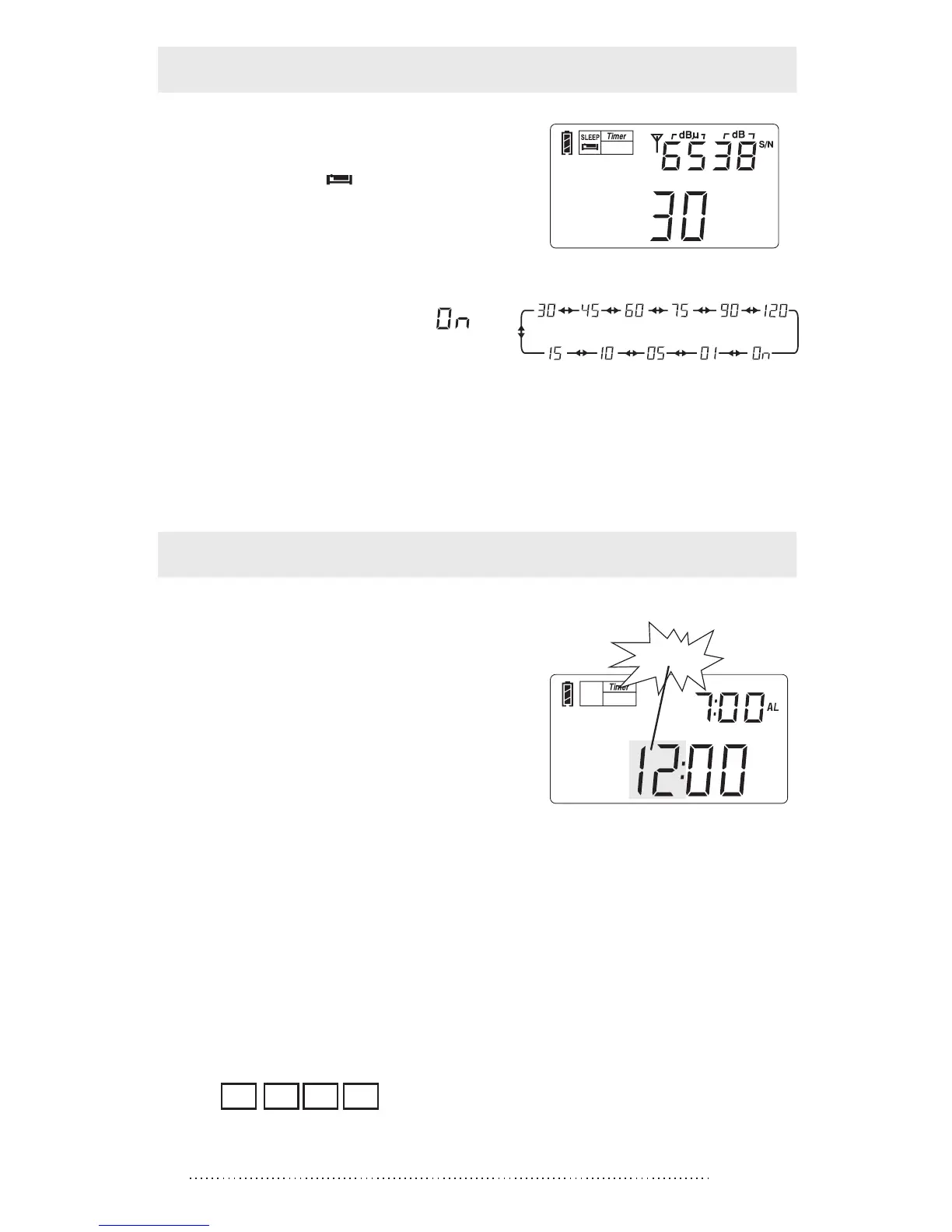
1. Press & hold the [POWER]
button with “ ” and “30”
symbols show on the display.
2. Rotate the [TUNING] knob
immediately to select sleep
timer from 1 ~ 120 minutes
or select permanently “ ”,
then wait till the radio auto
turn on to confirm the setting.
SLEEP
Sleep time range
Note:
The default setting of the auto-turn off time is 30 minutes.
CLOCK SETTING
1. Press & hold the [TIME] button
with hour flashing, then rotate
the [TUNING] knob to adjust
the hour.
2. Then press the [TIME]
button with minutes flashing,
and then rotate the [TUNING]
knob to adjust the minute.
3. Press again the [TIME] button to confirm the setting.
※ If the [TIME] button has not been pressed again within 3
seconds, the unit will automatically confirm the setting.
Note: You can also direct key-in the number to set the
clock after pressing & holding the [TIME] button.
Example: To set the clock to 6:35, press the numeric key to
enter 0 6 3 5 ; then you will hear a prolonged "B -"
sound suggesting that the time has been set up.
flashing



 To Next Page