2. Press the [MEMORY] button with “preset” flashing
3. Press the [MEMORY] button again to store the station into memory.
You can also wait for 3 seconds to auto store the station into memory.
METHOD 3: SEMI-AUTO STORING STATION
While operating the “Auto Browse Station” function, you can simply press on the
[MEMORY] button to store the station into memory to avoid storing unwanted
stations and
interfering signals.
1. Press the [VF] button to switch into frequency mode.
2. Press & hold the [VF] button with “
“ advancing to auto browse from one
station to another.
3. While tuning to your favor station, press the [M] button with “PRESET ” flashing to
direct store the station into the next available memory. The unit will keep on
browsing until you deactivate it by pressing on the [VF] button again.
LISTENING TO STORED STATIONS
METHOD 1: MANUAL MEMORY TUNING
Press the press [VM] button to enter the frequency mode,
then rotate the [TUNING] knob to tune into the stored
station one by one.
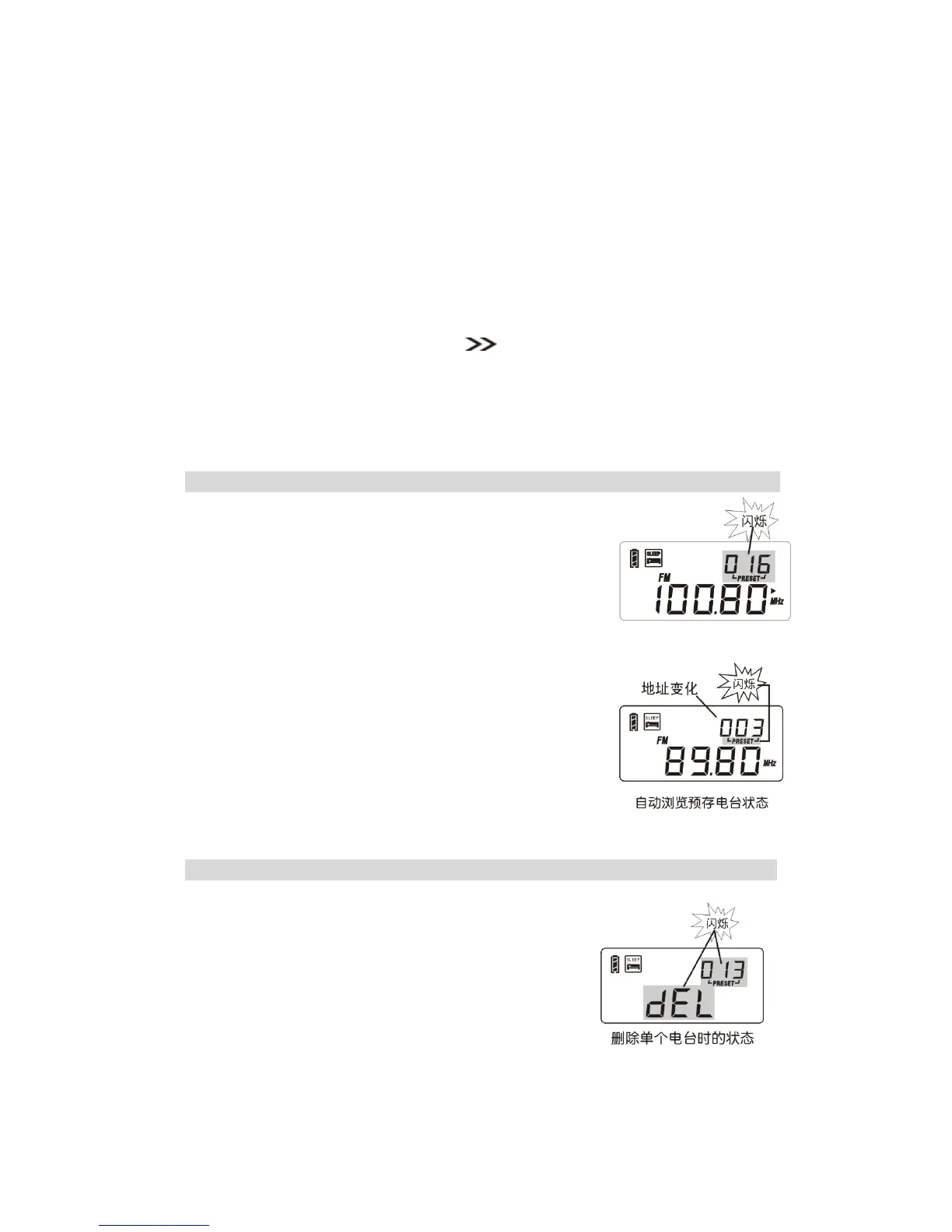
METHOD 2: AUTO BROWSE MEMORY
1. Press the [VM] button with memory page shows in the
upper right corner to enter the frequency mode.
2. Press & hold the [VM] button until “PRESET ” flashing to
auto scan from one memory to another, staying on each
station for about 5 seconds.
To stop auto search memory, simply press the [VM]
button.
DELETE MEMORY
METHOD 1: MANUAL DELETE SINGLE MEMORY
1. Press the [VM] button to enter the memory mode.
2. Rotate the [TUNING] knob to select the memory that
you want to delete.
3. Press & hold the [DELETE] button with “dEL” flashing;
then press the [DELETE] button to remove the
unwanted memory address.
Note: If “dEL” is flashing more than 3 seconds without confirmation, it will exit the



 To Next Page