《
RAINBOW
》
Product Manual
V1.0
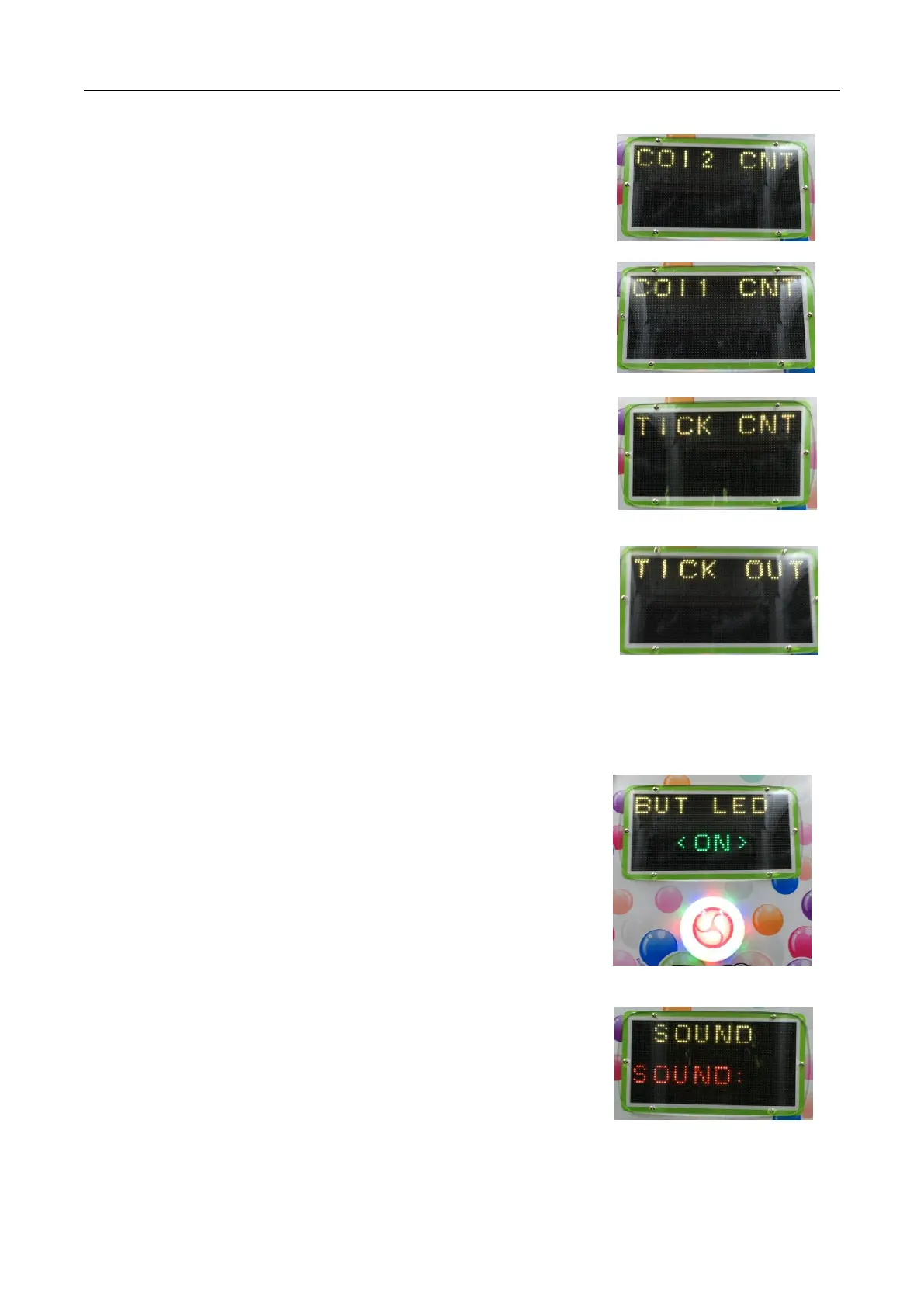
2.2.5. Coin Counter 1 Test
After entering the coin counter 1 test, as show in the right image
Press the "OK" key, the screen will display "Ccnt1:on" 0.5 seconds after the
disappearance, while the coin counter 1 count plus 1.
2.2.6. Coin Counter 2 Test
After entering the coin Counter 2 test, as shown in the right image.
Press the "OK" key, the screen will display "Ccnt2:on" 0.5 seconds after the
disappearance, while the coin counter 2 count plus 1.
2.2.7. Lottery Counter Test
After entering the lottery counter test, as shown in the right image
Press the OK button, the screen will display "Tcnt:on" 0.5 seconds to
disappear, while the lottery counter count plus 1.
After entering the lottery test, as shown in the picture on the right.
Each time the "OK" key is pressed, the lottery will output 1 lottery
If the lottery box is not placed in the lottery, and the test, you should
be at the end of the test to restore the factory settings to clear the lottery data, or exit the test program
will report the lack of lottery errors.
2.2.9. Start button Light Test
Enter the Start button lamp after testing, as shown in the right picture
Press the “OK”key, the screen will display <ON>, start the button light
on, press the "OK" button again, and the light is off.
After enter the sound test, as shown in the image on the right.
Press the “OK”key, the screen displays the sound segment number and
starts playing the segment sound.


 To Next Page