《
RAINBOW
》
Product Manual
V1.0
2.2.11. Browse all input signal states
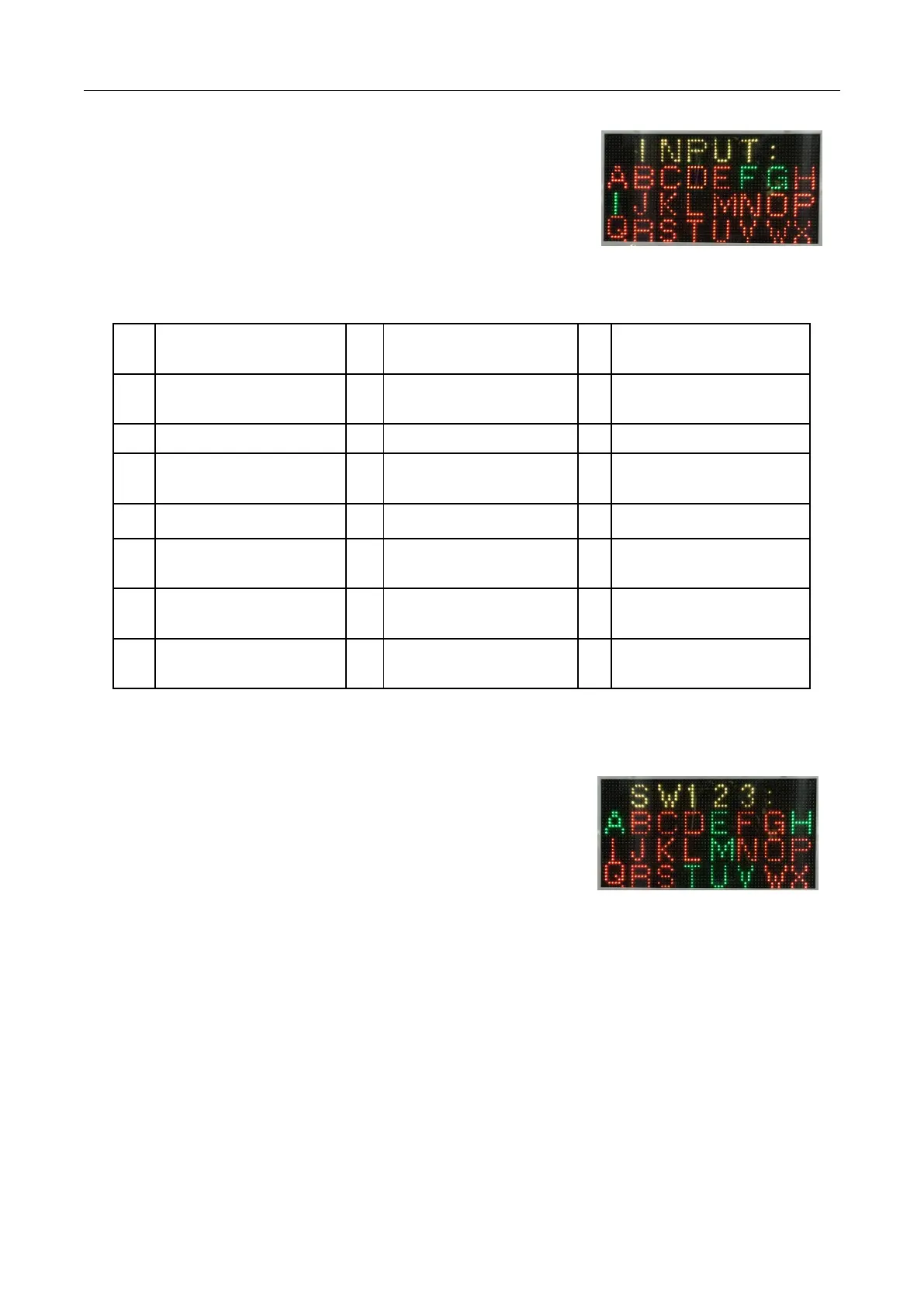
Enter all input signal states as shown in the image on the right.
Each letter represents an input signal, by manually touching a signal's
switch or sensor, to observe whether the corresponding letter on the screen
changes, you can check whether the switch or sensor work is normal.
The corresponding signal name for each letter is shown in the following table:
Lower door Clearance Check
switch
Detection of optical eye by
ball recovery port
Ticket Machine Feedback
Signal
Goal Scoring B1 Light eye
Door off Detection sensor
(NH)
Goal Scoring B2 Light eye
Door opening detection
sensor (NH)
Lower door open detection
switch
2.2.12. Browse Dialing Switch Status
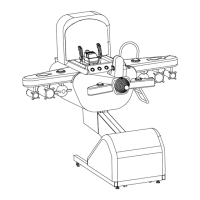
Enter the browse code switch state as shown in the image on the right.
Each English letter represents the status of a dialing code. Compare
the status of the actual dialing switch with the corresponding letter state
on the screen to check whether the dialing switch is normal.
Red represents OFF, and green is ON
A-H represents the 1-8 digits of the SW1, the i-p represents SW2 1-8 bits, and the q-x represents SW3 1-8
digits.


 To Next Page