© 2008 Energy, Inc. www.theenergydetective.com
Page 23
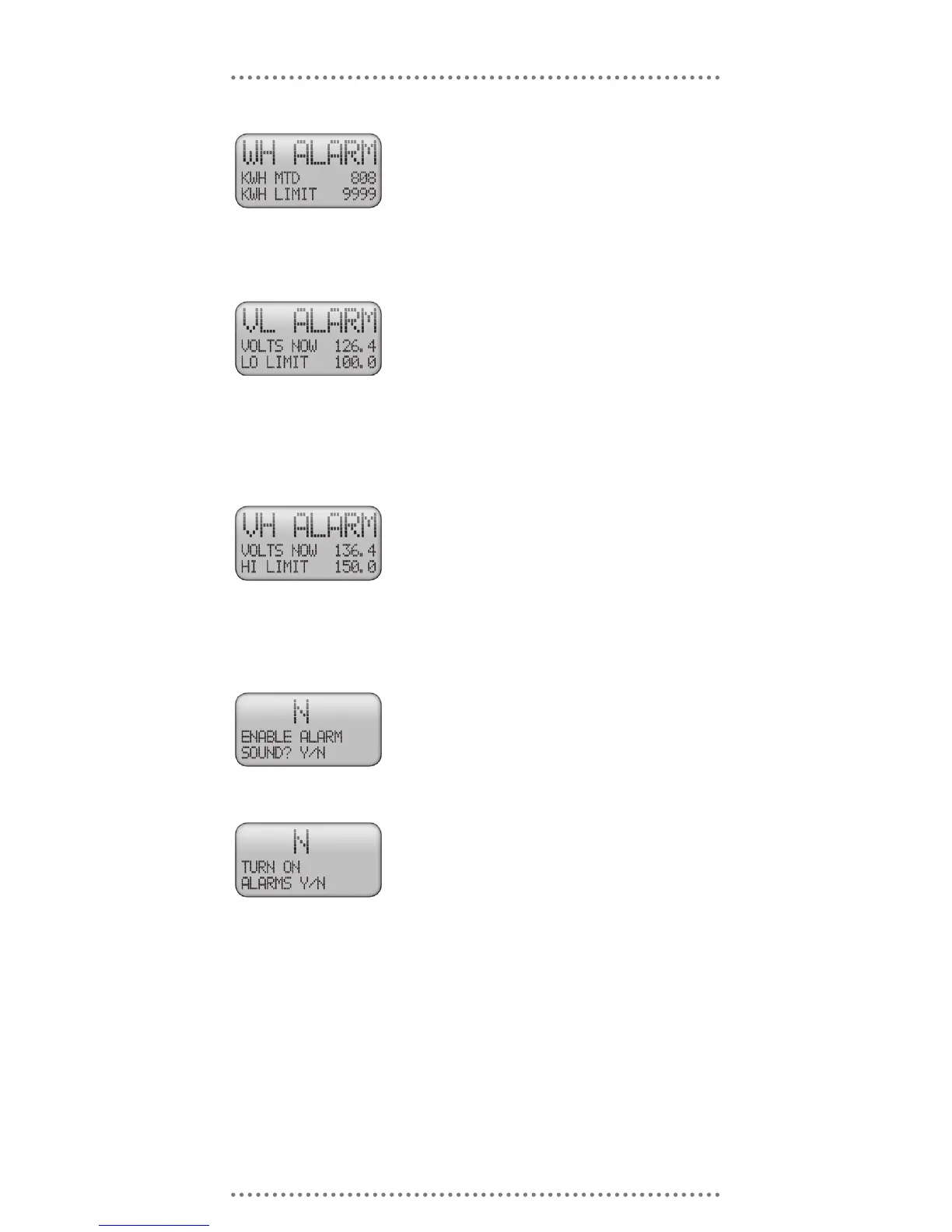
Once set, TED will enter Alarm Mode when the “kWh” gure
exceeds the LIMIT set by the user. Example: If the user
wishes to be notied when the month-to-date kWh ex-
ceeds 1500, the user will have entered 1500 as the LIMIT
for the alarm. When 1500 kWh is reached, TED will enter
Alarm Mode.
KWh MTD ALARM
Once set, TED will enter Alarm Mode when the voltage drops
below the LIMIT set. Example: If the user wishes to be
notied if the voltage drops below 110 volts, the user will
have entered “110 volts” as the LIMIT for the alarm. If the
voltage drops below 110 volts, TED will enter Alarm Mode.
Low voltage may cause damage to motors, compressors,
and other sensitive electrical devices by putting undue
strain on the motor, thus shortening the useful life.
LOW VOLTAGE ALARM
Once set, TED will enter Alarm Mode when the voltage ex-
ceeds the LIMIT set by the user. Example: If the user
wishes to be notied if the voltage exceeds 125 volts, the
user will have entered “130 volts” as the LIMIT for the
alarm. If the voltage reaches 130 volts, TED will enter
Alarm Mode. High voltage may cause damage to sensi-
tive electrical devices and will also shorten lamp life.
HIGH VOLTAGE ALARM
If you would like an audible alarm, choose “Y”. If you prefer
Silent Alarm Mode, choose “N”.
Choosing “Y” will allow alarms. Choosing “N” will stop
alarms.
NOTE: Regardless of the settings of the Alarm Message or
the Audible Alarm, the LED Alarm indicator on the face of
TED will change to red if any alarm condition is met.
AUDIBLE ALARM
ALARM MESSAGE
Once the MODE Key is pressed, TED will return to the Primary Display.



 To Next Page