© 2008 Energy, Inc. www.theenergydetective.com
Page 12
P A R T I V - P R O G R A M M I N G T E D 1 0 0 1
Estimated Programming Setup Time:
Home Owner: 10 – 30 minutes
Professional Installer: 5 – 10 minutes
PROGRAM TED AFTER THE PREVIOUS INSTALLATION PROCEDURES ARE
COMPLETE.
TED is designed so that the SETUP MODE need only be accessed upon initial setup, or
when the Utility has a rate change, or when the user wants to modify any of the opera-
tional information – time and date, billing date, etc. The entered data will stay intact when
unplugged or there is a power outage. As data is entered during the SETUP MODE, it is
permanently stored once the MODE Key is pressed; to change data after the initial setup
routine, simply repeat the Setup procedure.
• To move from digit-to-digit within a eld, depress the u key;
• To change the value, depress the p arrow (press once to advance one digit, or hold
down to keep advancing);
• To move from one eld to another, depress the MODE Key. (HOLDING DOWN the
MODE Key will Save and Exit to the main display – this should be done only when
changes are complete).
• Have a copy of your most recent Electricity Bill nearby to obtain information from...you
will need it.
• Refer to Appendix E “Understanding Your Electric Bill”, or Appendix F - FAQ if you are
not sure how to enter your Setup Information .
SETUP MODE
(DEPRESS AND HOLD $ AND MODE KEYS SIMULTANEOUSLY FOR 2 SECONDS)
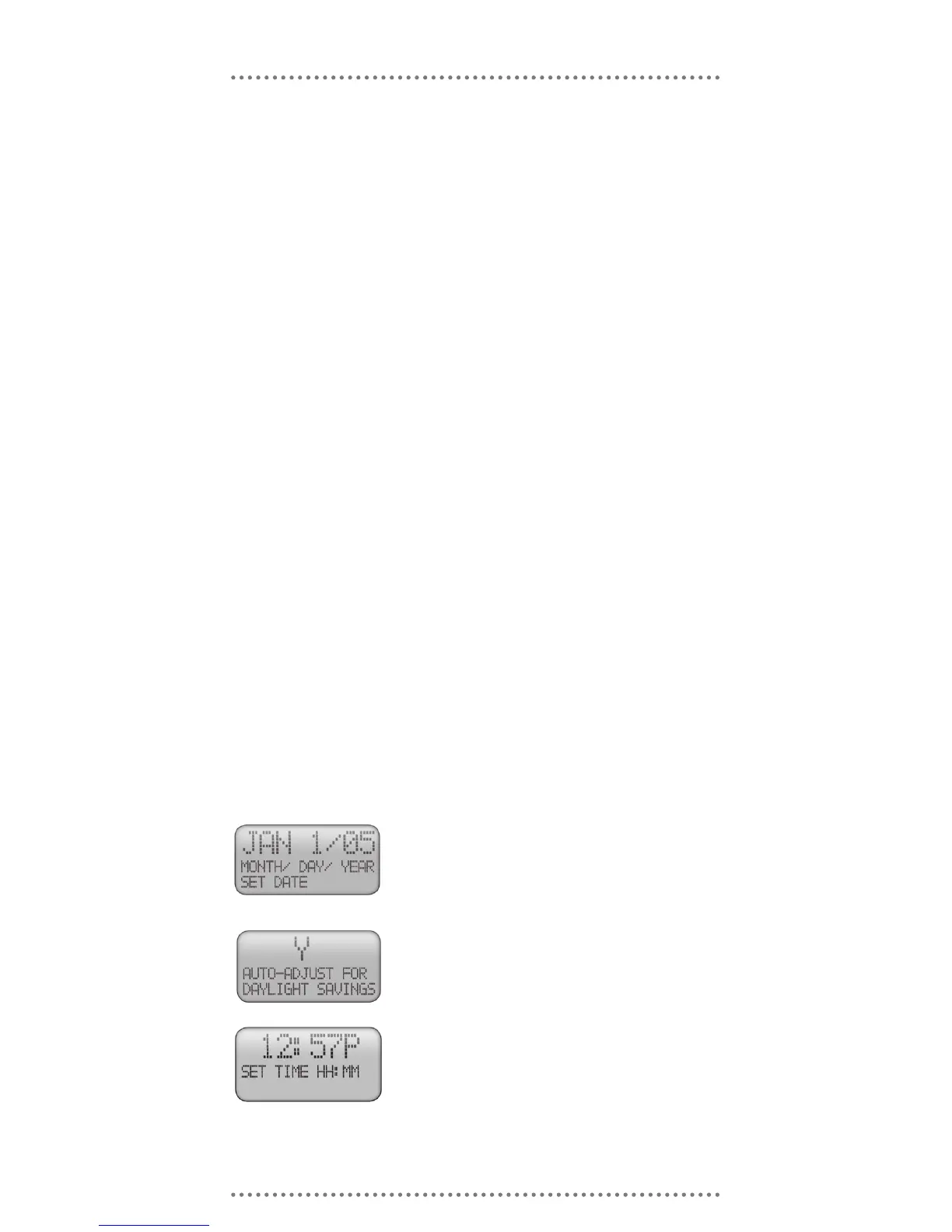
Use the u and p keys to change the date, then press the
MODE Key.
If your locale observes Standard North American Daylight
Savings Time, choose “Y” otherwise choose “N.” Use the
▲ key to toggle between “Y” and “N” and then press the
MODE key. TED will automatically adjust the time based
on the New Daylight Savings Time standard passed by
US Congress in 2006.
INPUT DATE AND TIME
INPUT METER-READ DATE
This information is found on your utility bill. The Meter Read Date generally will fall on the
Use the u and p keys to change the time, then press the
MODE Key. Be CERTAIN to get the AM / PM correct.



 To Next Page