© 2008 Energy, Inc. www.theenergydetective.com
Page 24
SPECIAL FUNCTIONS
Some of the following functions can cause signicant changes in TED.
Please be sure to understand each screen fully before changing any of the
default values. In order to access these screens, hold down the 3 buttons
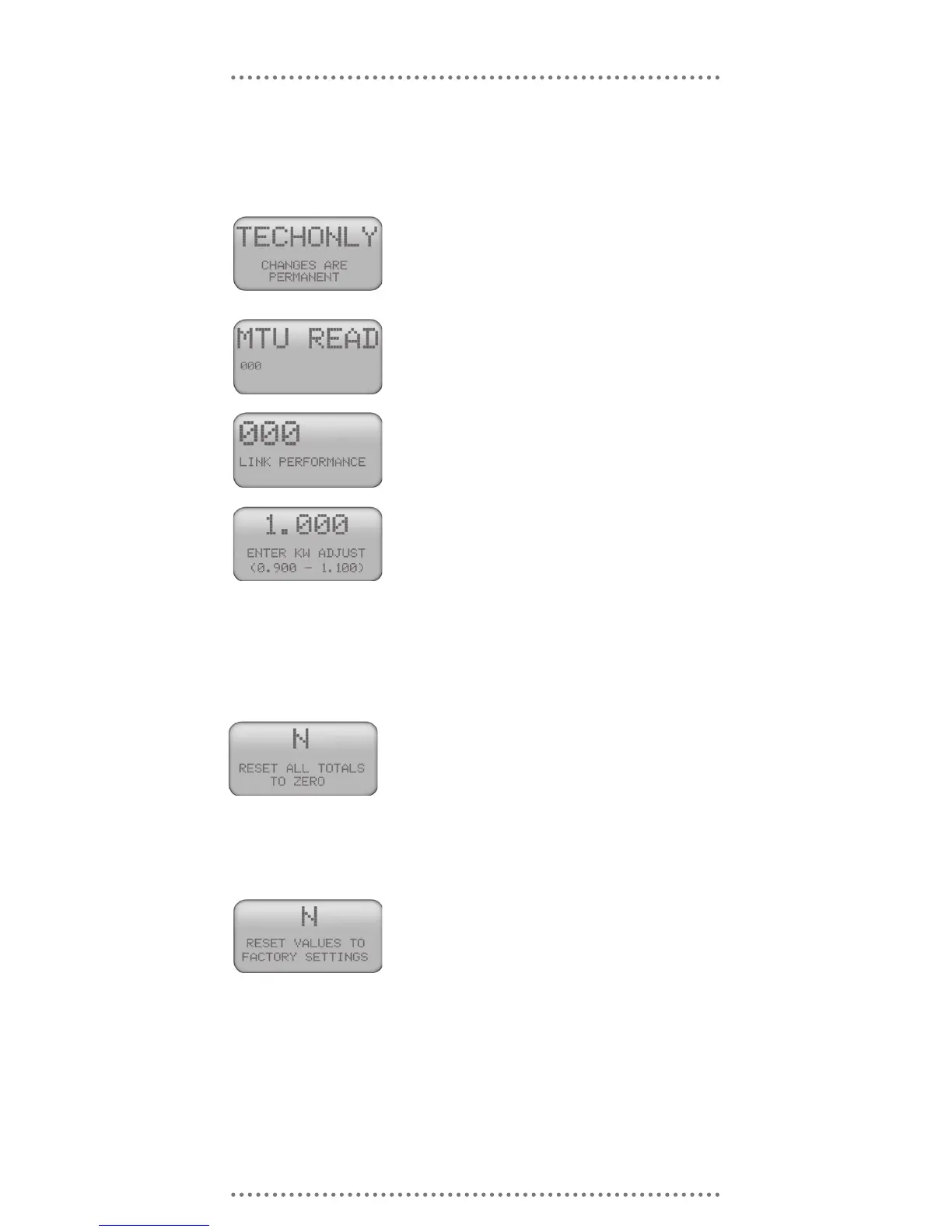
on the left side of the display simultaneously ($ ► ▲) for 3 seconds. The
following will appear:
NOTE: If you wish to go through these screens
without recording any changes, continue press-
ing the MODE Key. At the end you will be asked
if you want to SAVE CHANGES Y/N? The de-
fault is “N.” Change to “Y” if you do wish to re-
cord a change.
This is the House Code being transmitted from
your MTU. If you have not installed your MTU
yet, it will read “000.” Press the MODE Key to
advance to the next screen.
This number represents signal quality. It only
becomes a valid number after 24 hours of opera-
tion. It should be above 70. Press the MODE
Key to advance to the next screen.
If you wish to calibrate TED to match your util-
ity meter, you may adjust this number accord-
ingly. Change this ONLY after comparing TED
with your utility meter for at least 3-4 weeks. For
example, if you nd that TED is reading 1.7%
higher than your utility meter, adjust the 1.000 by
1.7% (1/1.017 = 0.983). If reading is low, change
calibration factor to 1.017.
Press the MODE Key to advance to the next
screen.
Change the ‘N’ to ‘Y’ if you would like to change
all of your totals to zero. NOTE: This will zero
ALL accumulated data totals. You can not spec-
ify which totals to zero out. It does not affect
the Setup Data (Time, Date, etc.) or the monthly
History. Once you have pressed the MODE key,
TED takes approximately 1 minute to clear the
registers.
Changing the ‘N’ to ‘Y’ will zero all data in TED.
TED will appear to be brand new. The only re-
maining info will be the House Code. Pressing
the MODE Key will return you to the Primary Dis-
play screen.



 To Next Page