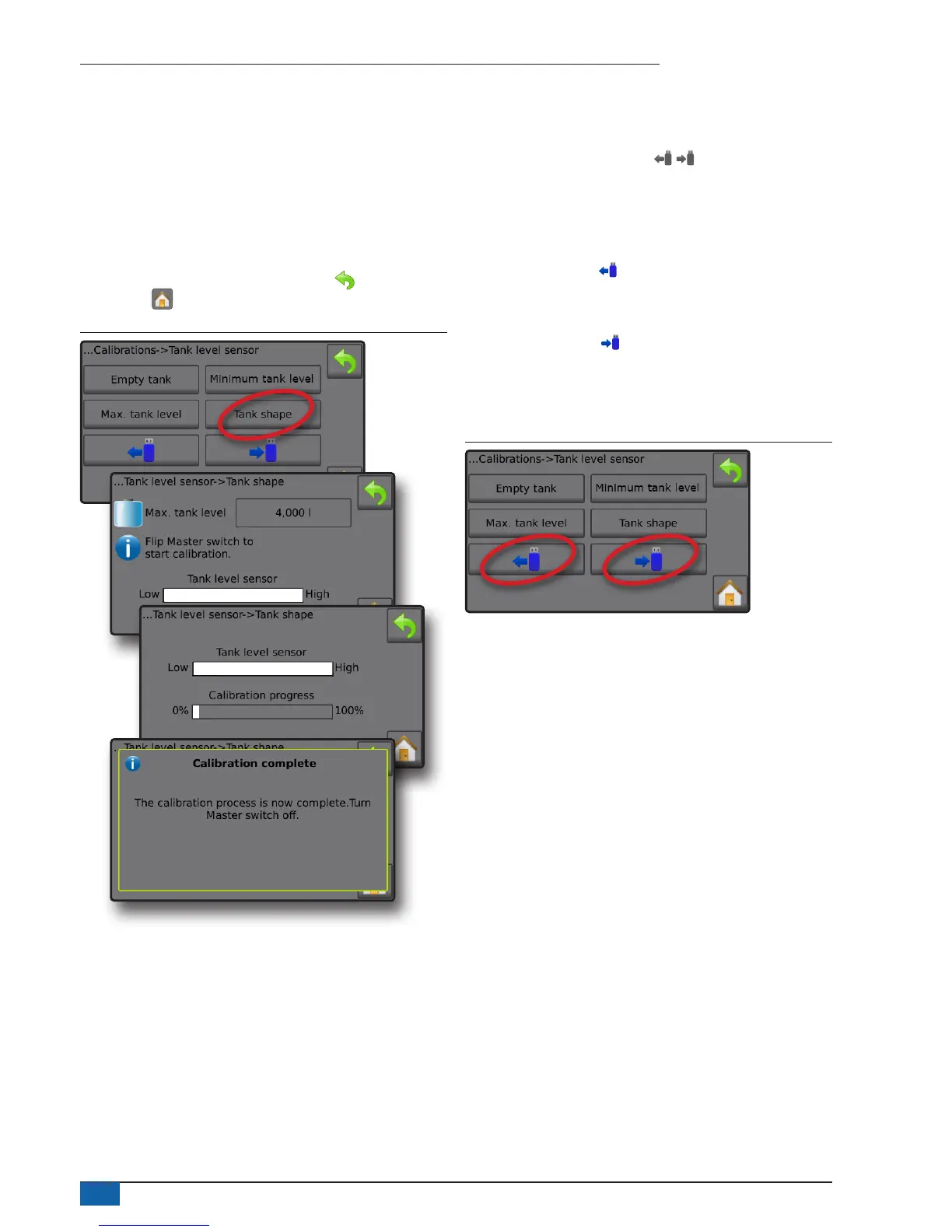
Tank shape – Automatic calibration
Tank shape establishes the tank shape.
1. Flip Master switch to start calibration.
◄Tank level sensor graph will go from high to low as the
calibration proceeds
◄When Calibration progress graph reaches 100%, calibration
will record a new calibration value and nalise the calibration
To pause the calibration process, ip the Master switch.
To cancel the calibration, press RETURN arrow or press the
Home button .
Figure 33: Tank level sensor – Tank shape
Import / export
Tank level sensor calibration settings can be exported to USB drive
and recalled for future use.
NOTE: The import/export buttons are not available for
selection and are greyed out until a USB drive is inserted
properly.
To import the calibration settings:
1. Insert USB drive.
2. Press IMPORT button .
To export the calibration settings:
1. Insert USB drive.
2. Press EXPORT button .
NOTE: Only one (1) tank calibration settings file can be saved on
a USB drive at one time. If there is an existing file it will be
overwritten.
Figure 34: Tank level sensor – Import/export



 To Next Page