844-AB Sprayer control 1
Software 4.03
Chapter 1 – Introduction
This User Guide provides information for
software version 4.03.
Make sure that all hardware components are
properly installed and tested. Before starting
the programming process, confirm that the
console and all sensors are working properly.
IMPORTANT!
Before beginning, review the following
Program Guidelines that control the
programming process.
To exit any Setup Mode, press and hold the
Program key for 3 seconds. The inputs are
stored and the computer will exit Program
Mode.
To increase the value of a programmable
digit, press the Plus key. To decrease the
value, press the Minus key. These keys are
located directly to the right of the display. For
some program steps, press and hold the Plus
and Minus keys to quickly change the values.
Press the Plus and Minus keys once to
increment/decrement the values by one
unit.
Press and hold the Plus and Minus keys
simultaneously to reset the value to “0” or
begin automatic calibration.
Press the Program key to advance the system
to the next program step. After the final
program step is complete, the console will
finish the programming loop and return to the
initial programming step.
System Setup mode contains the options that
customize the controller to the sprayer or
sprayer components. These include
calibration steps and parameters that seldom
change once programmed.
Application Setup mode contains settings that
are frequently changed (tip spacing, number
of tips per boom section, density, nozzles
used, and target application rate).
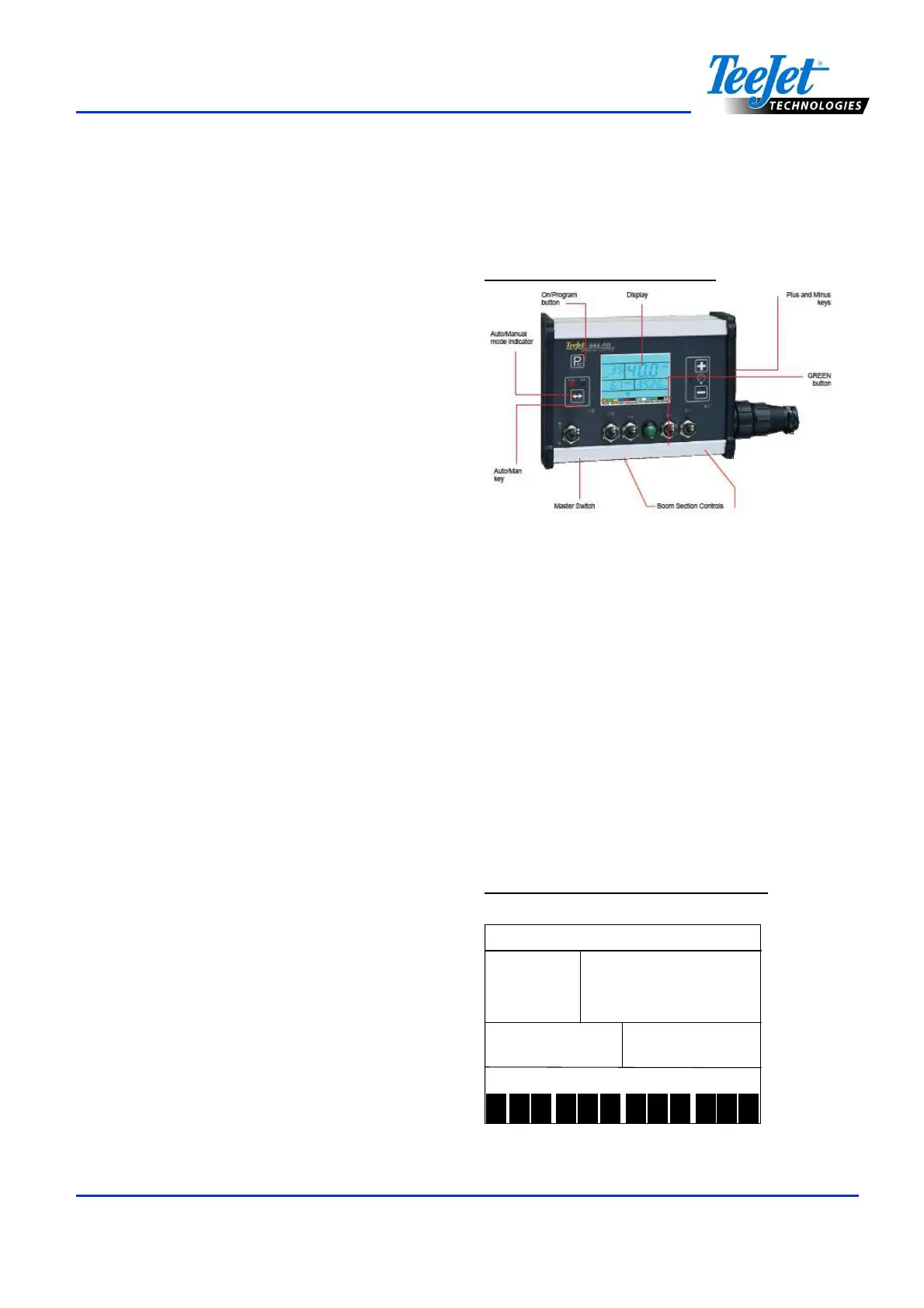
Figure 1-1: 844-AB Console
Power On the Console
The 844-AB console can be powered on by
pressing the Program key one time. The
console will initially display the software
version at the top of the screen and the serial
number of the console at the bottom of the
screen. After approximately 5 seconds, the
console will enter into swath width view.
Press the Program key to advance to normal
Operations mode.
Figure 1-2: Power On the Console
ABL
ABL ABL
ABL
999
999 999
999
5555
55555555
5555
1 2 3 4 5 6 7 8 9 10
11
12



 To Next Page