17
14.6 HOW TO START A MANUAL DEFROST
Assure that none cycle is active or the hold mode is running.
1. Hold press the UP key fro few seconds.
NOTE: The defrost will not be done if the temperature detected by the evaporator probe is higher than
EdF (stop defrost temperature) parameter.
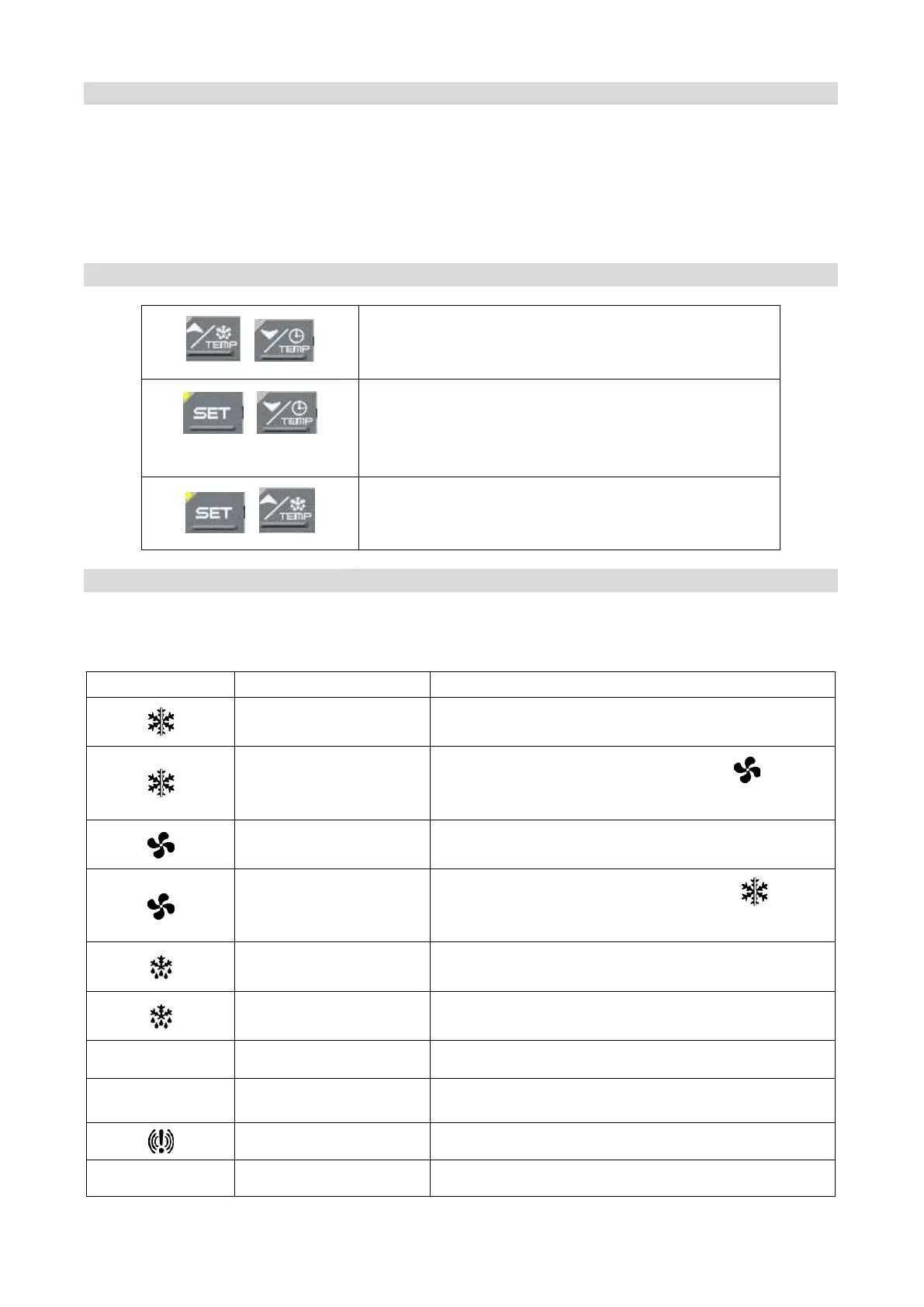
14.7 OTHER FUNCTIONS OF KEYBOARD
+
To lock & unlock the keyboard Pon/PoF
+
To enter the programming mode when the controller is
in stand-by
Each parameter present in the Pr2 can be removed or
put into “Pr1” (user level) by pressing “SET + ▼”.
+
To return to the previous menu.
14.8 MEANING OF THE LEDS’
A series of light points on the front panels is used to monitor the loads controlled by the instrument. Each
LED function is described in the following table.
ON
- Compressor enabled
Flashing
- Programming Phase (flashing with LED
)
- Anti-short cycle delay enabled
ON
- Fans enabled
Flashing
- Programming Phase (flashing with LED )
- Activation delay active
ON
- Defrost active
Flashing
- Drip time active
①②③④
ON
- Freezing cycle 1, 2, 3, 4 or hold mode active
①②③④
Flashing
- Instrument temporarily stop
ON
- Alarm signalling
AUX –AUX2 ON
- Aux or Aux2 enabled



 To Next Page