© 2016 284_D - 05/16
46 of 60
A Watts Water Technologies Company
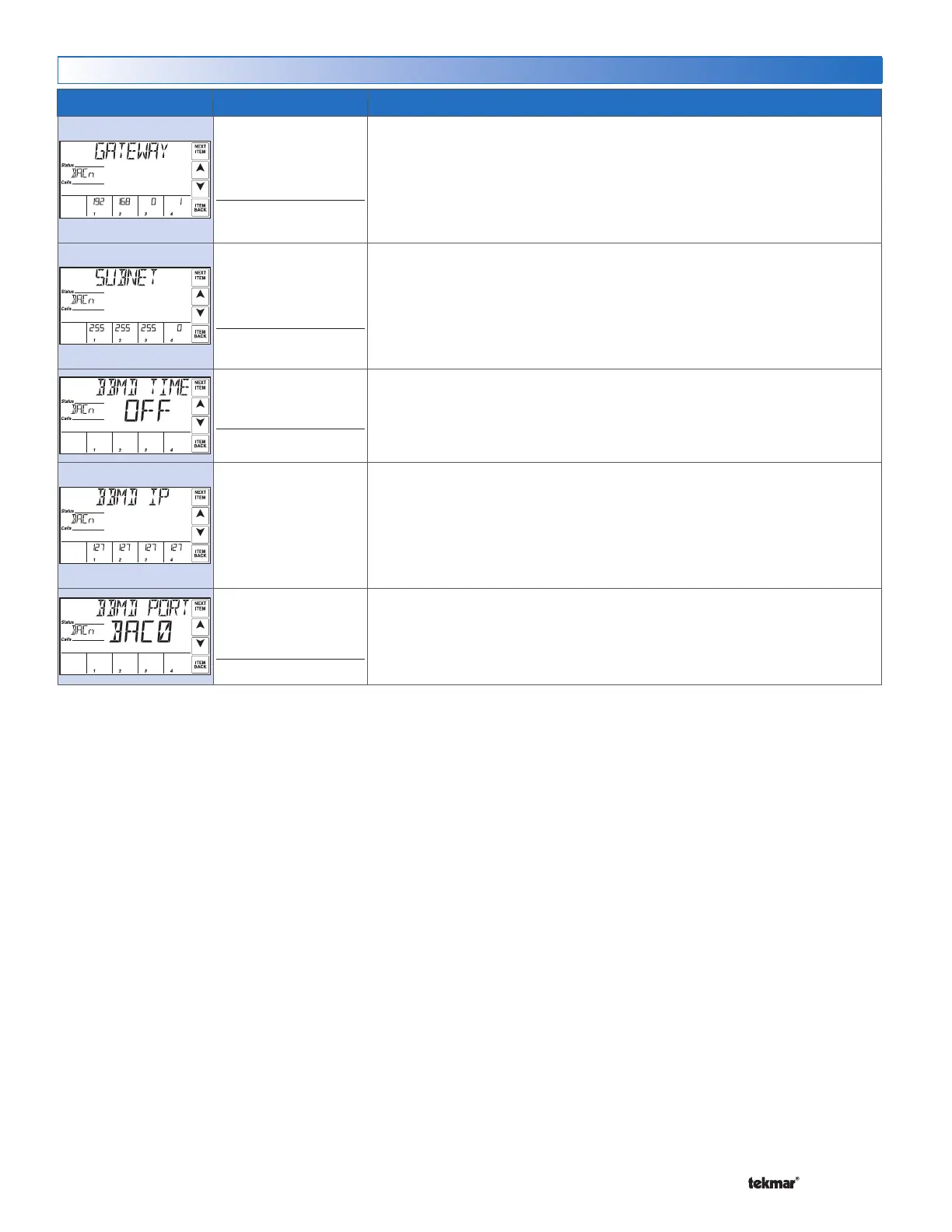
Item Field Range Description
0 to 255, 0 to 255, 0 to
255, 1 to 254
Default: 192,168,0,1
Access: ADV
BACNET GATEWAY
Sets the Gateway address on the
BACnet
®
network. The address is set using four
number sets displayed in the source output fields. Touch the ‘Next Item’ button to
view & adjust each number set. Touch the ‘Next Item’ button to view & adjust each
number set.
This item is only available when BAS Type is set to BACn & BACn DHCP is set
to OFF.
0 to 255, 0 to 255, 0 to
255, 0 to 255
Default: 255,255,255,0
Access: ADV
BACNET SUBNET
Sets the subnet address on the
BACnet
®
network. The address is set using four
number sets displayed in the source output fields. Touch the ‘Next Item’ button to
view & adjust each number set. Touch the ‘Next Item’ button to view & adjust each
number set.
This item is only available when BAS Type is set to BACn & BACn DHCP is set
to OFF.
OFF, 30 to 65535
Default: OFF
Access: ADV
BACNET BBMD TIME
Sets the BACnet
®
Broadcast Management Device (BBMD) time-to-live used for
foreign device registration.
This item is only available when BAS Type is set to BACn & DHCP is set to ON.
0 to 255, 0 to 255, 0 to
255, 0 to 255
Default: 127,127,127,127
BACNET BBMD IP
Sets the BBMD IP address on the BACnet
®
network. The address is set using four
number sets displayed in the source output fields. Touch the ‘Next Item’ button to
view & adjust each number set. Touch the ‘Next Item’ button to view & adjust each
number set.
This item is only available when BAS Type is set to BACn & BACnet
®
BBMD Time
is not set to OFF.
0x1 to 0xFFFF
Default: 0xBAC0
(47808)
Access: Adv
BACNET BBMD PORT
Sets the BBMD UDP port on the BACnet
®
network.
This item is only available when BAS Type is set to BACn & BACnet
®
BBMD Time
is not set to OFF.
BAS Menu (2 of 2)


 To Next Page