© 2016 284_D - 05/16
50 of 60
A Watts Water Technologies Company
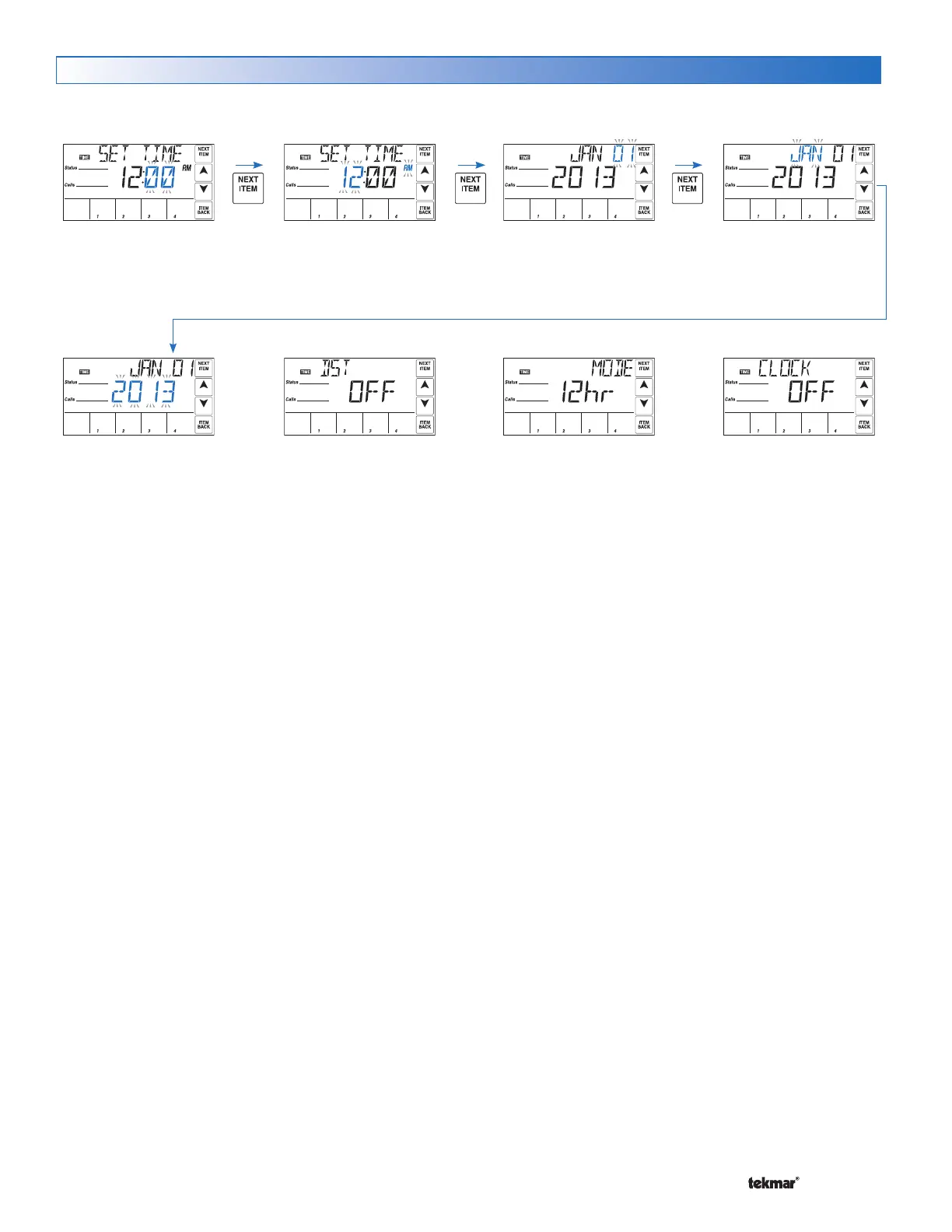
Time Menu (1 of 1)
Set minutes.
Set hours, then select AM or
PM. For a 24 hr clock, AM /
PM is not displayed.
Set date. Set month.
Set year.
Turn daylight savings time
ON if an automatic time
change is required.
Select 12 or 24 hr clock.
Select On or Off. If On
is selected, the Time
will be displayed in
the View menu.
The Time menu sets the time & date.
The Setback / Off switch setting must be in the Setback position in order to have access to the Time menu.


 To Next Page