User’s Manual
16
3.2. Screen
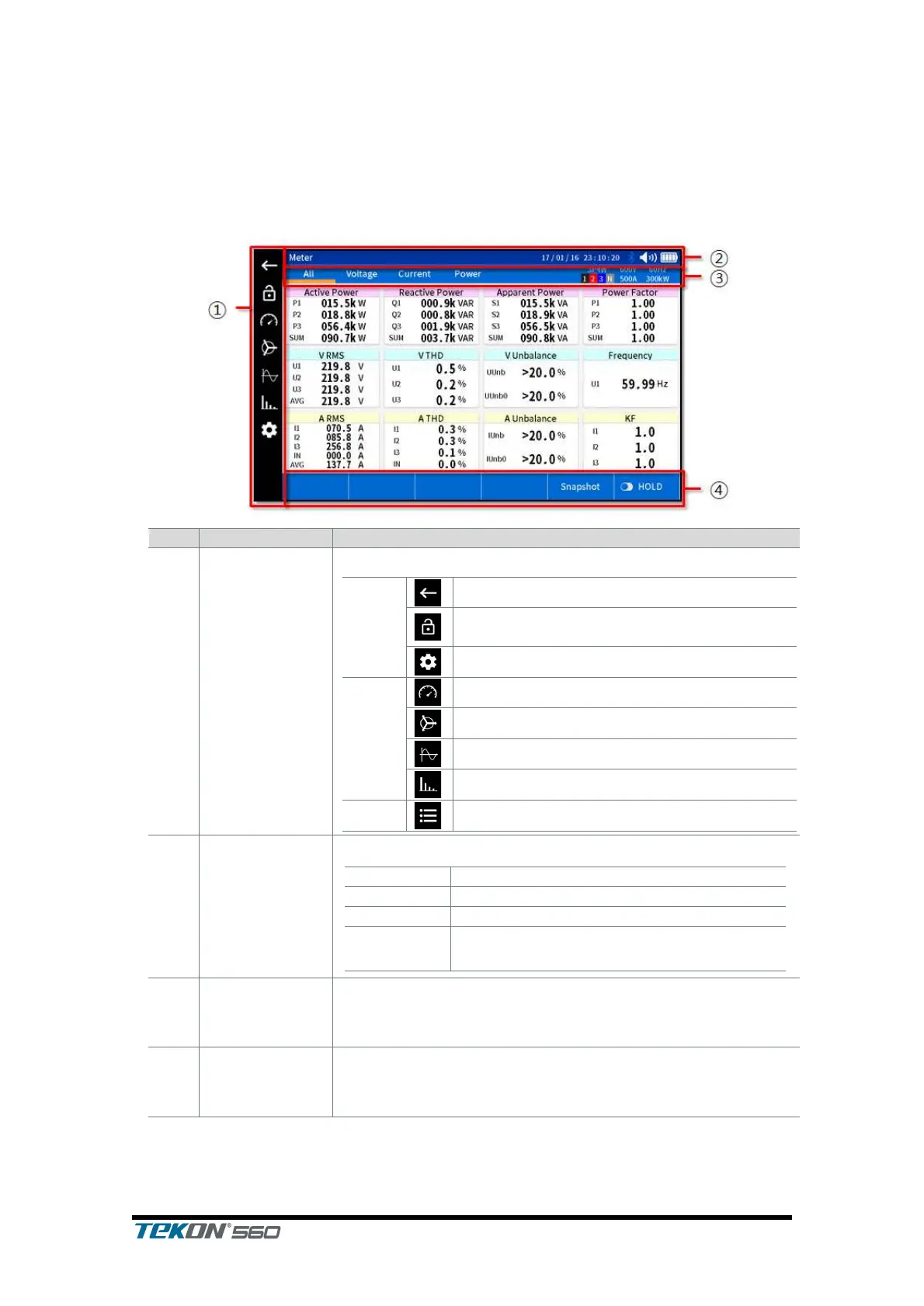
A screen that appears differs with individual measuring functions. Hereunder is
the description of screens configured for the most common functions.
Used to return to the previous screen
Locks the touchscreen; tap once more to
unlock
Buttons used to convert to different functions
Displays the current status of the instrument
.Displays whether bluetooth is activated
Displays volume of buzzer sound
Displays how much battery power
remains
If there is a lower-level screen below the current
function, such information as currently set wiring and
range is displayed on the right hand pane.
Displays functional buttons necessarily for the current
screen, where labels are displayed depending on the
function under current processing and item selected



 To Next Page