User’s Manual
21
3.5. Phase diagram of Power Analyzer
3.5.1. Phase diagram
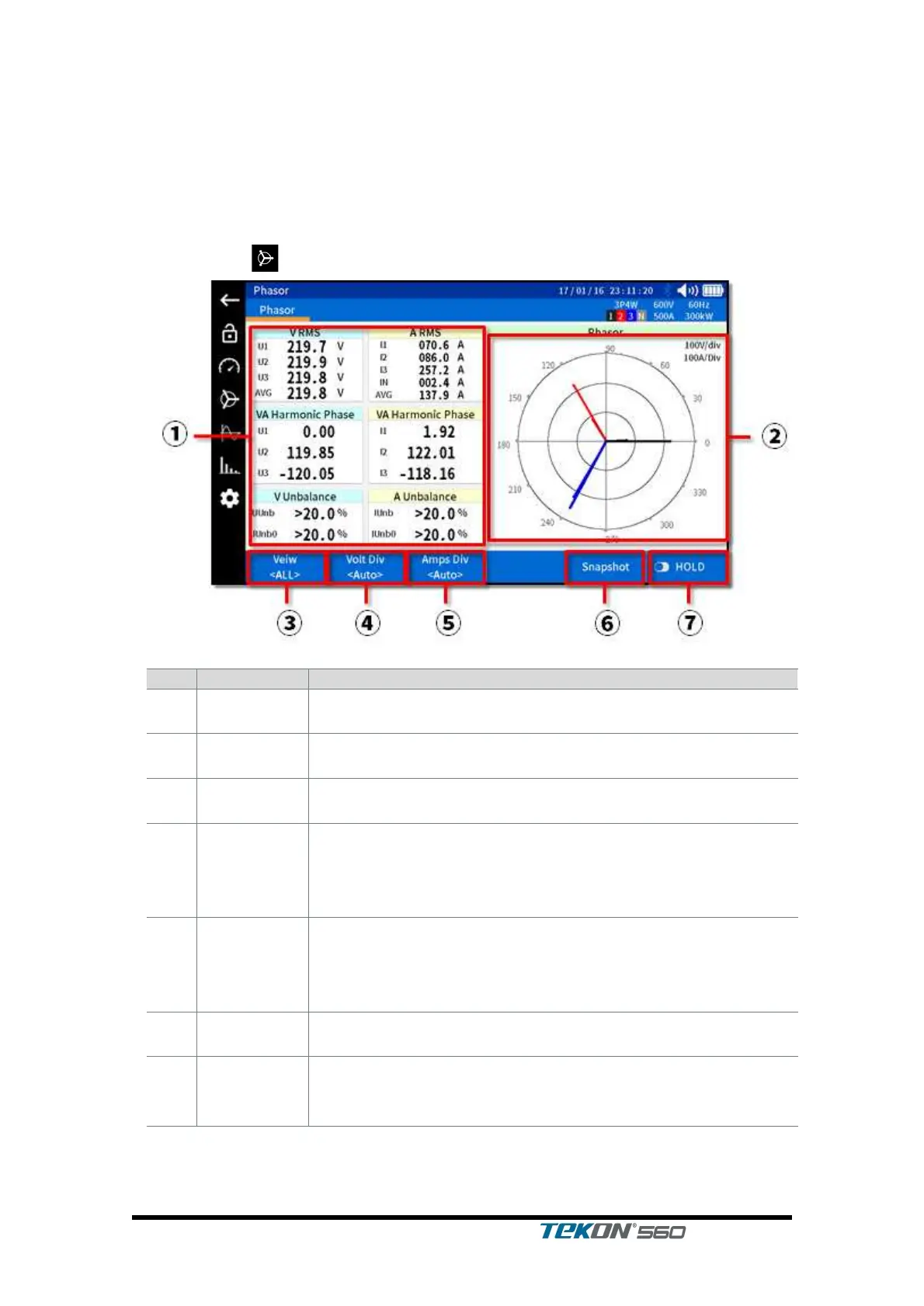
This is a screen enabled to check phase of the power.
Tap the icon on the left to move to this screen.
Display voltage/current RMS, phase, unbalance value.
Select Voltage & Current, Voltage or Current whichever
you wish to view.
Used to set the magnification of voltage displayed; if preset
to Auto, the magnitude of Div is automatically set
depending on the value of voltage. The present Div value is
displayed on the upper right side of the diagram.
Used to set the magnification of current displayed; if preset
to Auto, the magnitude of Div is automatically set
depending on the value of current. The present Div value
is displayed on the upper right side of the diagram.
Used to save the currently displayed image to SD card in
bmp file
Used to ‘hold’ the currently displayed measurement value;
press once more to release Hold in which case it is
updated to the latest measurement value.



 To Next Page