User’s Manual
26
3.8. Settings for Power Analyzer
3.8.1. Settings for Power Analyzer – Basic
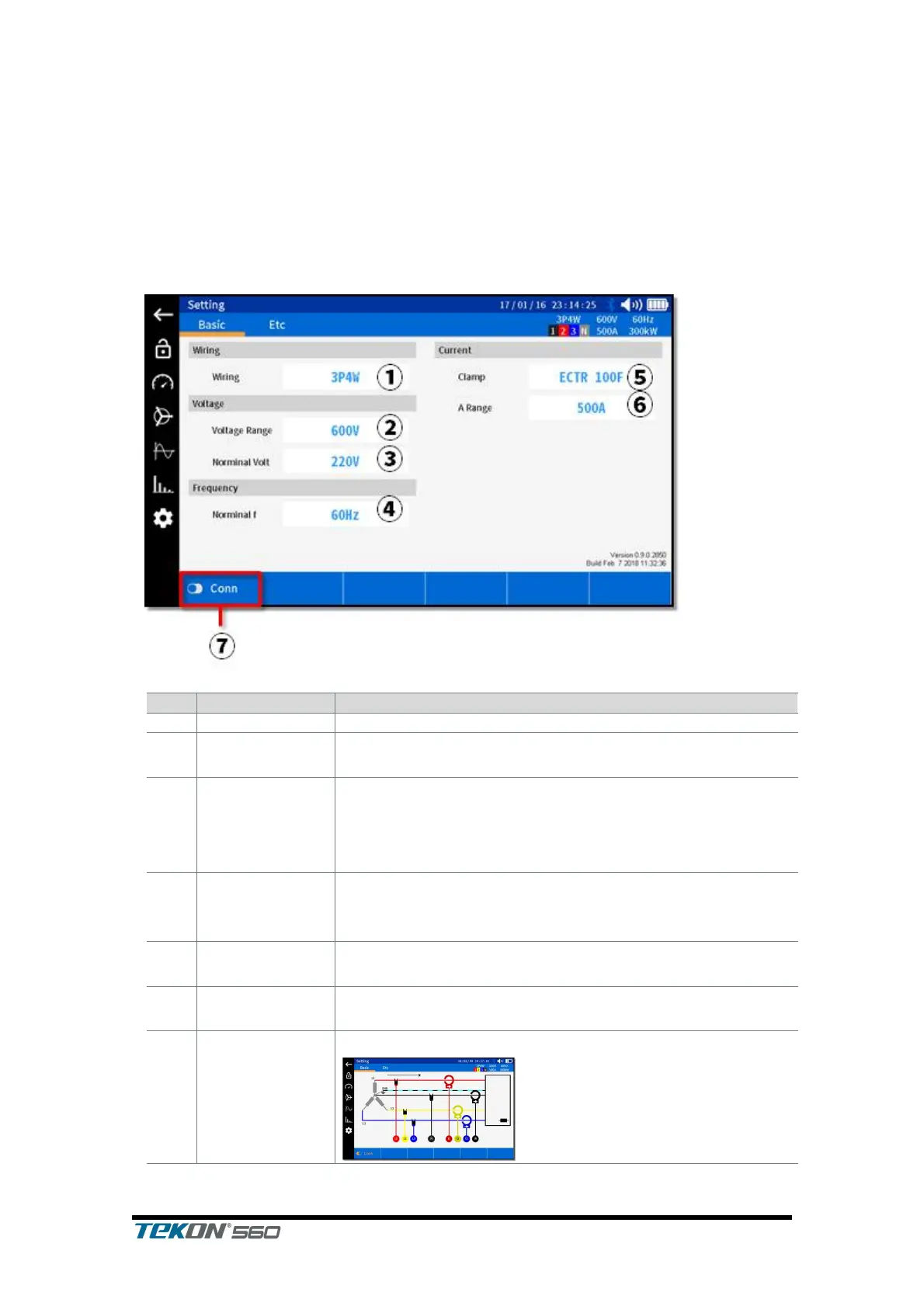
This is a screen enabling you to set configuration of the power analyzer.
Tap the corresponding icon on the left to enter into this screen.
Select Basic on the upper tab.
Select the voltage range you wish to set. <300V, 600V,
1000V>
Select the nominal voltage of the object being
measured.
<100V, 101V, 110V, 120V, 200V, 202V, 208V, 220V, 230V,
240V, 277V, 346V, 380V, 400V, 415V, 480V, 600V>
Select the nominal frequency of the object being
measured.
<50Hz, 60Hz>
Select the current clamp.
Select the range of the current clamp you have
selected.
Displays the wiring diagram of the currently selected.



 To Next Page