User’s Manual
27
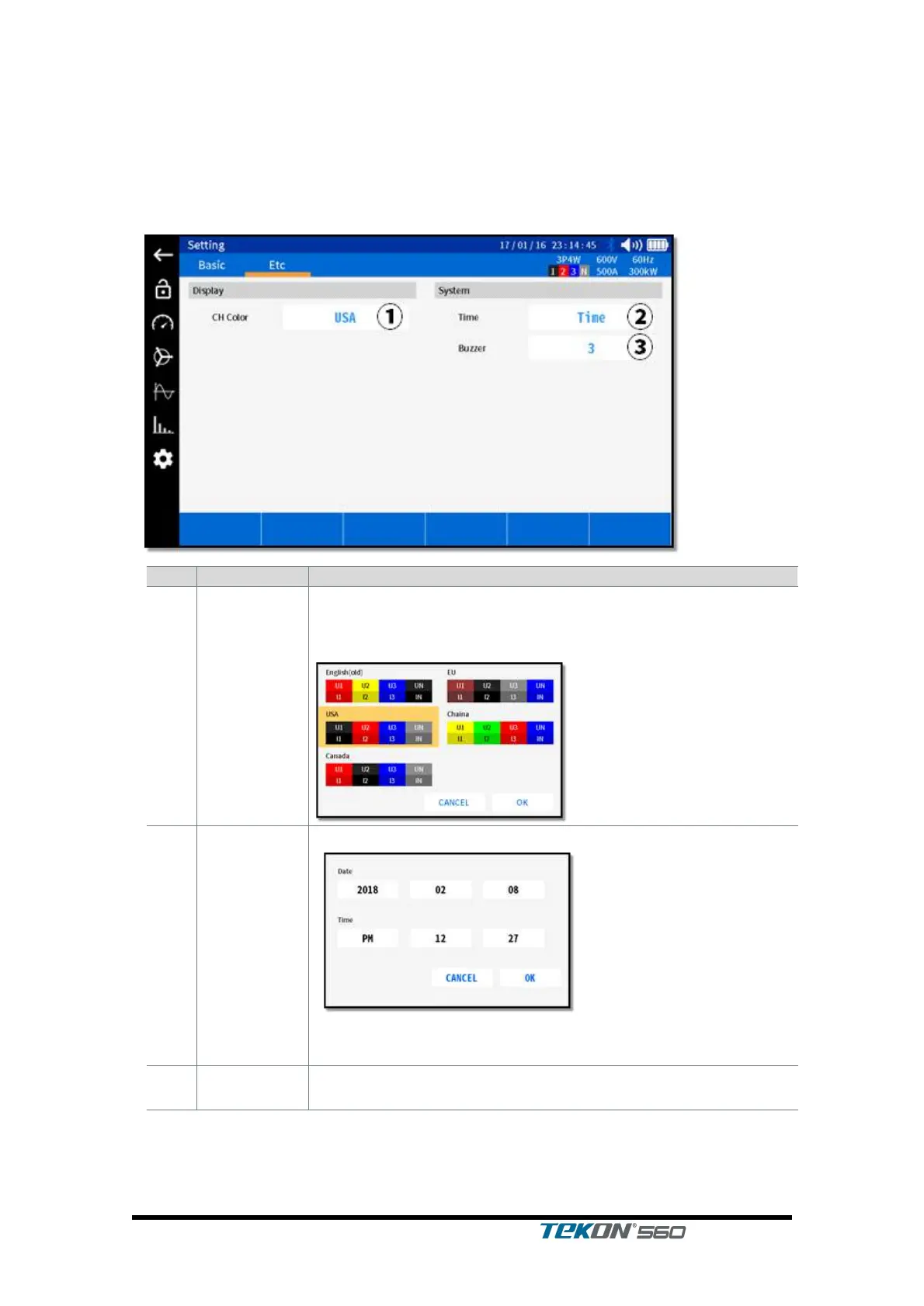
3.8.2. Settings for Power Analyzer – Other
Tap the corresponding icon on the left to enter into this screen.
Select Etc on the upper tab.
Select the preset value for color that discriminates phases.
Once selected, press OK to confirm.
<UK (former model), USA, Canada, Europe (IEEE), China>
Adjust the time for the instrument.
Once the date and time have been selected, press OK to
confirm.
Adjust the volume of buzzer sound for the instrument.
< Off, 1, 2, 3 >



 To Next Page