User’s Manual
25
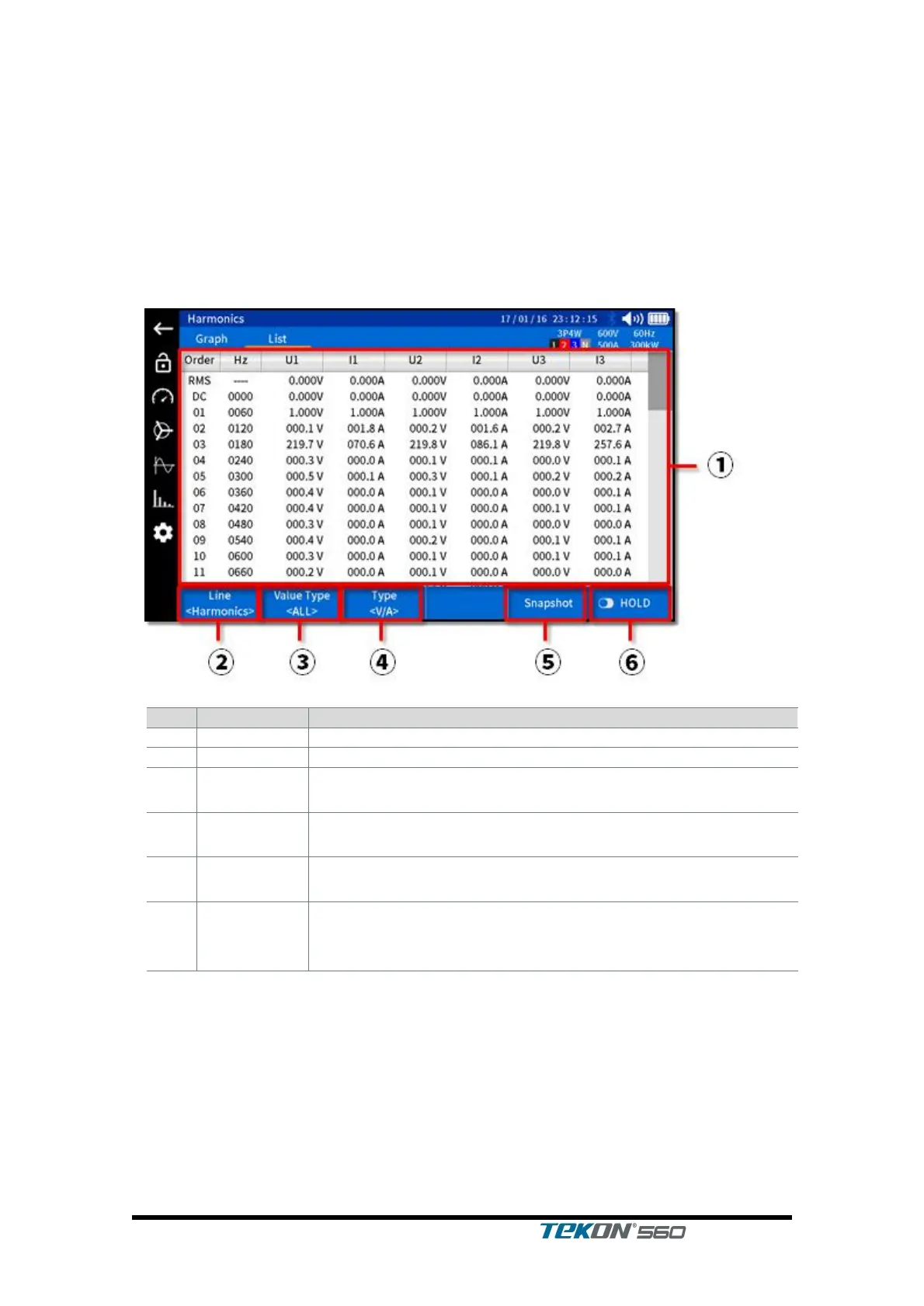
3.7.2. Function of Power Analyzer that displays a list of harmonic measurements
This is a screen enabled to check harmonic measurements of voltage and
current in a form of graphs.
Tap the corresponding icon on the left to enter into this screen.
Select List on the upper tab. Then, harmonic numbers, frequency and values of
individual phases are displayed as graphs.
Select Harmonic or Interharmonic.
Select phase.
<All, L1, L2, L3>
Select voltage and/or current.
<Voltage & Current, Voltage, Current>
Used to save the currently displayed image to SD card in
bmp file
Used to ‘hold’ the currently displayed measurement value;
press once more to release Hold in which case it is
updated to the latest measurement value.



 To Next Page