Installation
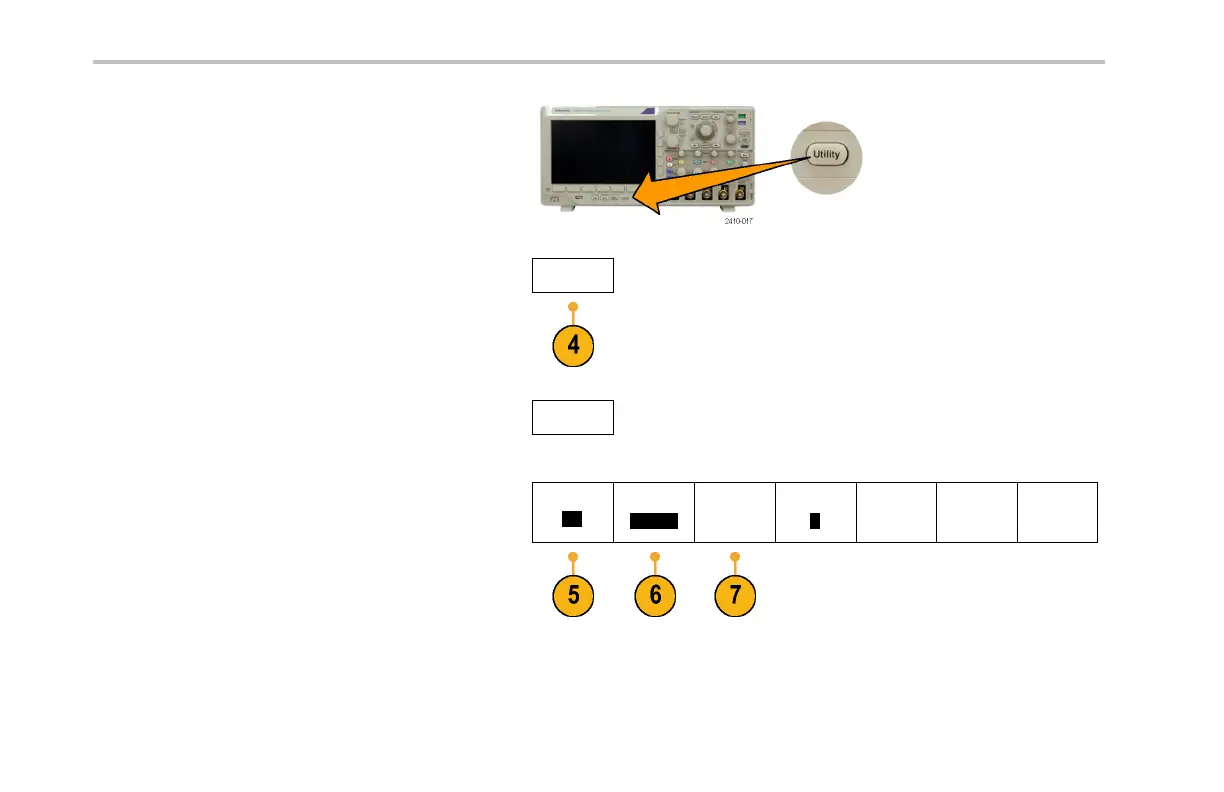
3. Push Utility .
4. Push Utility Page.
Utility Page
5. Turn multipurpose knob a and select I/O.
I/O
6. If you are using USB, the system sets itself up
automatically for you, if USB is enabled.
Utility Page
I/O
USB
Enabled
Ethernet
Network
Settings
GPIB
1
Check USB on the lower-bezel menu to be
sure that USB is enabled. If it is not enabled,
push USB. Then push Enabled on the
side-bezel menu.
42 DPO3000 Series Oscilloscopes User Ma nual


 To Next Page
 Loading...