26 27
Additional User
Function Command
Turn the Output/Power ON
Turn the Output/Power OFF
#01#Password#
#02#Password#
Technical Information
Input
Output
Operating Temperature
Store Temperature
Relative Humidity
External Temperature Sensor
GSM Band
Certification
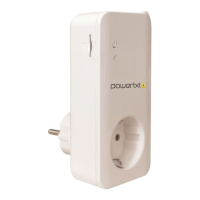
Socket/Plug Info
230-240v 50Hz
Maximum 13A UK/16A EU
-10°C to +50°C
-20°C to +60°C
10-90% Without Condensation
-10°C to +50°C
900/1800Mhz (Dual band)
CE Certified / RoHS Compliant
UK 13A three pin plug/socket or
EU 16A two pin Schuko
plug/socket
Controlling the Power (Output)
by Time Delay – OFF
Setting the Temperature Range
Parameters (Heating Mode)
Setting the Temperature Range
Parameters (Cooling Mode)
Controlling the Power (Output)
by Temperature Range – ON
Controlling the Power (Output)
by Temperature Range – OFF
Setting the Temperature Range
Parameters for SMS Alert
SMS Temperature Alert – ON
SMS Temperature Alert – OFF
Signal Strength
General Status
Status – Time/Day Parameters for
Automatic Power (Output) Control
Status – Time Delay Parameters for
Automatic Power (Output) Control
Status – Temperature Parameters for
Automatic Power (Output) Control
Temperature Parameters for SMS Alert
Reset
#138#0#Minutes#
#159#0#MinTempValue
#MaxTempValue#
#159#1#MinTempValue
#MaxTempValue#
#159#1#
#159#0#
#170#MinTempValue#Max
TempValue#
#170#1#
#170#0#
#AM#7#
#07#
#128#
#138#
#159#
#170#
#08#


 To Next Page